Vendors, public data portals, scanners and old documentation still hand out links that start with
ftp://. Click one today and nothing useful happens: the browser offers to pass it to some other app,
or shows an error. It isn't your setup. Browsers dropped FTP years ago.
Why your browser won't open it
Chrome switched FTP off for good in version 88, in early 2021, and Edge - built on the same engine - went with it. Firefox removed FTP in version 90 later that year. The reasons were the obvious ones: FTP sends everything, passwords included, without encryption, and very few people used it in a browser. The links kept circulating anyway.
What's in an FTP link
A full link can carry everything a client needs:
ftp://username:password@ftp.example.com:21/pub/reports/2026.csvftp://- the protocol, plain FTP.ftps://means FTP over TLS, andsftp://means SFTP over SSH.username:password@- optional. Without it, the server either asks you to log in or allows anonymous access.ftp.example.com:21- the server and the port. 21 is the FTP default, 22 the SFTP one./pub/reports/2026.csv- a folder, or a file inside one.
The FTP URL parser and builder splits a link into these parts, or puts one together. Leave the password out of anything you paste into a website, ours included.
Option 1: File Explorer
Windows' File Explorer still speaks plain FTP. Paste the link into the address bar and press Enter; if the server wants a login, Explorer asks for it. Then drag files out of the window like any other folder. Nothing to install.
The catch: it handles ftp:// only. An ftps:// or sftp:// link won't open there.
Option 2: one command
For a single file, the curl that ships with Windows 10 and 11 downloads it straight from the link:
curl.exe -u username:password -O ftp://ftp.example.com/pub/reports/2026.csv
Leave out -u for an anonymous server. Windows' curl handles ftp:// and ftps://
but not sftp:// - for those, use the built-in sftp command (sftp -P 22 user@host).
Windows also has the old ftp command, but it has no passive mode and often hangs behind a router;
FTP from the command line on Windows explains why.
Option 3: an FTP client
For more than one file - browsing, uploading, resuming, or any ftps:// or sftp:// link -
use a client. Most take a pasted link: FileZilla's Quickconnect bar and WinSCP's login dialog both do.
In FTPie, choose Add storage, pick FTP (or SFTP, for an
sftp:// link) and paste the whole link into Host. The host, port, username, password
and folder fill themselves in, and a link to a file opens the folder it sits in. An ftps:// link
switches TLS on, and if you paste an sftp:// link into the FTP form, or the other way round, FTPie
tells you which type to add. FTP, FTPS and SFTP are on the free plan for personal use, for up to three servers.
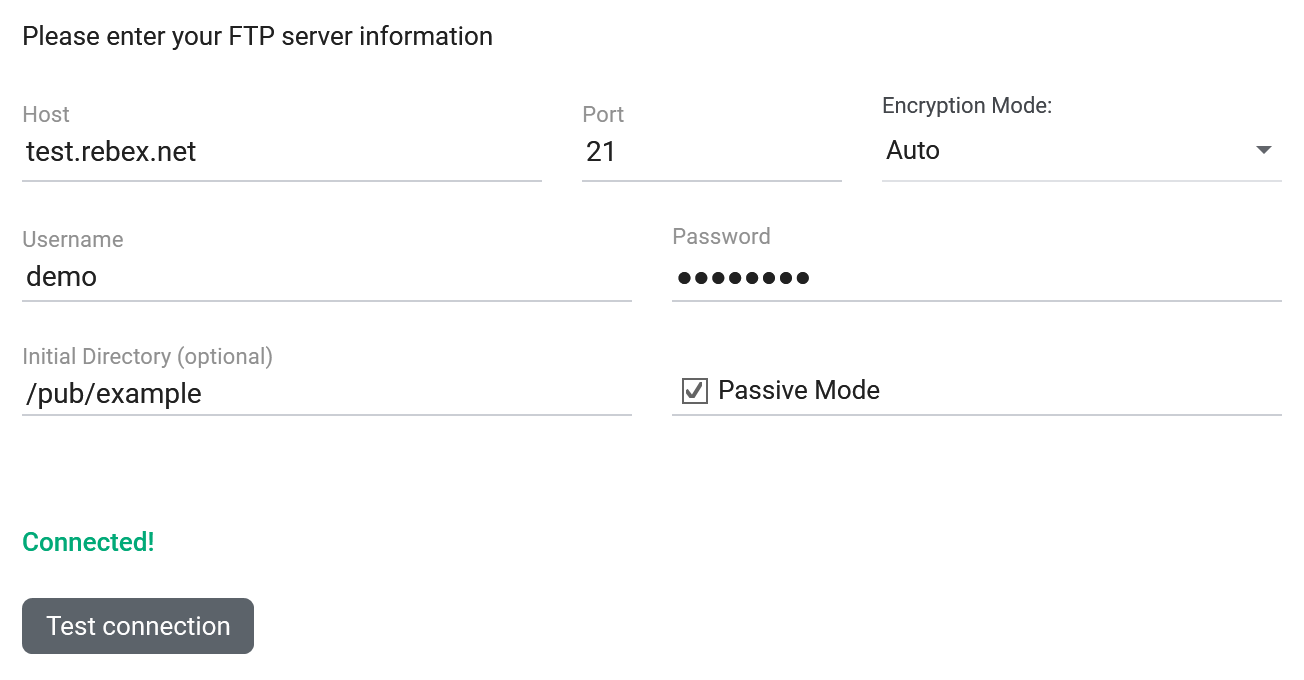
ftp://demo:password@test.rebex.net/pub/example/ into Host: every field filled in from the link, and the test passed.Make links open when you click them
If FTP links reach you often, have them open in an app instead of pasting each one. In FTPie it is one switch,
off until you turn it on: Settings > Windows integration > Open ftp:// and sftp:// links in
FTPie. A clicked ftp://, ftps:// or sftp:// link then opens the
server if you have already added it - at the link's folder, with the file selected when the link points to one.
A server you haven't added opens the add-storage form instead, filled in from the link and with the connection
tested.
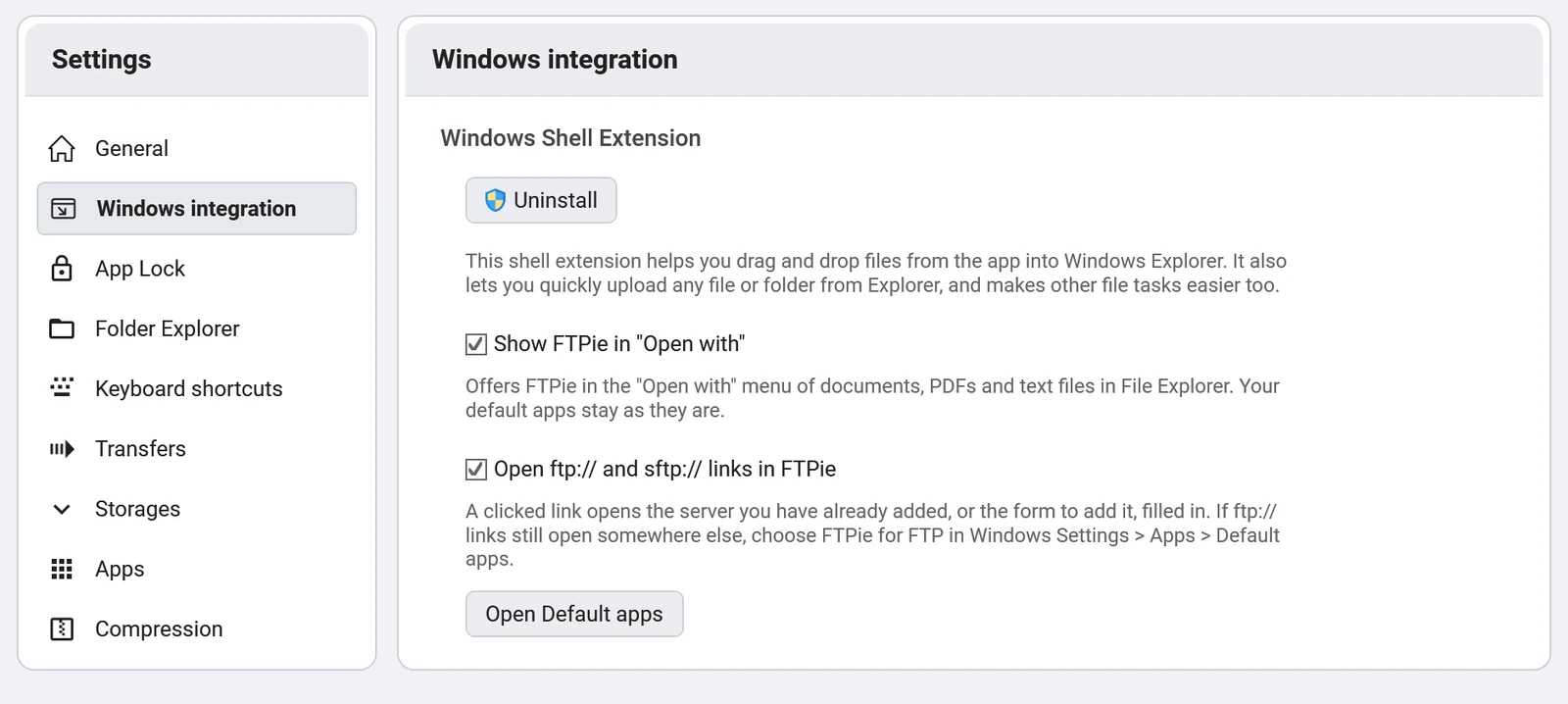
On Windows 10, ftp:// links keep opening in File Explorer until you also choose FTPie for FTP in
Settings > Apps > Default apps; the setting's Open Default apps button
goes straight there. Do the same anywhere an ftp:// link still opens in another app. Other clients,
WinSCP among them, can register for these links too.
Before you open one: FTP is not encrypted
A plain ftp:// link sends the username, the password and the files in clear text, and a password
inside a link sits in every email and chat it was pasted into. That's fine for a public download. For anything
else, ask whether the server offers SFTP or FTPS - most do. FTP vs SFTP
vs FTPS explains the difference, and connecting to an SFTP server on
Windows walks through the secure version.
Start Your 30-Day Free Trial
Download FTPie and start your free 30-day trial. Enjoy seamless FTP + cloud integration and keep using the free version afterward.
Download Free Trial