Comparison

FTPie vs Air Explorer

Two desktop dual-pane file managers for cloud and FTP — the closest head-to-head on this list

FTPie — FTP + cloud file manager with built-in tools vs Air Explorer — Desktop multi-cloud file manager

Air Explorer is probably the most similar tool to FTPie you'll find. They're both desktop applications for Windows, both use a dual-pane file manager layout, both support FTP and cloud storage, and both let you drag files between different services. If you put screenshots side by side, you'd see the resemblance immediately.

But the similarities are more surface-level than they first appear. The two tools have different priorities, different pricing models, and different ideas about how much a file manager should do. Let's dig into the actual differences.

Cloud and protocol support

Both tools cover the mainstream cloud services — Google Drive, Dropbox, OneDrive, Box, Mega — and both support FTP, FTPS, and SFTP. The overlap here is large.

Where Air Explorer pulls ahead is enterprise Microsoft services. It supports SharePoint and Azure Blob Storage, which FTPie doesn't have yet. If your company stores files in SharePoint or uses Azure for blob storage, that's a meaningful differentiator. Air Explorer also has a slightly longer list of cloud services overall, including some regional providers.

FTPie supports WebDAV (Air Explorer doesn't), and adds self-hosted cloud platforms like ownCloud, NextCloud, and SeaFile in beta. FTPie is also planning to add S3, Azure Blob, and Google Cloud Storage in 2026, which would close the enterprise gap — but that's roadmap, not reality yet.

Both support server-to-server transfers (cloud-to-cloud or FTP-to-cloud without local download), which is a key feature for anyone managing files across multiple services.

Pricing: different models, different tradeoffs

Air Explorer has a free version, but it's quite limited — restricted to two cloud accounts and basic functionality. The Pro version unlocks everything and costs €29.99 as a one-time lifetime license. That's genuinely cheap for a desktop app with no recurring fees.

FTPie's free plan includes all features and unlimited cloud/SFTP connections, but limits you to one FTP/FTPS connection. Paid plans unlock additional FTP/FTPS connections.

The pricing comparison depends on what you need. Air Explorer's free version is more restrictive in terms of accounts, while FTPie's free version is more restrictive on FTP connections specifically. Air Explorer's paid option is a one-time purchase; FTPie's paid plans (when you need them) may be subscription-based. If you just need cloud and SFTP, FTPie's free plan is quite generous. If you need many FTP servers, Air Explorer's €29.99 lifetime deal is hard to argue with.

Built-in tools: this is where they diverge

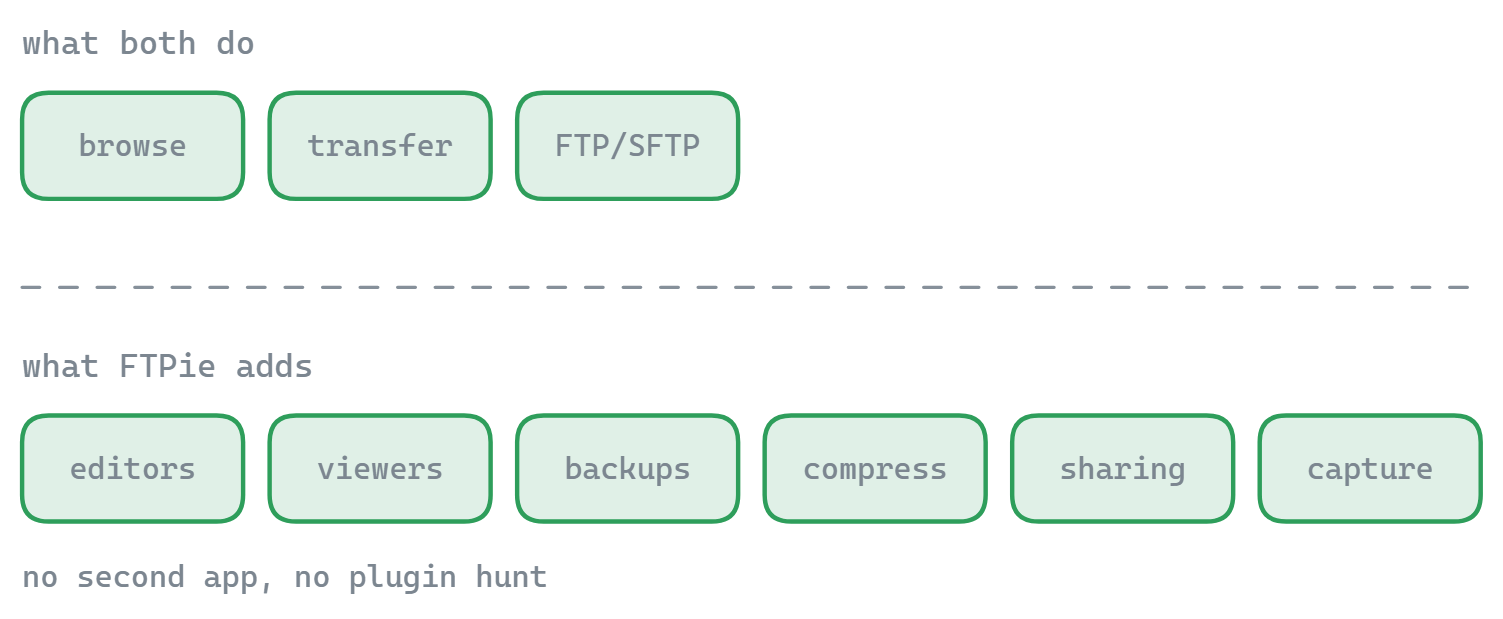
Air Explorer is a file manager. You browse files, transfer them between services, and that's largely it. It has basic image thumbnails and a simple file preview, but no built-in editors, no PDF viewer, no video player. It focuses on doing file transfer well and stays in that lane.

FTPie bundles significantly more:

  • Code editor (Monaco/VS Code engine) — edit remote text and code files directly with syntax highlighting
  • Image viewer, PDF viewer, video and music player — preview files without downloading
  • Document editing via Google Docs or Microsoft 365 — edit files from any storage using cloud editors, with automatic sync back
  • Backup scheduler — automated recurring backups with compression and AES encryption
  • File compression — create and preview zip archives on remote storage
  • Notes tool, screenshot tool, and screen recorder

Whether this matters depends on your workflow. If you just need a clean way to move files between cloud accounts, Air Explorer's simpler approach might actually be preferable — less stuff to get in the way. If you're managing web content, editing config files, reviewing uploaded images, or setting up automated backups, FTPie's extras save you from juggling separate tools.

Windows integration

Both are native Windows apps, but FTPie goes deeper with Windows-specific features. Its shell extension adds a "FTPie" submenu to Windows Explorer's right-click menu — you can upload files, generate shareable links, or open any folder in FTPie without launching the main app first. There's also JumpList support, System Tray access, global hotkeys, and full clipboard integration (Ctrl+C/V between Explorer and FTPie).

Air Explorer doesn't have a shell extension. You launch the app, navigate to where you want, and transfer files from within the application. It supports drag-and-drop with Explorer to some extent, but the integration isn't as deep.

If you spend most of your time inside the file manager, this difference is minor. If you frequently want to upload or share files from wherever you are in Windows, FTPie's shell integration is a real convenience.

Side-by-side comparison

Feature FTPie Air Explorer
FTP / FTPS / SFTP
WebDAV
SharePoint / Azure Blob
Consumer cloud storage
Server-to-server transfers
Dual-pane file manager
Built-in file viewers/editors Partial
Edit remote files without downloading
Backup scheduling Partial
File compression
Windows shell extension
Cross-platform (Mac)
Client-side encryption
Free plan Partial Partial

Where Air Explorer has the edge

  • SharePoint and Azure Blob. If you work in a Microsoft-centric enterprise environment, this is a real advantage. FTPie doesn't support either yet.
  • Affordable lifetime license. €29.99 once and you're done. No subscription, no recurring cost. For a paid desktop app, that's very competitive.
  • Mac version. Air Explorer runs on macOS too. FTPie is Windows-only.
  • Client-side encryption. Air Explorer can encrypt files before uploading. FTPie has this planned but not yet available.
  • Simpler focus. If you just want to browse and transfer files between cloud accounts without extra features getting in the way, Air Explorer's leaner approach may appeal to you.

Where FTPie has the edge

  • Built-in viewers and editors. Code editor, image viewer, PDF viewer, video/music player. Preview and edit remote files without downloading them or opening separate apps.
  • Document editing. Open files from any storage in Google Docs or Microsoft 365 with automatic sync-back — or use any local app with auto-upload on save.
  • Backup scheduler. Full backup system with compression, AES encryption, scheduling (daily/weekly/custom intervals), retention policies, and detailed logs. Air Explorer has basic sync but not a dedicated backup feature.
  • File compression. Create, preview, and extract zip archives directly on remote storage.
  • Windows shell extension. Right-click upload, Quick Share, drag-and-drop and clipboard integration between FTPie and Windows Explorer, global hotkeys.
  • Productivity tools. Screenshot capture, screen recording, and a rich text notes app — with Quick Share for instant shareable links.
  • More generous free plan for cloud/SFTP. FTPie's free plan includes all features and unlimited SFTP and cloud connections. Air Explorer's free plan limits you to two cloud accounts.

So which one should you pick?

This is the tightest comparison on this page, because the tools genuinely overlap in their core function. Both are solid desktop dual-pane file managers for cloud and FTP.

Air Explorer is the better choice if you need SharePoint or Azure Blob access, if you want a cheap one-time license, or if you also use a Mac. It's a focused file manager that does its core job well without trying to be more.

FTPie is the better choice if you want more than just file transfer — built-in viewers, remote file editing, automated backups, file compression, and deep Windows integration. Its free plan is more generous for cloud and SFTP users (unlimited connections), but limited to one FTP/FTPS connection.

If you're choosing between the two, the honest deciding factors are: do you need SharePoint? Do you need a Mac version? If yes to either, go with Air Explorer. If your work is Windows-based and you'd benefit from the built-in tooling, FTPie offers more for the price.

Start Your 14-Day Free Trial

Download FTPie and start your free 14-day trial. Enjoy seamless FTP + cloud integration and keep using the free version afterward.

Download Free Trial
CASA Verified & VirusTotal Scanned
14-day trial · Free version included
Windows 10 & 11