Google Drive Client for Windows
Browse, transfer and manage every Google Drive account from one Windows file manager - alongside your other clouds, FTP servers and NAS. No sync client filling your drive.
Google Drive's web interface is fine for opening a document. It is a poor file manager: no real dual-pane view, awkward bulk moves, and only one account signed in at a time. The official "Drive for desktop" app fixes some of that by syncing - but syncing means mirroring files onto your disk, an account switcher that fights you, and a background service you may not want.
FTPie takes the opposite approach. It is a Windows file manager that talks to Google Drive natively, so you can browse and move files without downloading your whole Drive, and keep several accounts open at once - next to your other clouds and servers.
How FTPie connects to Google Drive
Google Drive is a native, built-in integration - not a WebDAV workaround. Connecting takes under a minute:
- Open FTPie and add a new storage, then choose Google Drive.
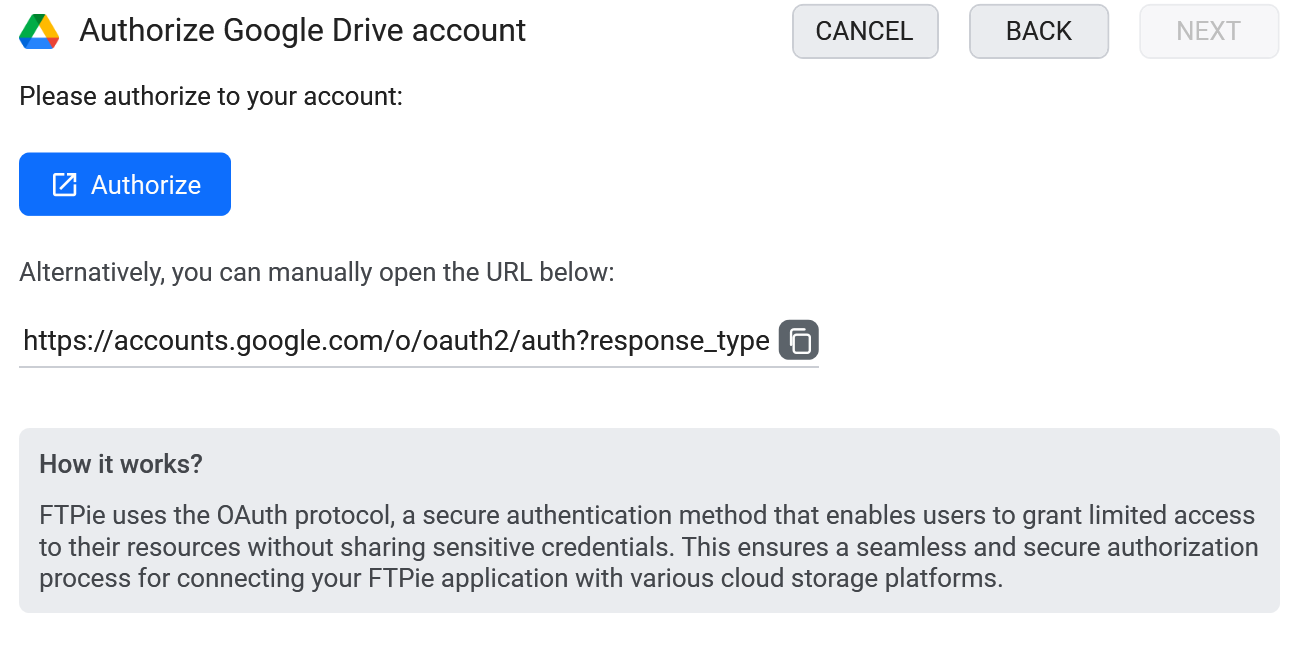
- Sign in through Google's own consent screen and authorize FTPie.
- Your Drive appears as a tile on the dashboard. Repeat to add as many accounts as you want.
What you can do
- Multiple accounts at once - personal and work Drives side by side, no sign-out dance
- Dual-pane transfers - drag files between Drive and any other storage
- Edit in place - open a file, edit, and it goes back to Drive on save (see editing without downloading)
- Unlocks Google Docs everywhere - with a Drive account connected, open and edit files from any connected storage in Google Docs, then save them back where they came from
- Back up to or from Drive on a schedule with Auto Backups
- Share a link with Quick Share, without opening the browser
Google Drive next to everything else
The real win is not "another Drive client" - it is that Drive sits in the same window as your FTP servers, your NAS and your other clouds. Move a folder from Drive straight to Dropbox, pull a build artifact off an SFTP server into Drive, or migrate a client out of Drive into your own storage - all by dragging between panes. That is the thing the official single-service app can never do.
Google Drive and AI assistants (MCP)
Google publishes a Google Drive MCP server and there are several community builds - they let an AI assistant search your Drive and read documents. All of them cover Drive and nothing else, so if your files are split between Drive, a work OneDrive and an SFTP server, you end up running and authorizing a separate server for each one, none of which can move a file from one to another.
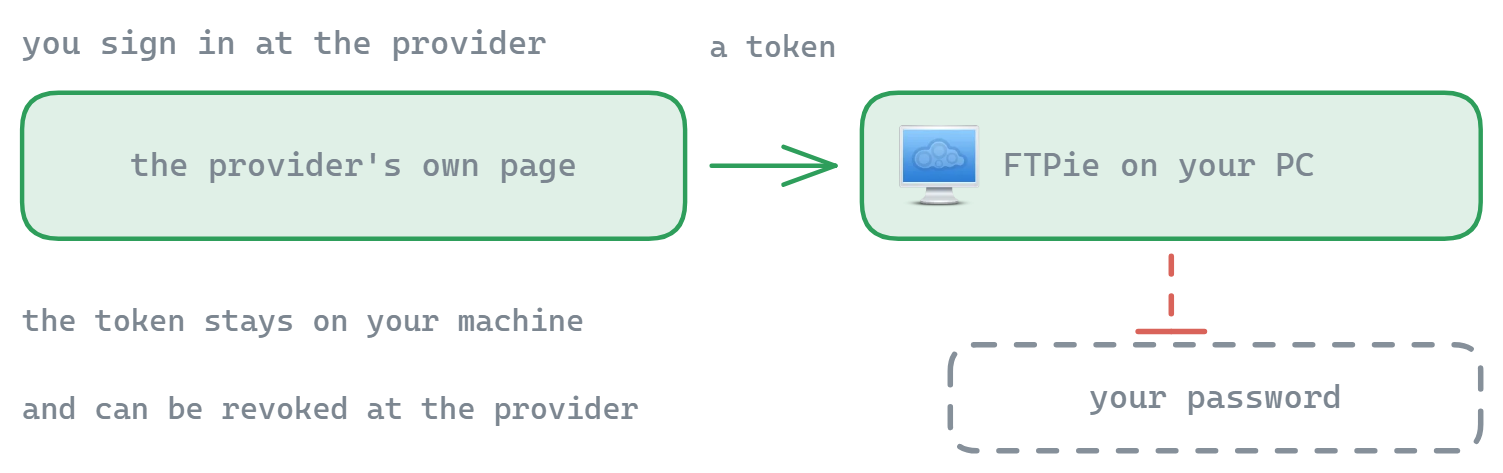
FTPie's MCP server - shipped in 2026.9.2 - takes the other approach: one server over every account you have already connected, Drive included. It also handles a Drive-specific annoyance well. Drive identifies files by an opaque id rather than a path, and it happily allows two files with the same name in the same folder, so path-based tools get ambiguous. FTPie references Drive items by their native id, which is unambiguous and survives renames. Your Google credentials stay in FTPie either way - the assistant never receives your OAuth tokens.
Common questions
Yes - add as many Drive accounts as you like, each as its own tile, all open at the same time.
No. FTPie streams files on demand - nothing is downloaded until you open or transfer it, so it does not fill your disk.
No. FTPie is a local desktop app; authorization uses Google's standard OAuth flow and tokens stay on your machine. See the security page.
Cloud connections are part of FTPie Pro. The free plan covers up to 3 FTP/FTPS/SFTP connections; Pro adds the clouds, WebDAV, NAS and self-hosted, with a 30-day free trial. See the plan comparison.
Related
- All integrations - every cloud, server and NAS FTPie connects to
- Dropbox client for Windows and OneDrive client for Windows
- Transfer files between cloud accounts
Start Your 30-Day Free Trial
Download FTPie and start your free 30-day trial. Enjoy seamless FTP + cloud integration and keep using the free version afterward.
Download Free Trial