Built-in File Viewer & Editor for Windows
Open PDFs, edit code and Markdown, view images, and stream video directly from any connected storage - cloud, FTP, SFTP, WebDAV or self-hosted - without downloading first.
FTPie integrates industry-standard tools directly into your workflow. Read PDFs, edit code and Markdown, view images, and play video - all from files that live on any connected storage (cloud, FTP, SFTP, WebDAV, self-hosted), with automatic theme sync and tabbed browsing.
Premium Integrated Tools
We've selected and customized the best tools for each file type, ensuring you get professional functionality without leaving FTPie. All apps open in new tabs and automatically match your current theme preference.
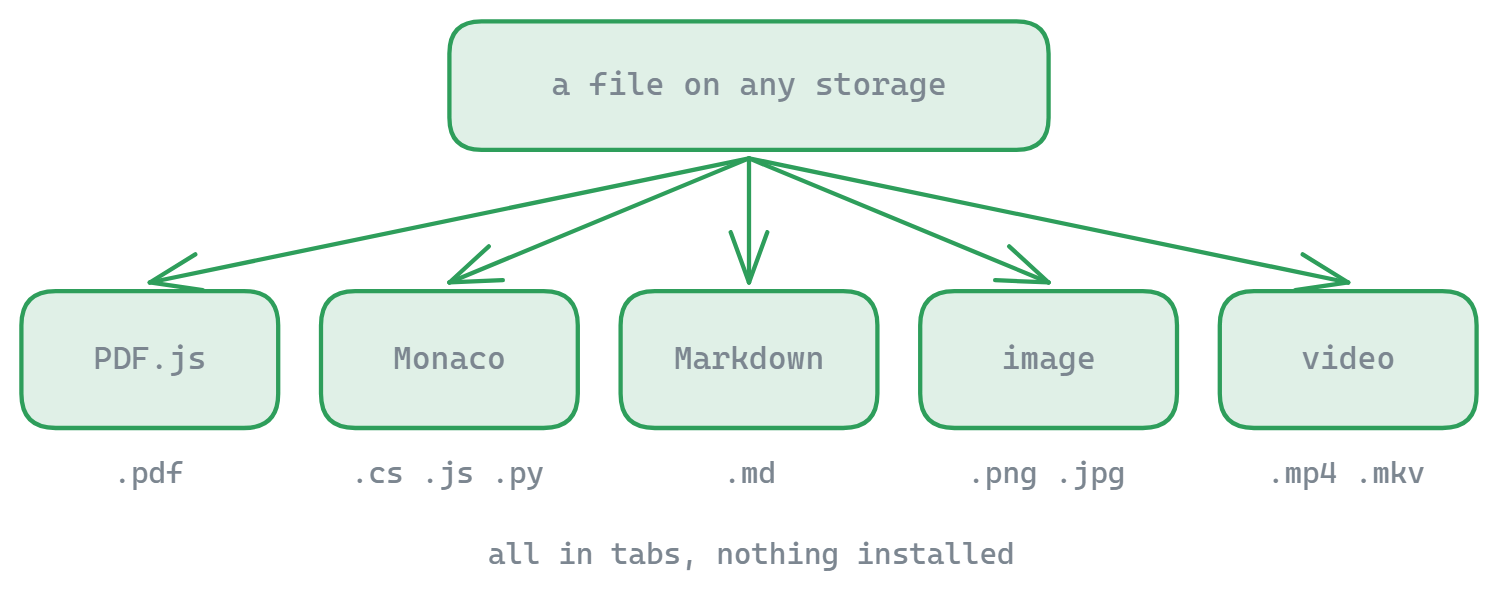
PDF Viewer
- Powered by PDF.js technology
- Text selection and search functionality
- Light/dark theme support
Code Editor
- Monaco editor (same as VS Code)
- Syntax highlighting for 50+ languages
- Minimap and scroll preview
Markdown Editor
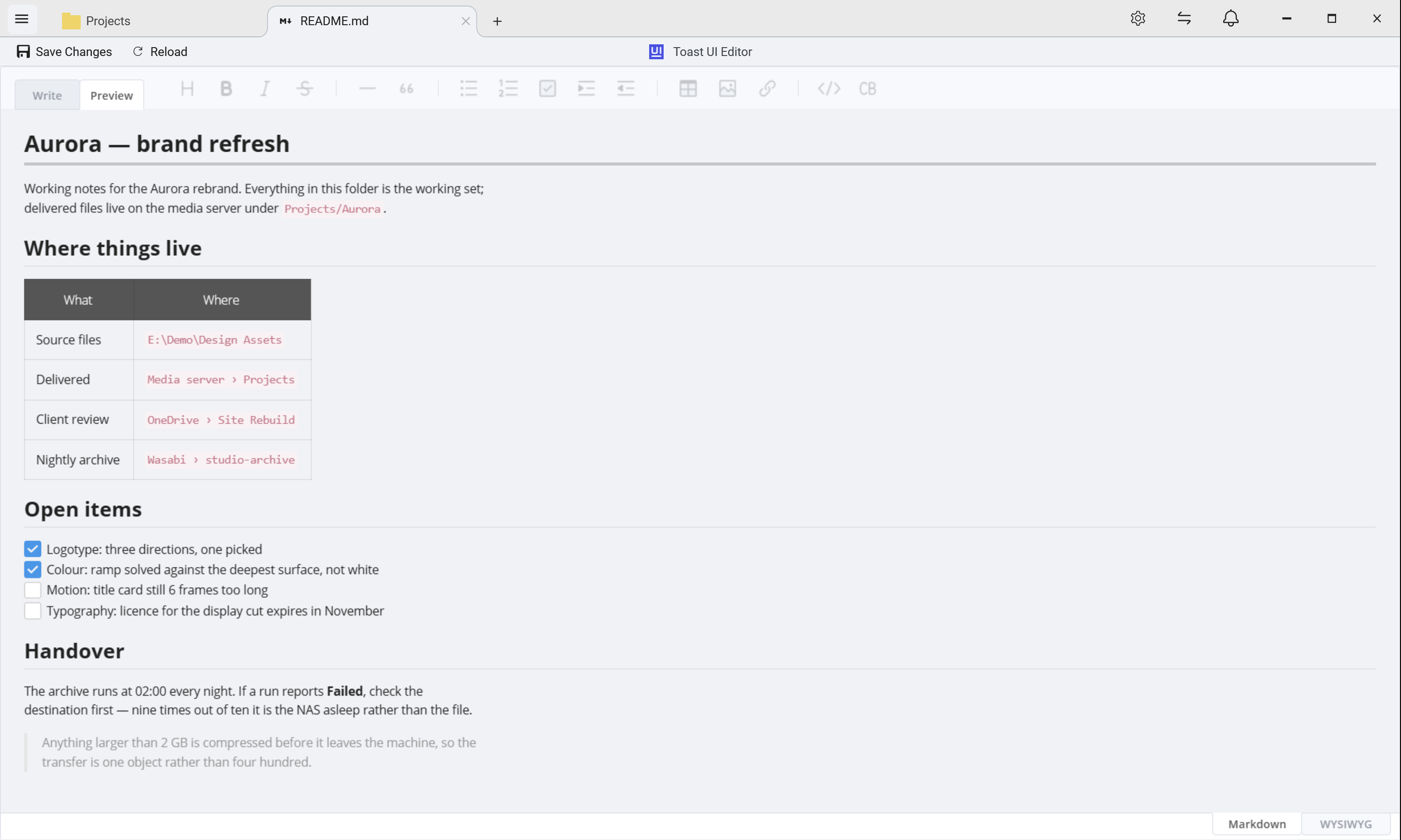
- Dedicated Markdown editor with live preview
- Edit and rendered view side-by-side
- Save straight back to the remote file
Image Viewer
- Custom-built with smooth zoom/pan
- Rotation and flipping tools
- Shareable links and quick save
Video Player
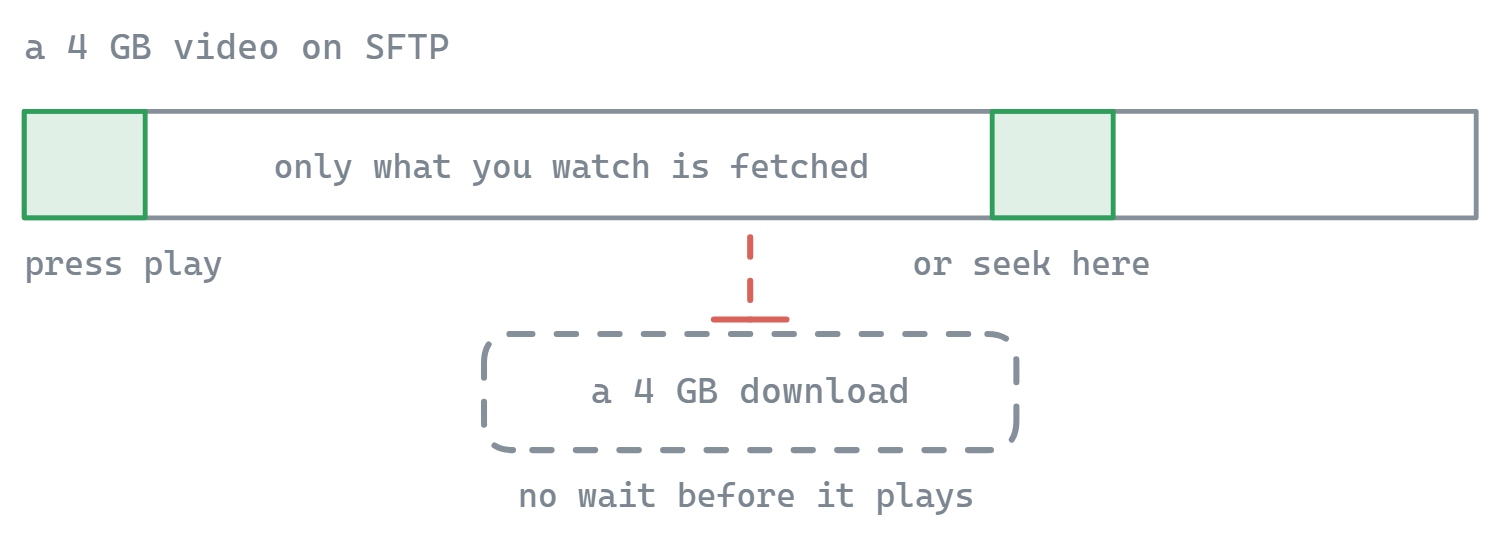
- Streams video from any connected storage - no full-file download
- MP4, MKV, AVI, MOV, WMV, WebM and more (via Windows Media Player)
- YouTube-inspired UI: smooth seek, volume, mute, fullscreen
Play video from any storage, no download step
FTPie’s video player streams directly from the source. Point it at a clip on a Google Drive account, an SFTP server, a NextCloud instance, a Dropbox folder, or a plain FTP box - playback starts as soon as enough data has arrived, and you can seek anywhere in the file without waiting for the whole thing to download. Your SSD stays clean and you don’t burn a full round-trip just to check a video.
Format support is whatever Windows Media Player supports on your machine - MP4, MKV, AVI, MOV, WMV, WebM, and other common containers, using the codecs installed on Windows. On most modern Windows 10 / 11 systems this works out of the box. If the Windows Media Player feature isn’t enabled, FTPie detects it and offers to turn it on with one click.
The interface is built from scratch with a YouTube-inspired feel: large timeline with click-to-jump, clean volume and mute controls, and proper fullscreen. It’s not trying to replace a full media center - it’s the right tool when the video lives on remote storage and you need to watch it or scrub through it quickly. For audio, the companion Music Player streams MP3, FLAC and more from the same set of storages.
- All tools open in new tabs for uninterrupted workflows
- Automatic theme synchronization (light/dark)
- Maintains FTPie's security standards
Whether you're reviewing documents, editing code, or working with media, FTPie's embedded tools provide professional functionality without the need for external applications. The seamless integration maintains your workflow while giving you powerful features.
Need to edit documents collaboratively? See Document Editing for Google Docs and Microsoft 365 integration. For a full guide on working with remote files without downloading, visit edit remote files without downloading.
What it does not do
These are viewers and light editors, not replacements for professional applications. There is no built-in Office suite - for Word, Excel or PowerPoint files FTPie hands off to the app you already use, or to Google Docs and Microsoft 365. Video playback depends on the Windows Media Player component being present, and exotic codecs it cannot handle will not play.
Common questions
PDFs in a PDF.js viewer, source files in the Monaco editor that powers VS Code with syntax highlighting for 50+ languages, Markdown with live side-by-side preview, images with zoom and rotate, and video in a built-in player.
No. Video streams from the connected storage as it plays, so a large file starts almost immediately rather than after a full download. It uses the Windows Media Player engine, and if that Windows feature is not enabled FTPie offers to enable it for you.
Yes. The code and Markdown editors write straight back to the remote storage you opened the file from, so there is no download, edit, re-upload cycle to manage.
The PDF, code and image viewers are part of the free plan. The premium embedded apps are part of Pro, which includes a 30-day free trial. See the plan comparison.
Related
- Music player - stream FLAC, MP3 and M4A from a NAS or cloud
- Document editing - Office files and Google Docs
- Dual-pane file manager - where these tabs open
- Edit remote files - the end-to-end workflow
Start Your 30-Day Free Trial
Download FTPie and start your free 30-day trial. Enjoy seamless FTP + cloud integration and keep using the free version afterward.
Download Free Trial