WebDAV Client for Windows
Connect any WebDAV server from Windows - Nextcloud, ownCloud, your NAS, mail providers and more - in a real file manager, not a fragile mapped drive.
A surprising amount of storage speaks WebDAV: mail and hosting providers, file servers, and a long tail of self-hosted apps. (Nextcloud and ownCloud speak it too, but FTPie gives those their own dedicated connectors - see below.) Windows can "map" a WebDAV folder as a network location, but anyone who has tried it knows how fragile that is - timeouts, size limits, and silent failures on anything but the simplest setup.
FTPie is a dedicated WebDAV client instead. Point it at any WebDAV URL and you get a real file manager - reliable transfers, custom ports and paths, and the same dual-pane workflow you use for everything else.
How FTPie connects over WebDAV
WebDAV is a native, built-in protocol in FTPie:
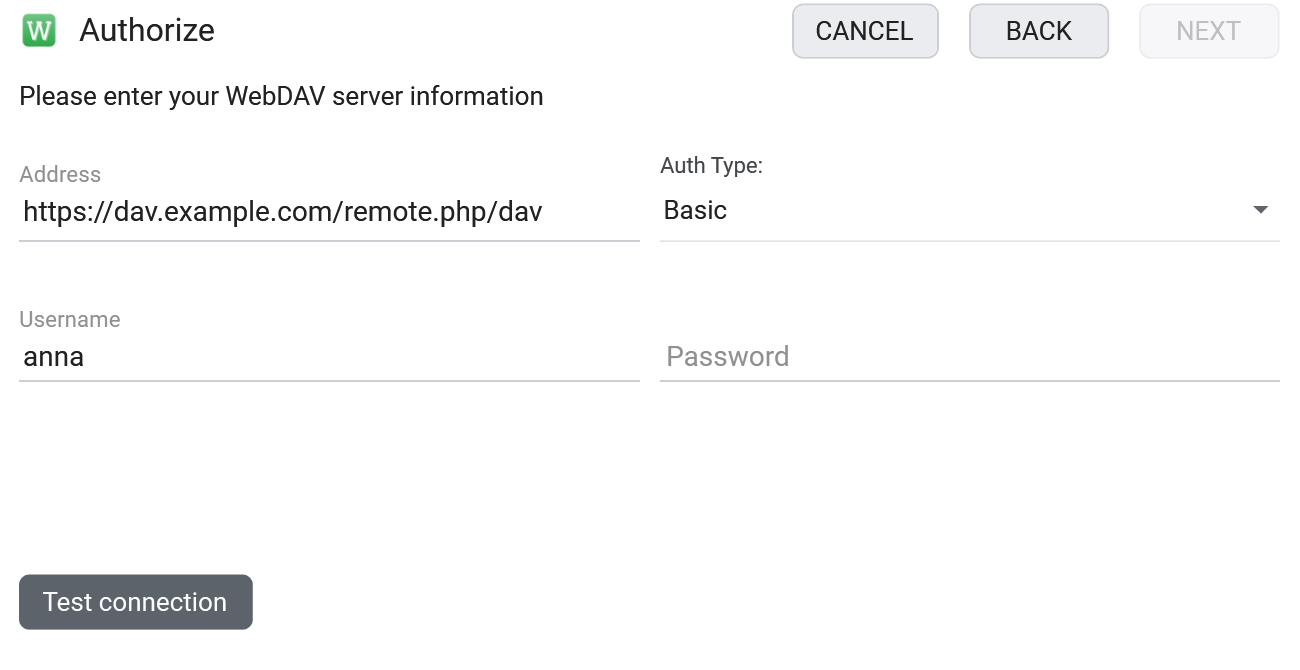
- Add a new storage and choose WebDAV.
- Enter the server URL (custom ports and paths are fine), username and password.
- Optionally check the endpoint first with the free WebDAV connection tester and certificate checker.
What you can do
- Connect any WebDAV server - self-hosted, NAS, or provider-hosted
- Reliable large transfers with resume - not the Windows mapped-drive lottery
- Custom URLs, ports and paths, including behind a reverse proxy
- Edit in place and run scheduled backups
- Transfer between WebDAV and your clouds/servers in one window
Nextcloud, ownCloud and NAS
Use the generic WebDAV client for any standards-compliant WebDAV server. For the big self-hosted platforms, FTPie has dedicated connectors instead: Nextcloud and ownCloud use each service's own API rather than raw WebDAV. For a NAS, FTPie connects over SMB - see accessing your NAS from Windows.
Common questions
Yes - you can set a custom URL, port and path. Use the connection tester to confirm the endpoint first.
A dedicated client handles large files, timeouts and authentication far more reliably than the OS mapped-drive feature, and gives you a real file manager on top.
No. FTPie is a local desktop app; credentials are stored encrypted on your machine. See the security page.
WebDAV is part of FTPie Pro. The free plan covers up to 3 FTP/FTPS/SFTP connections; Pro adds WebDAV, cloud, NAS and self-hosted, with a 30-day free trial. See the plan comparison.
Related
- All integrations
- Nextcloud Windows client and ownCloud Windows client
- Self-hosted cloud on Windows and accessing your NAS
Start Your 30-Day Free Trial
Download FTPie and start your free 30-day trial. Enjoy seamless FTP + cloud integration and keep using the free version afterward.
Download Free Trial