Music Player: Stream Audio from Any Storage
Play audio files stored on cloud storage, FTP, SFTP, WebDAV, self-hosted cloud or your local PC - with no download step. MP3, WAV, M4A, WMA, AAC, FLAC.
Your music lives where your files live - on a home NAS, a cloud drive, a seedbox, a shared FTP server. FTPie’s built-in Music Player plays any of it directly, with no “download before you listen” step, in the same app you already use to manage the files.
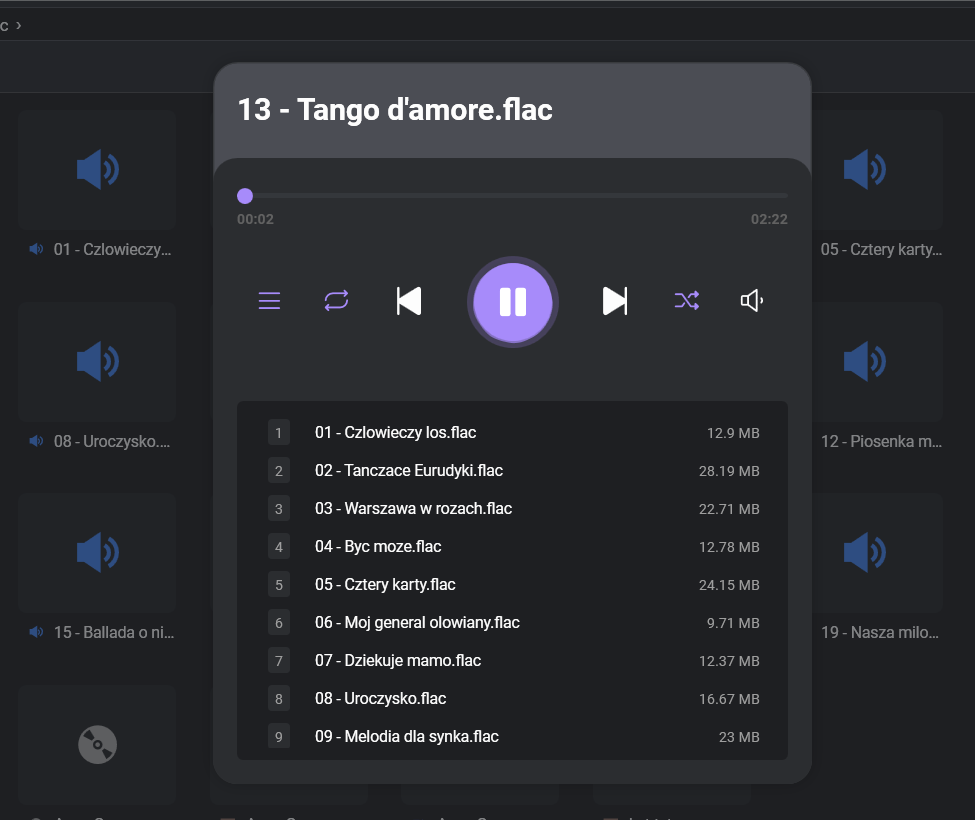
Streams directly, no local download
Most “remote music” workflows mean downloading an MP3, waiting, then double-clicking. FTPie opens the file from its original location and streams it into the player as it plays. No temp files piling up on your SSD, no syncing a 60 GB library locally just to listen to one track.
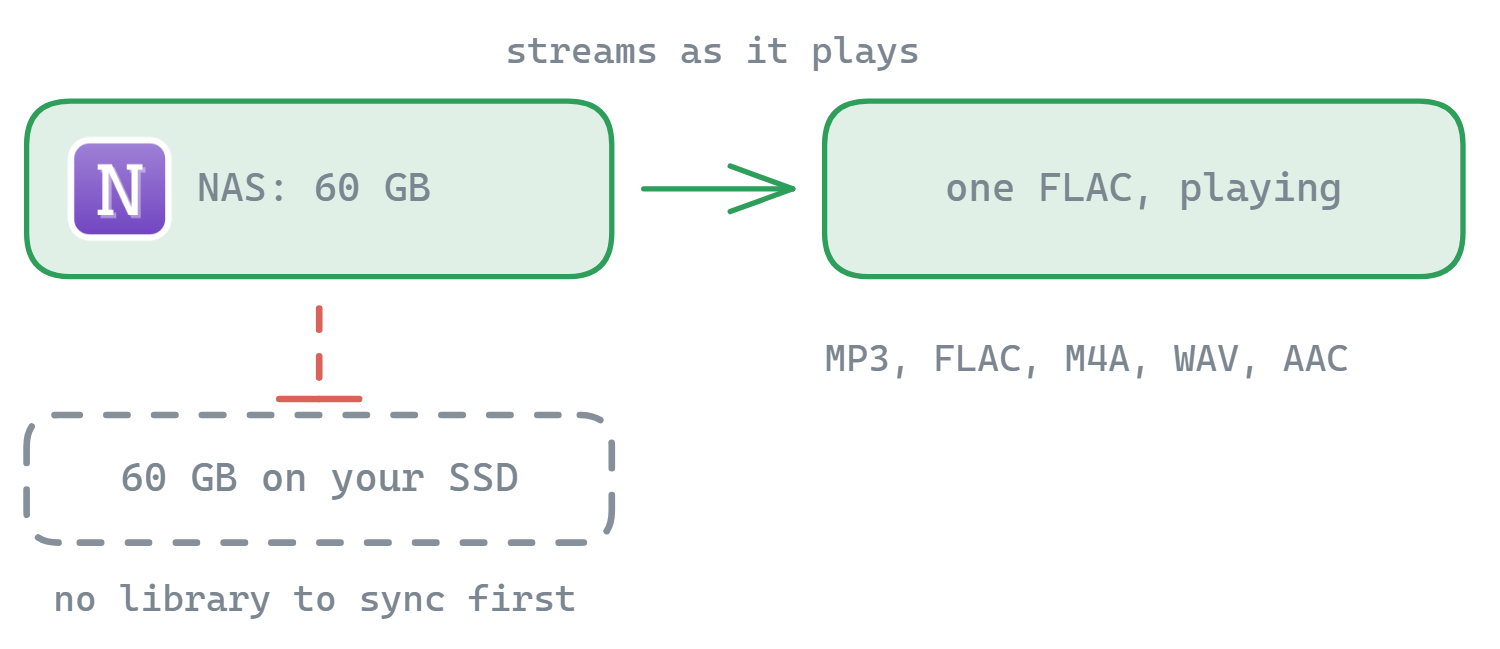
Supported formats
MP3
The universal format. Most common by far.
WAV
Uncompressed audio, common for recordings and samples.
M4A
Apple’s AAC container - iTunes / Apple Music exports.
WMA
Windows Media Audio - older Windows libraries.
AAC
Higher-efficiency successor to MP3, common in podcasts.
FLAC
Lossless compression - for archival-quality libraries.
Works with every storage FTPie supports
Anywhere you can browse files in FTPie, you can play audio from:
- Cloud storage - Google Drive, Dropbox, OneDrive, pCloud, Box, Mega
- Self-hosted cloud - ownCloud, NextCloud, SeaFile
- FTP servers - FTP, FTPS, SFTP
- WebDAV - and any WebDAV-compatible endpoint
- Local drives and network shares
“I keep my FLAC collection on a NAS I can’t be bothered to sync. FTPie lets me just double-click a track on SFTP and hear it.”
Playlist and controls
- Playlist management - queue multiple tracks, reorder, remove
- Shuffle and loop - standard playback modes
- Keep browsing while playing - the player sits in its own tab; you can move files, edit code, manage backups in other tabs without interrupting playback
- Dark and light themes - matches the rest of FTPie
Where it fits
The Music Player isn’t trying to replace Spotify or foobar2000. It’s the tool for when your files are scattered across remote storages and you don’t want to download them just to hear them. Paired with FTPie’s embedded apps (PDF viewer, Monaco editor, image/video preview), the app turns into a single place you can actually use your remote files, not just shuffle them around.
Common questions
No. Audio streams from the connected storage as it plays, so a large FLAC starts without waiting for a full download and nothing is left sitting on your disk.
MP3, FLAC and M4A among others, played from any storage you have connected - a NAS share, an FTP or SFTP server, a cloud account or a WebDAV endpoint.
Yes. Connect the NAS as a storage and browse to the folder; playback streams over the network without syncing the library to your PC first.
No. There is no library database, ratings or smart playlists - it plays what is in the folder you are looking at. It is for reaching music that lives on remote storage, not for replacing a dedicated music app.
Related
- Built-in viewers and editors - the other apps that open files in place
- Access your NAS from Windows - connecting a Synology or QNAP share
- Dual-pane file manager - browsing the folder you play from
Start Your 30-Day Free Trial
Download FTPie and start your free 30-day trial. Enjoy seamless FTP + cloud integration and keep using the free version afterward.
Download Free Trial