Comparison

FTPie vs Mountain Duck

Two different philosophies — one manages files, the other makes remote storage feel local

FTPie — FTP + cloud file manager with built-in tools vs Mountain Duck — Cloud and server drive mounter

This comparison is a little different from the others on this page, because FTPie and Mountain Duck aren't really trying to do the same thing.

Mountain Duck takes your cloud storage or FTP server and mounts it as a drive letter in Windows (or a volume on Mac). Once mounted, it shows up in File Explorer just like a USB drive or network share. You can open files, save to it, drag things around — all through the tools you already use. Mountain Duck runs quietly in the background making it happen.

FTPie is a dedicated file manager. You open the app, browse your storages, transfer files between them, preview content, and use built-in tools. It's an active workspace, not a background service.

These are complementary approaches more than competing ones. But if you're deciding which one to get, here's how they actually differ.
The mounting approach: Mountain Duck's superpower

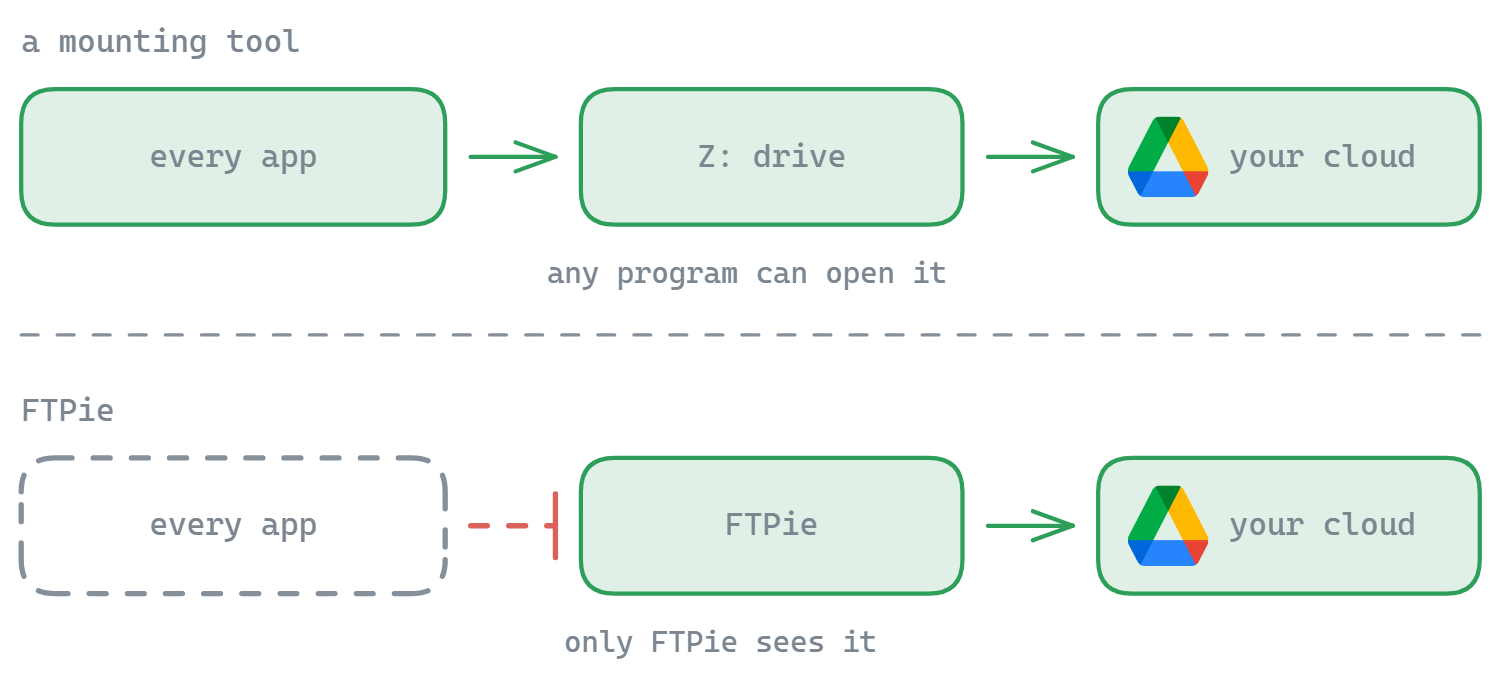
Mountain Duck's main idea is elegant: make remote storage behave like it's local. Connect your SFTP server, and it appears as drive S: in Explorer. Connect Google Drive, and it's drive G:. Any application on your computer — Photoshop, VS Code, Excel, whatever — can open and save files to these drives without knowing or caring that the files are actually remote.

Behind the scenes, Mountain Duck handles caching, syncing, and conflict resolution. It supports "Smart Synchronization" — files can be kept online-only (just a placeholder until you open them) or synced locally for offline access. This is similar to how OneDrive and Dropbox handle sync, but Mountain Duck does it for any storage — including FTP, SFTP, S3, and WebDAV.

It also shares bookmarks and settings with Cyberduck (same developer), supports Cryptomator encryption, and works on both Windows and Mac.

The catch? Mountain Duck costs around $49 per license. There's no free version — just a trial.

The file manager approach: FTPie's territory

FTPie doesn't mount anything as a drive. Instead, it gives you a dedicated interface to browse, manage, and work with your files. You open FTPie, see your storages, and interact with them through a dual-pane file manager with tabs.

The advantage of this approach is that FTPie can offer features that a drive mounter can't — or at least not easily:

  • Dual-pane layout for side-by-side file management between any two storages
  • Server-to-server transfers that don't route through your local machine
  • Built-in viewers for images, PDFs, code, video, and music
  • Backup scheduler with compression and encryption
  • File compression on remote storage
  • Quick Share for instant shareable links

Mountain Duck makes remote files accessible to any app on your system. FTPie makes remote files manageable through its own tools. Different strengths for different situations.

Where they overlap

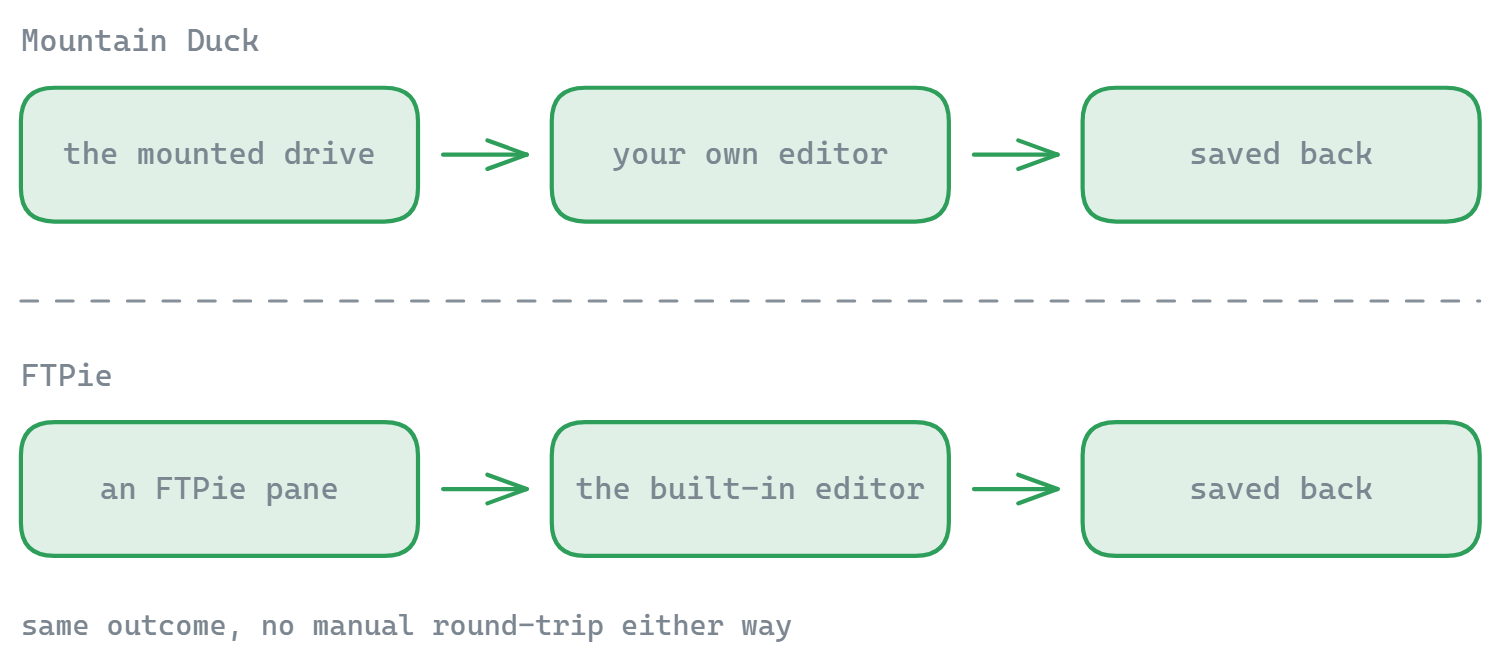
Both tools let you edit remote files without a manual download-edit-upload cycle. Mountain Duck does it transparently — you just open a file from the mounted drive and save it; the sync happens automatically. FTPie does it through its built-in editors or by opening files in external apps with automatic re-upload on save.

Both support FTP, FTPS, SFTP, and major cloud providers. Mountain Duck also supports S3, Azure, Backblaze B2, and other enterprise services, plus Cryptomator encryption. FTPie has more consumer cloud services built in (pCloud, Mega) and plans to add S3/Azure later.

Side-by-side comparison

Feature FTPie Mountain Duck
Mounts storage as local drive
Smart Sync (online-only / offline)
FTP / FTPS / SFTP
S3 / Azure / enterprise cloud
Consumer cloud (Google Drive, Dropbox…)
Cryptomator encryption
Dual-pane file manager
Server-to-server transfers
Built-in file viewers/editors
Backup scheduling
File compression
Cross-platform (Mac)
Free to use Partial

Where Mountain Duck has the edge

  • Drive mounting. This is the whole point. Your FTP server or cloud storage shows up as a drive letter in Windows Explorer. Every app on your system can read and write to it natively — no special integration needed.
  • Smart Synchronization. Files can be online-only (placeholders that download on demand) or fully synced for offline access. You get OneDrive/Dropbox-style sync for any storage, including FTP and S3.
  • Transparent to other apps. Open a file from the mounted drive in Photoshop, save it, and Mountain Duck syncs it back. No "open in external editor" workflow — it just works because the OS thinks the files are local.
  • Cryptomator encryption. Client-side encryption built in, compatible with the Cryptomator standard.
  • Enterprise protocols. S3, Azure Blob, Google Cloud Storage, Backblaze B2, OpenStack Swift. Much broader enterprise coverage than FTPie.
  • Cross-platform. Works on both Windows and Mac.

Where FTPie has the edge

  • Active file management. Dual-pane layout for managing files across storages side by side. Mountain Duck makes files accessible but doesn't help you organize or transfer between different storages — that's still on you via Explorer.
  • Server-to-server transfers. Move files between cloud services or from FTP to cloud without routing through your local machine. Mountain Duck mounts each storage separately; transferring between them means copying through your PC.
  • Built-in tools. Code editor, image viewer, PDF viewer, video/music player, backup scheduler, file compression, screenshot tool, screen recorder, notes. Mountain Duck has none of these — it relies on whatever apps you already have installed.
  • Free plan available. FTPie's free plan limits FTP/FTPS to one connection but includes everything else. Mountain Duck costs ~$49 with no free tier.
  • Transfer control. Pause/resume, parallel transfers, chunk-level retry, transfer queue management. Mountain Duck handles syncing transparently but doesn't give you granular transfer control.

So which one should you pick?

It depends on how you want to interact with your remote files.

If you want remote storage to feel like a local drive — opening files in any app, saving back seamlessly, using Explorer to navigate everything — Mountain Duck does that better than anything else. It's especially useful if you work with apps that don't know how to talk to cloud storage directly (design tools, IDEs, office apps). The downside is the $49 price tag and no built-in file management features.

If you want a dedicated workspace for managing files across storages — moving things between FTP and cloud, previewing content, running scheduled backups, compressing files — FTPie gives you all of that in one interface. It's free to start (one FTP/FTPS connection, unlimited SFTP and cloud), but it doesn't make remote files appear as local drives.

These tools actually pair well together. Mountain Duck for transparent file access from any app, FTPie for active file management and transfers. They solve different problems and don't conflict.

Start Your 14-Day Free Trial

Download FTPie and start your free 14-day trial. Enjoy seamless FTP + cloud integration and keep using the free version afterward.

Download Free Trial
CASA Verified & VirusTotal Scanned
14-day trial · Free version included
Windows 10 & 11