Everything FTPie Does
Transfers, scheduled backups, AES-256 encryption, built-in editors, link sharing and a scriptable CLI - all working the same way whether the files sit on FTP, a cloud account, WebDAV or a NAS.
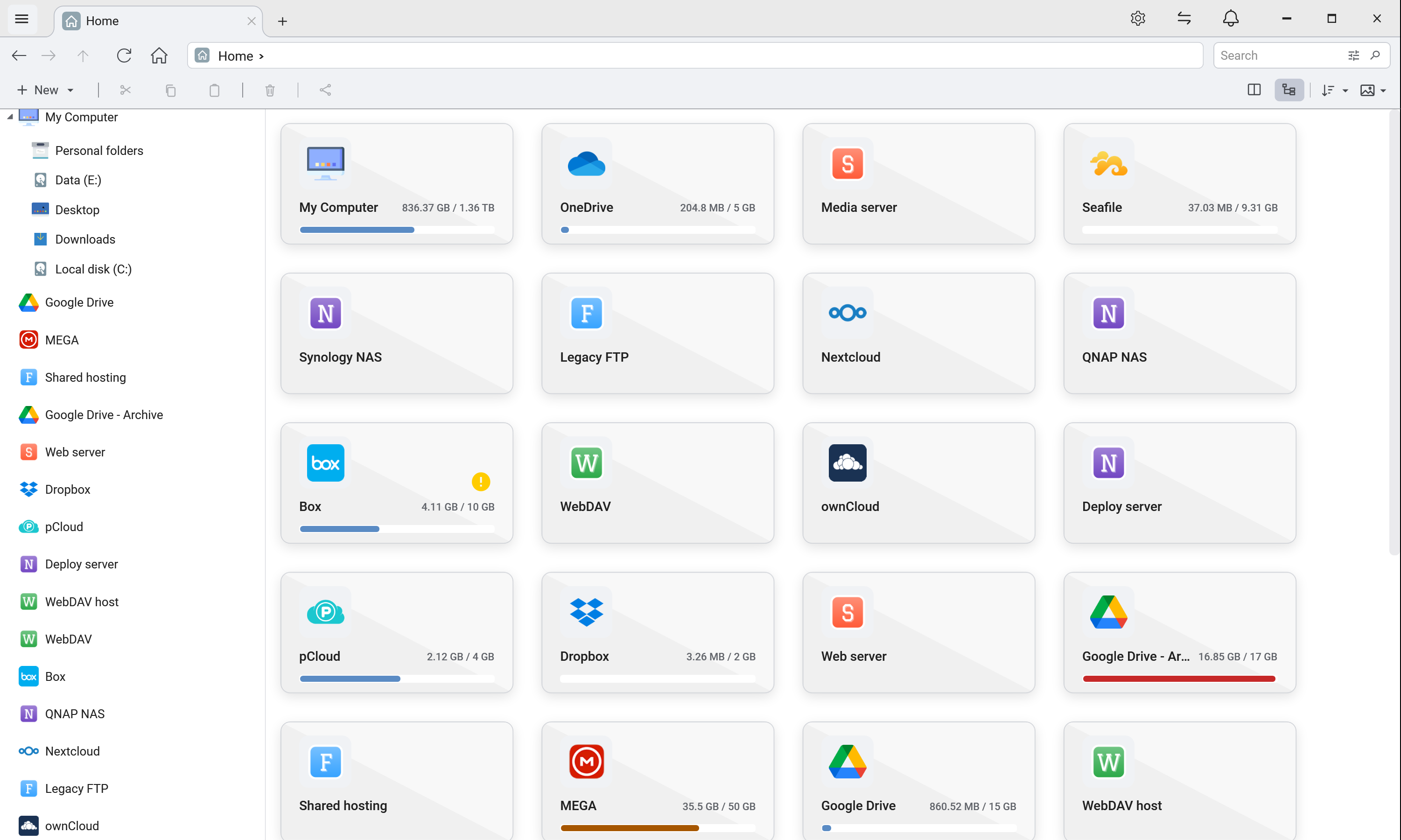
Core Interface
Dual-Pane File Manager
The Total Commander-style dual-pane interface every other feature lives inside. Browse any mix of cloud, FTP, SFTP, WebDAV or self-hosted storage side-by-side with drag-and-drop, tabs, tree view, favorites, and recent documents.
Learn moreEnterprise Object Storage
Connect Amazon S3, Azure Blob, Google Cloud Storage and any S3-compatible provider (Cloudflare R2, Backblaze B2, Wasabi, DigitalOcean Spaces) right alongside your clouds, servers and NAS - browse and transfer buckets with your own keys.
Browse storageFile Management
File Transfers
Move files directly between any two storages without downloading them locally first, with chunk-level pause and resume that survives an app restart.
Learn moreMCP Server
Connect Claude, Cursor, VS Code, Windsurf or Gemini CLI to every storage in FTPie through one server. The assistant browses, reads, searches and moves files across clouds, servers and NAS - files open in FTPie, transfers show in the queue, deleting asks you, and your credentials never reach the model.
Learn moreScheduled Transfers
Run recurring transfers between any two storages - local, FTP/SFTP, NAS, WebDAV or cloud - on a timetable. Daily, weekly or custom schedules, optional zip with password, and notifications when a run finishes. No scripts, no Task Scheduler.
Learn moreAuto Backups
Protect your files with automatic scheduled backups to cloud or FTP storage. Set it and forget it -- your data always stays safe.
Learn moreFile Encryption
Encrypt files with AES-256 on your machine before they upload. The key never leaves your device, and decrypting is free for everyone.
Learn moreCommand-Line (CLI)
Script uploads, downloads and transfers from PowerShell, batch files or CI with ftpie-cli - the same engine and accounts as the app.
Learn moreUpload from Explorer
Right-click any local file or folder to instantly upload it via the Windows Explorer shell extension.
Learn moreUpload from URL
Paste one or many URLs to stream web files straight into cloud, FTP, SFTP or WebDAV - no local disk detour, no manual download step.
Learn moreDesktop Folder Shortcuts
Create instant desktop shortcuts to any cloud or FTP folder for one-click access without opening FTPie.
Learn moreEditing & Collaboration
Built-in Viewers & Editors
PDF viewer, image editor, text editor, video player and more -- view and edit without leaving FTPie.
Learn moreQuick Share
Right-click any file to instantly upload and generate a shareable link via Windows Explorer integration.
Learn moreShare via Email
Email any file straight from FTPie - a branded download message sent through your own Gmail, Outlook or SMTP.
Learn moreEdit Files in Place
Open a file that lives on a server in whatever app you normally use, hit save, and it goes back where it came from.
Learn moreMusic Player
Stream MP3, WAV, FLAC and more directly from any cloud, FTP or WebDAV storage - no local download step.
Learn moreZip on Remote Storage
Zip files directly on remote storage. Preview archives without full download; unzip in place.
Learn moreExtras
Notes
Built-in rich text editor powered by Quill JS. Create, format, and save notes directly within FTPie.
Learn moreScreenshot Tool
Capture your screen or specific regions and instantly share. Perfect for visual docs and bug reports.
Learn moreScreen Recording
Record your screen and share videos instantly. Great for tutorials, demos, and bug reporting workflows.
Learn moreComing Soon in Pro
Exciting new features currently in development
Folder Synchronization
Keep two folders in step, either bi-directionally or one-way from source to target.
Coming SoonFolder Watcher
Watch folders for changes and trigger transfers or email, Telegram and webhook alerts.
Coming Soon