File Transfer Software for FTP, SFTP & Cloud
Move files between any two storages in one action, with no local download step and chunk-level pause and resume that survives an app restart.
FTPie moves files between any connected storage services in a single action, with no temporary local download to clean up afterwards and full control over how the transfer runs.
How a transfer actually moves
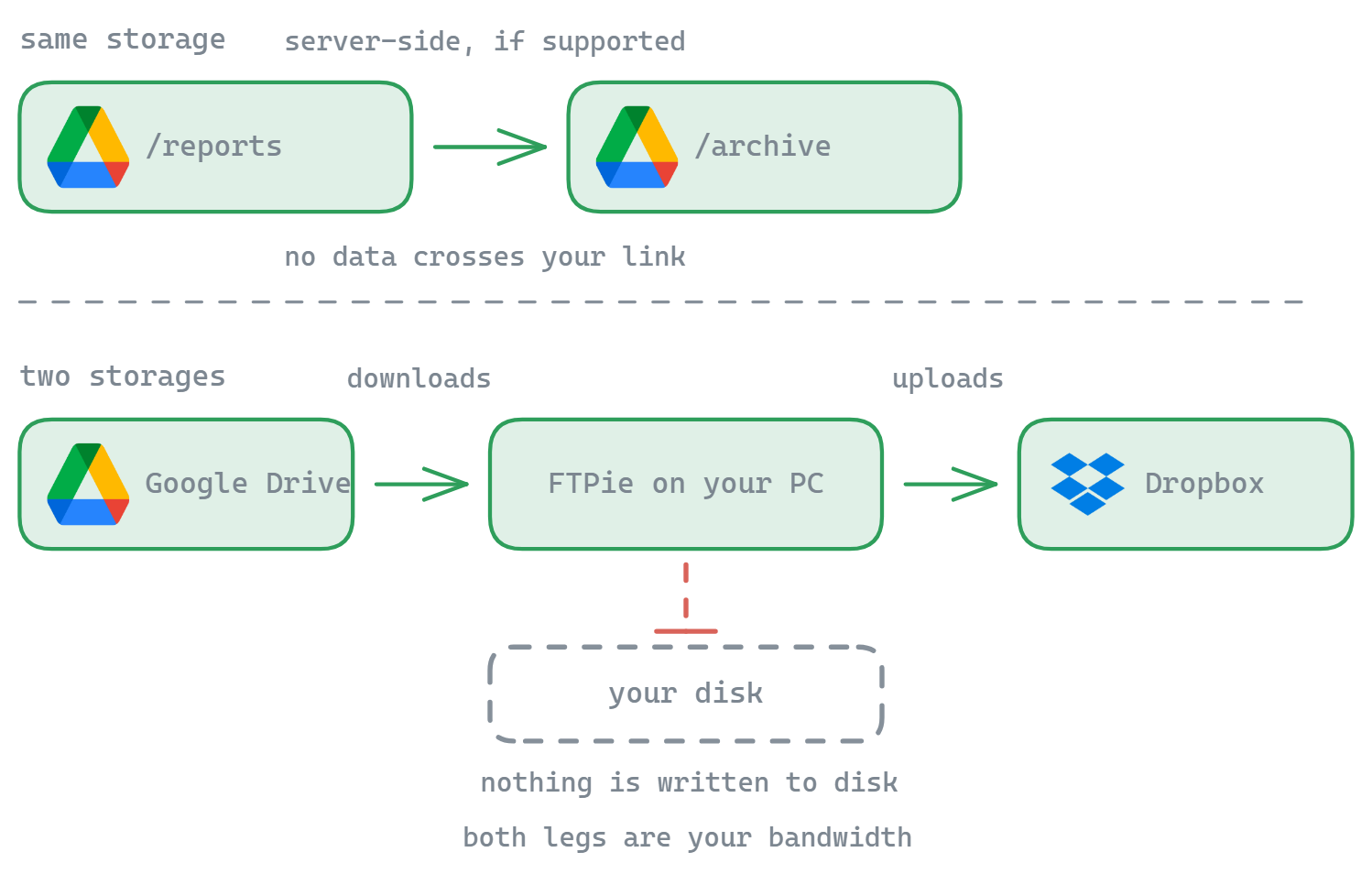
The usual way to move a file from one storage to another is to download it to your Downloads folder, find it, then upload it again - two manual trips with a stray copy left on your disk in between. FTPie makes it one action: you drag, and the bytes stream from the source straight into the destination, chunk by chunk, buffered in memory rather than written out. Moving a 5 GB file needs no free space on your drive and leaves nothing behind to clean up.
It is worth being precise about what that saves. Between two different storages the data flows through FTPie on your machine in both directions, so your own connection carries it - a 20 GB folder from one cloud account to another is bounded by your link, not by the providers. What you save is the disk round-trip and the manual steps, not the bandwidth.
Within a single storage it is different. Moving or copying a file between two folders on the same server or the same cloud account is handed to that storage as a server-side operation, where it supports one - so no data crosses your connection at all and the move is close to instant.
What happens when something goes wrong
Pause & Resume Transfers
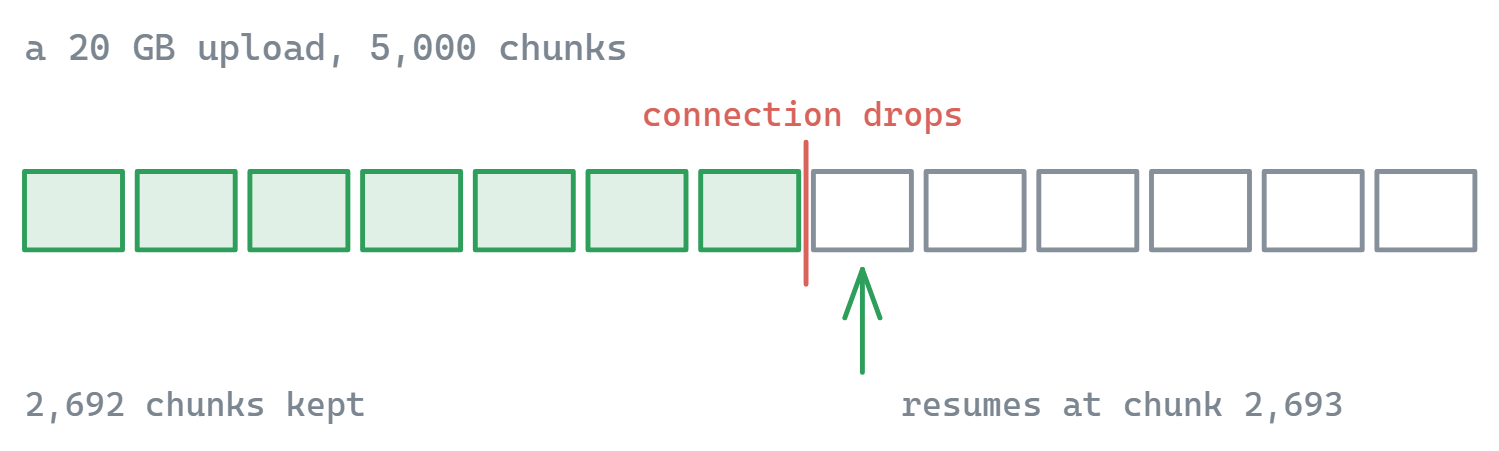
For supported storage services, FTPie remembers transfer progress at the chunk level. Pause large file transfers and resume exactly where you left off, even after restarting the application.
Parallel Transfers
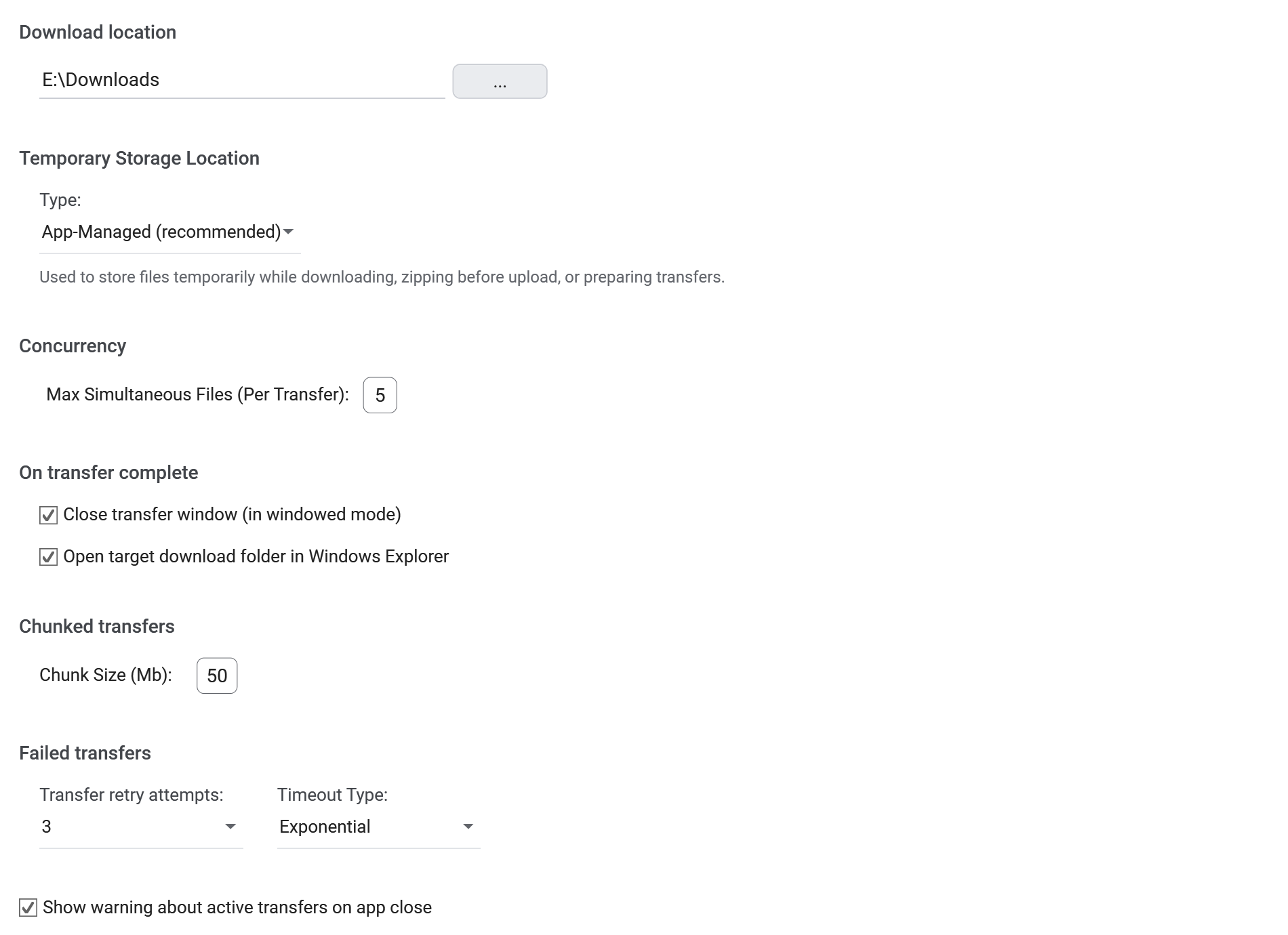
Multiple files transfer simultaneously (default 5 concurrent transfers) for optimal throughput. The transfer queue automatically manages file operations to maximize your connection speed.
Customizable Transfer Settings
- Adjust chunk size for optimal performance
- Set retry attempts (0 for no retries)
- Choose timeout behavior (linear or exponential backoff)
Watching a transfer run
All active transfers appear in a dedicated popup window where you can:
- Monitor real-time progress for each file
- Pause/resume individual transfers
- View detailed transfer statistics
Transfers integrate with other FTPie features: use Auto Backups to schedule recurring transfers, Integrated Compression to zip files directly on remote storage, or edit remote files without a separate download step.
What it does not do
FTPie is Windows-only. It does not hand a transfer off between two providers - anything crossing between two different storages routes through your machine, so a slow upstream connection will show on a big cloud-to-cloud move. Transfers also run while the app is open; for jobs that must run unattended on a schedule, use Scheduled Transfers, which still needs the PC to be on.
Common questions
No. Between two different storages the data streams through FTPie on your PC in both directions, so your own connection carries it. What you avoid is the local save - nothing is written to your disk, and it is one action instead of a download followed by an upload.
Yes, but only inside a single storage. Moving or copying between two folders on the same server or the same cloud account is handed to that storage as a server-side operation, where it supports one, so no data crosses your link. Anything going between two different storages passes through your PC.
Transfers resume at the chunk level rather than restarting the file, and the queue survives closing and reopening FTPie. You can also pause and resume individual files by hand.
Five by default, with the rest held in a managed queue. Concurrency, chunk size, retry count and the backoff strategy (linear or exponential) are all configurable per connection.
Any two you have connected: FTP, FTPS, SFTP, WebDAV, NAS shares, the major clouds, self-hosted servers and S3-compatible object storage. FTP and SFTP are in the free plan; the rest are Pro. See the plan comparison.
Related
- Dual-pane file manager - the two panes you drag between
- Scheduled transfers - the same engine, on a timer
- Transfer between cloud accounts - the cloud-to-cloud walkthrough
- Every supported storage - all 24 services FTPie connects to
Start Your 30-Day Free Trial
Download FTPie and start your free 30-day trial. Enjoy seamless FTP + cloud integration and keep using the free version afterward.
Download Free Trial