SFTP Client for Windows
A full SFTP/SSH client for Windows with key authentication and host-key verification - in the same window as your clouds, FTP servers and NAS.
SFTP - file transfer over SSH - is the default way to reach a Linux server, a deploy target, or a managed host. The classic Windows SFTP clients do the job but stop there: they are single-purpose tools that know nothing about your cloud storage. The moment a task spans an SFTP server and a cloud account, you are back to two apps and a local download in between.
FTPie is a full SFTP/SSH client - key authentication, host-key verification, the works - that also happens to speak to your clouds and NAS in the same window.
How FTPie connects over SFTP
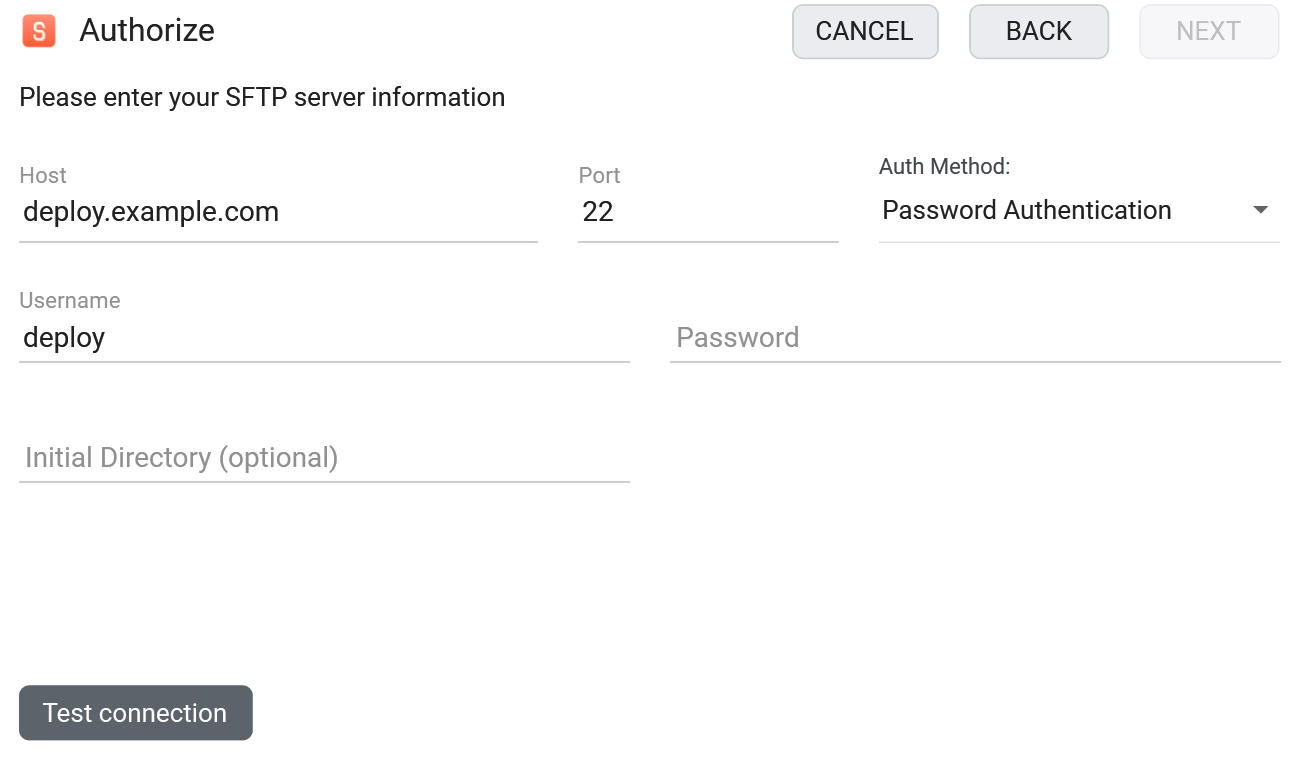
SFTP is a native, built-in protocol in FTPie:
- Add a new storage and choose SFTP.
- Enter the host and port - or paste an
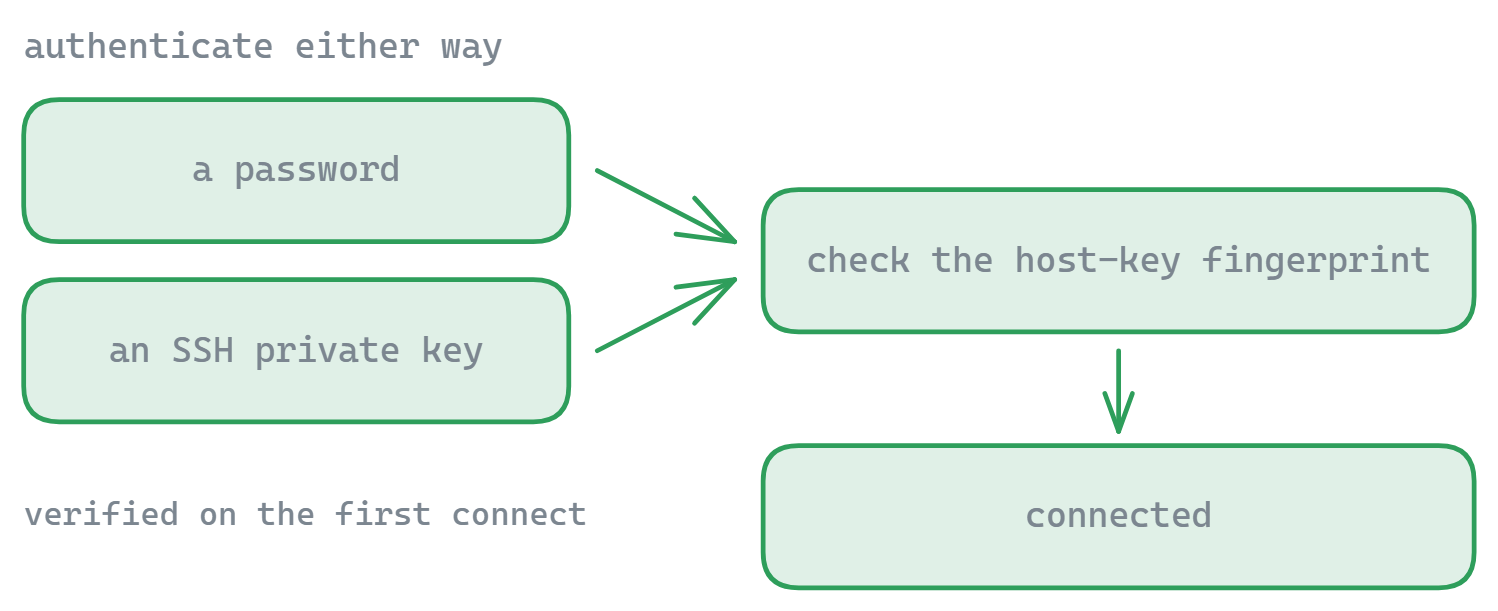
sftp://link and FTPie fills them in - then authenticate with a password, an SSH private key, or both. - Verify the server's host-key fingerprint on first connect - you can pre-check it with the host-key fingerprint viewer.
What you can do
- SSH key authentication - OpenSSH, PEM and PuTTY (.ppk) private keys, with or without a passphrase, loaded as they are
- Host-key verification to confirm you are connecting to the right server
- Edit remote config in place with the built-in code editor - great for deployments
- Resumable transfers with a managed queue
- Move between SFTP and cloud without a local round-trip
A free SFTP client - not a trial
SFTP is part of FTPie's free plan: up to 3 FTP/FTPS/SFTP connections on one device, permanently - keys, host-key verification and the transfer queue included. That makes FTPie a genuinely free SFTP client for Windows for everyday server work; the paid plans add cloud storage, WebDAV, NAS and the Pro tools, not basic SFTP. Coming from another client? See how FTPie compares to WinSCP and FileZilla, or weigh seven of them side by side in our roundup of SFTP clients for Windows.
Free tools for SFTP
Diagnosing a connection before you commit? FTPie publishes free, no-signup tools: the SFTP connection tester, the auth method checker, and the host-key fingerprint viewer.
Common questions
Yes - authenticate with a private key as well as (or instead of) a password. OpenSSH, PEM and PuTTY (.ppk) key files load as they are, with or without a passphrase, so there is nothing to convert first.
FTPie verifies the server's host key so you can confirm the server's identity and detect a changed key.
FTPie does SFTP and your clouds and NAS in one window, with built-in editors and backups. See FTPie vs WinSCP for an honest breakdown.
SFTP is included in the free plan - up to 3 FTP/FTPS/SFTP connections on one device for personal use. A 30-day Pro trial adds cloud, WebDAV and NAS. See the plan comparison.
Yes - FTPie's free plan is not a trial: SFTP, FTP and FTPS with up to 3 connections, free permanently. Paid plans add cloud storage, WebDAV, NAS and the Pro tool set.
No - FTPie speaks SFTP (the SSH file transfer protocol), not the older SCP protocol. For servers that only allow SCP, a tool like WinSCP is the right choice; virtually all modern SSH servers support SFTP.
Related
- All integrations
- Deploy a website via SFTP on Windows
- FTPie vs WinSCP
- FTPie vs FileZilla
- The best SFTP clients for Windows, compared
- SFTP command reference
- Move files between SFTP and cloud storage
- Test an SFTP connection online
Start Your 30-Day Free Trial
Download FTPie and start your free 30-day trial. Enjoy seamless FTP + cloud integration and keep using the free version afterward.
Download Free Trial