Comparison

FTPie vs CloudMounter

A drive-mounter with a subscription versus a Windows-first file manager you buy once.

FTPie - FTP + cloud file manager with built-in tools vs CloudMounter - Cloud & server drive mounter

CloudMounter started on the Mac and built its reputation there: mount Google Drive, Dropbox, OneDrive, S3 and FTP/SFTP as a drive so they behave like local storage. It has a Windows version too, and it is a polished take on the mounting idea. FTPie comes at the same problem from the file-manager side, and is built for Windows first.

The core distinction is the same as with any mounter: CloudMounter makes remote storage look local; FTPie gives you a workspace to manage it. The secondary distinctions are platform focus and pricing - CloudMounter leans subscription, FTPie is a one-time purchase.
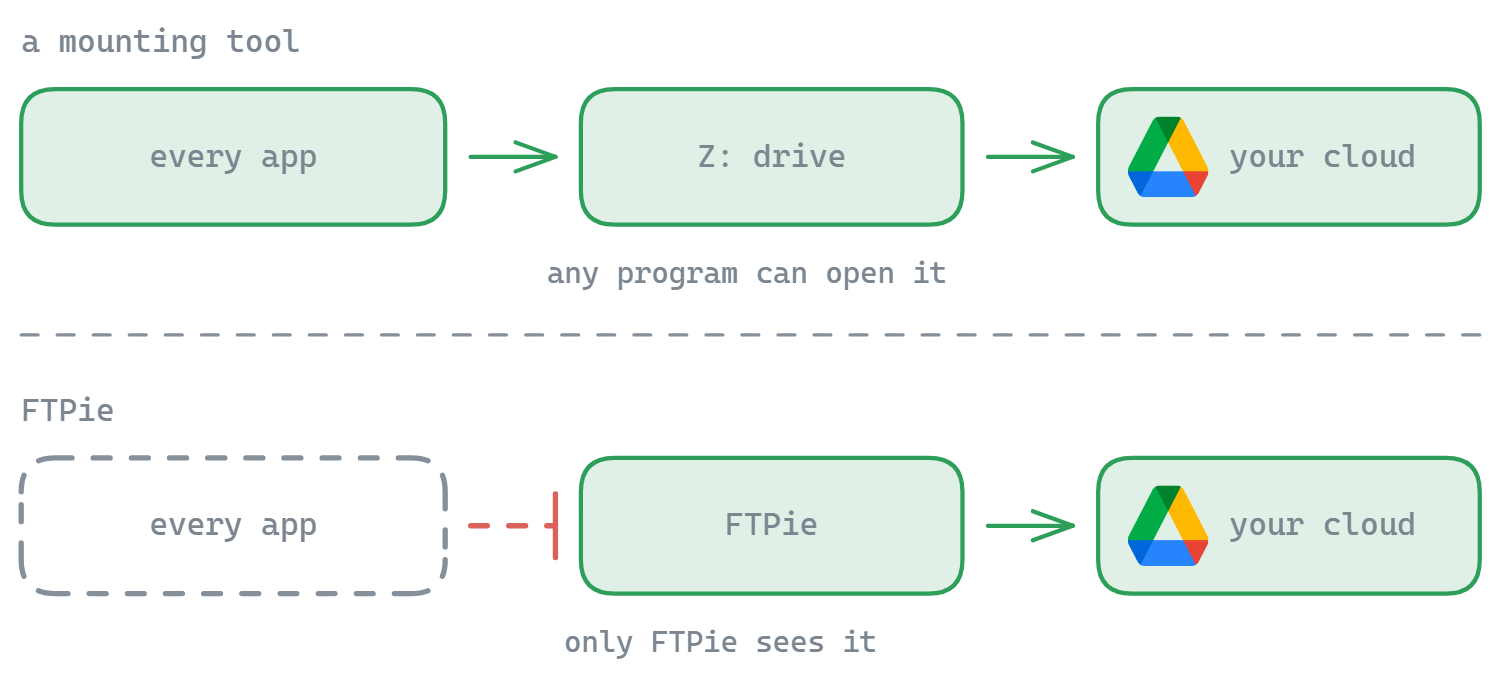
How CloudMounter works

You add an account and CloudMounter mounts it as a drive; any app can then read and write to it. Its strengths are broad backend support (including S3 and other enterprise services), encryption options, and a clean experience that carries over from macOS. Access to the full set of features and connections is typically gated behind a subscription or paid license.

How FTPie works

FTPie is a dedicated dual-pane file manager. Instead of exposing each storage as a drive letter, it lets you browse and move files between them directly, with built-in viewers and editors, a backup scheduler, compression and sharing. It is Windows-only and sold as a one-time purchase rather than a subscription.

Side-by-side comparison

Feature FTPie CloudMounter
Mounts storage as a drive
Dual-pane file manager
Server-to-server transfers
Built-in viewers / editors / backups
S3 / enterprise object storage
macOS version
Free version Partial Partial
One-time price (no subscription)

Where CloudMounter has the edge

  • Drive mounting so any app can use your cloud as local storage.
  • Cross-platform - a mature macOS app as well as Windows.
  • Enterprise backends like Amazon S3 that FTPie does not yet support.

Where FTPie has the edge

  • Real file management with dual-pane transfers and server-to-server moves.
  • Built-in tools - editors, viewers, backup scheduler, compression, sharing.
  • One-time price rather than an ongoing subscription.
  • Windows-first with a Windows Explorer shell extension.

So which should you pick?

Pick CloudMounter if you need files mounted as a drive, work on a Mac as well as Windows, or rely on S3-style object storage. Pick FTPie if you want an all-in-one Windows file manager - with built-in editing, backups and sharing - for a one-time price. As a CloudMounter alternative on Windows, FTPie swaps drive-mounting for a complete management workspace.

Start Your 14-Day Free Trial

Download FTPie and start your free 14-day trial. Enjoy seamless FTP + cloud integration and keep using the free version afterward.

Download Free Trial
CASA Verified & VirusTotal Scanned
14-day trial · Free version included
Windows 10 & 11