FTPie CLI - Command-Line File Transfers
Drive FTPie's transfers from the command line and scripts - the same engine as the GUI, scriptable from PowerShell, batch files and CI.
The CLI shipped with the FTPie 2026.6.3 release, alongside File Encryption - and the 2026.7.2 release added a visual Command Builder. It is part of FTPie Pro (Pro or an active trial). The full command reference lives in the CLI docs.
The reason a lot of people picked WinSCP or rclone over a friendlier GUI came down to one thing: they could script it. A transfer you can express on the command line is a transfer you can put in a deploy step, a scheduled job, or a CI pipeline.
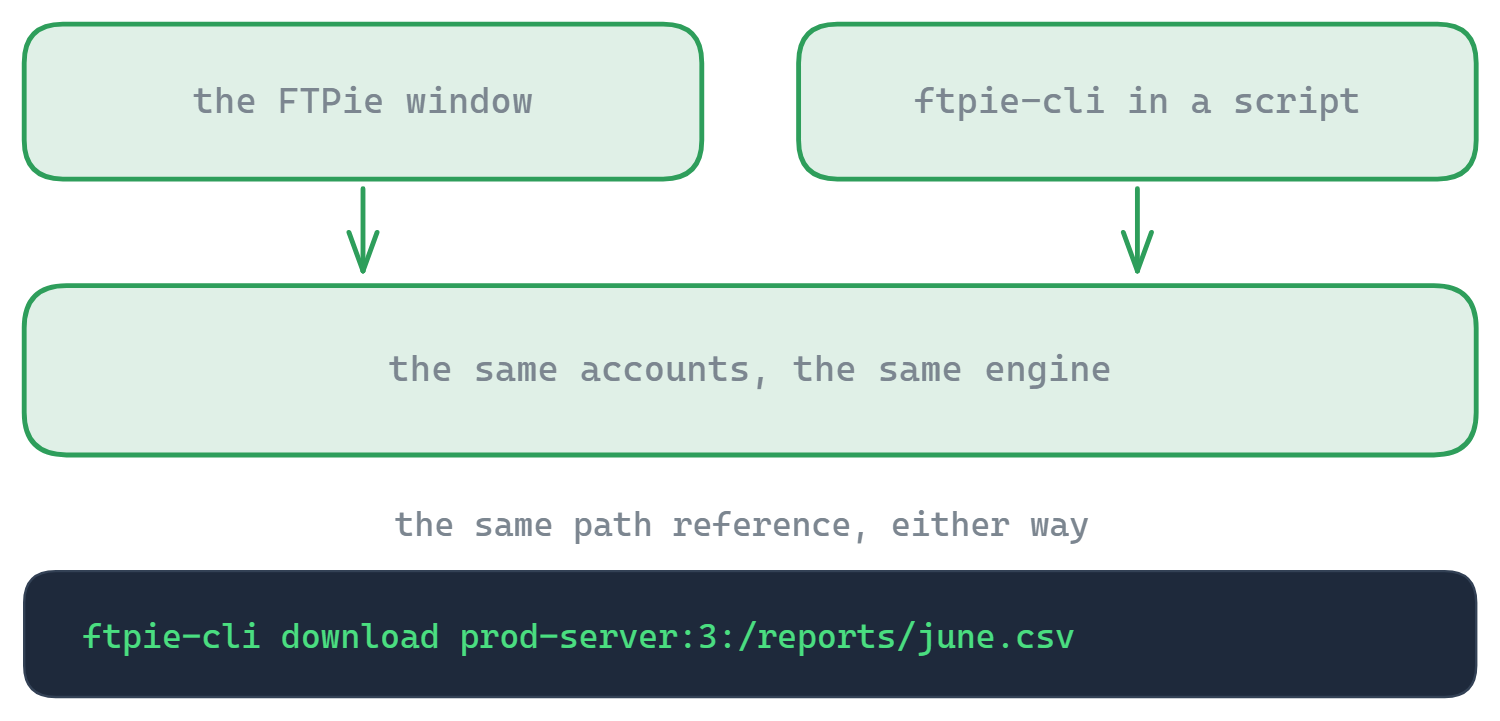
The FTPie CLI gives you that without giving up the app. It runs the same transfer engine as the GUI, against the same connections you have already set up - so a path that works when you click it works when you script it. One tool, two front ends: the window when you want it, the command line when you need it.
ftpie-cli --help for the full reference.New: build commands visually
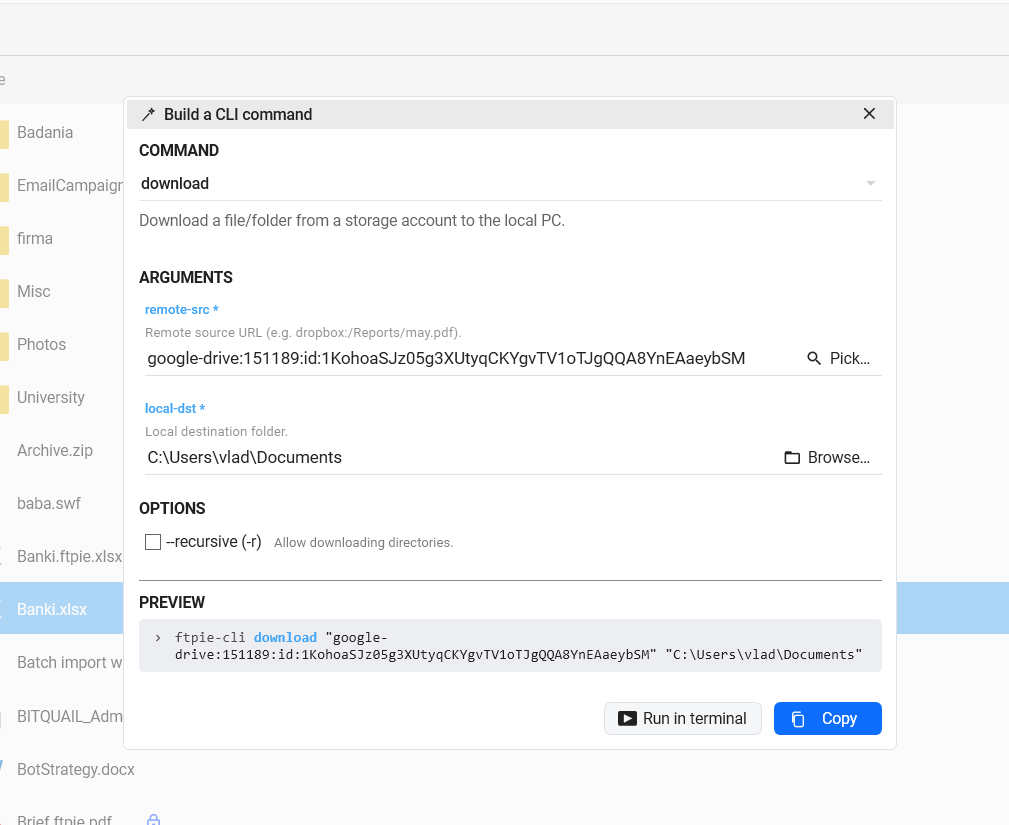
A command line is only useful once you know the syntax - so since 2026.7.2, you don't have to. Open CLI → Command Builder from the main menu, pick a command from a dropdown, and its arguments appear as normal form fields with hints. Storage paths come from FTPie's item picker: browse to the file or folder and the correct reference is filled in for you - no account ids, no typing. A live preview shows the exact command as you build it; Copy it into a script, or Run in terminal to try it immediately. Because the builder reads the real CLI, it always matches what ftpie-cli accepts.
Copy a reference from the app
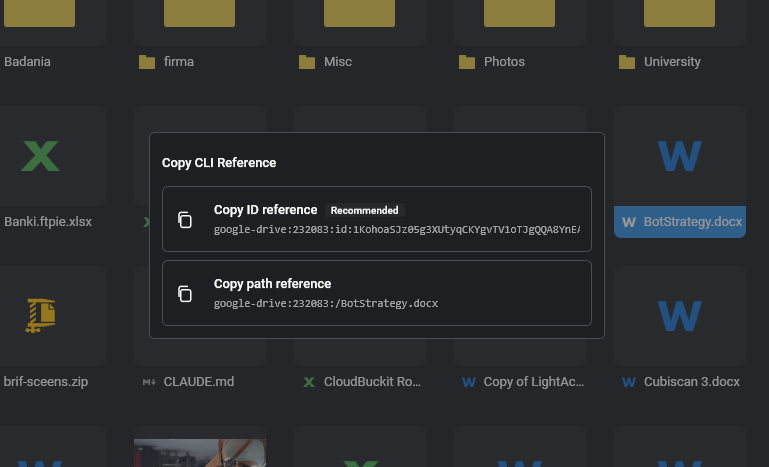
You don't have to memorize account ids or type long paths. Right-click any file or folder in FTPie and choose Other → Copy CLI Reference - it copies a ready-to-paste name:id:/path reference, or a rename-proof native-id reference for clouds like Google Drive. Paste it straight after upload, download, copy or any other command.
What you can automate
- Twelve verbs - list, info, search, size, new-folder, delete, copy, move, upload, download, accounts and status (with Unix aliases
ls,cp,mv,rm,mkdir) - Target any saved account by name and id -
prod-server:3:/reports- or right-click a file in the app and Copy CLI Reference to paste a ready-made path or native-id reference (prod-server:3:id:<nativeId>) - Wire transfers into deploys - push a build artifact to a server as the last step of a release
- Run it headless in CI or on a schedule, with
--jsonoutput and exit codes you can branch on
Built for scripts
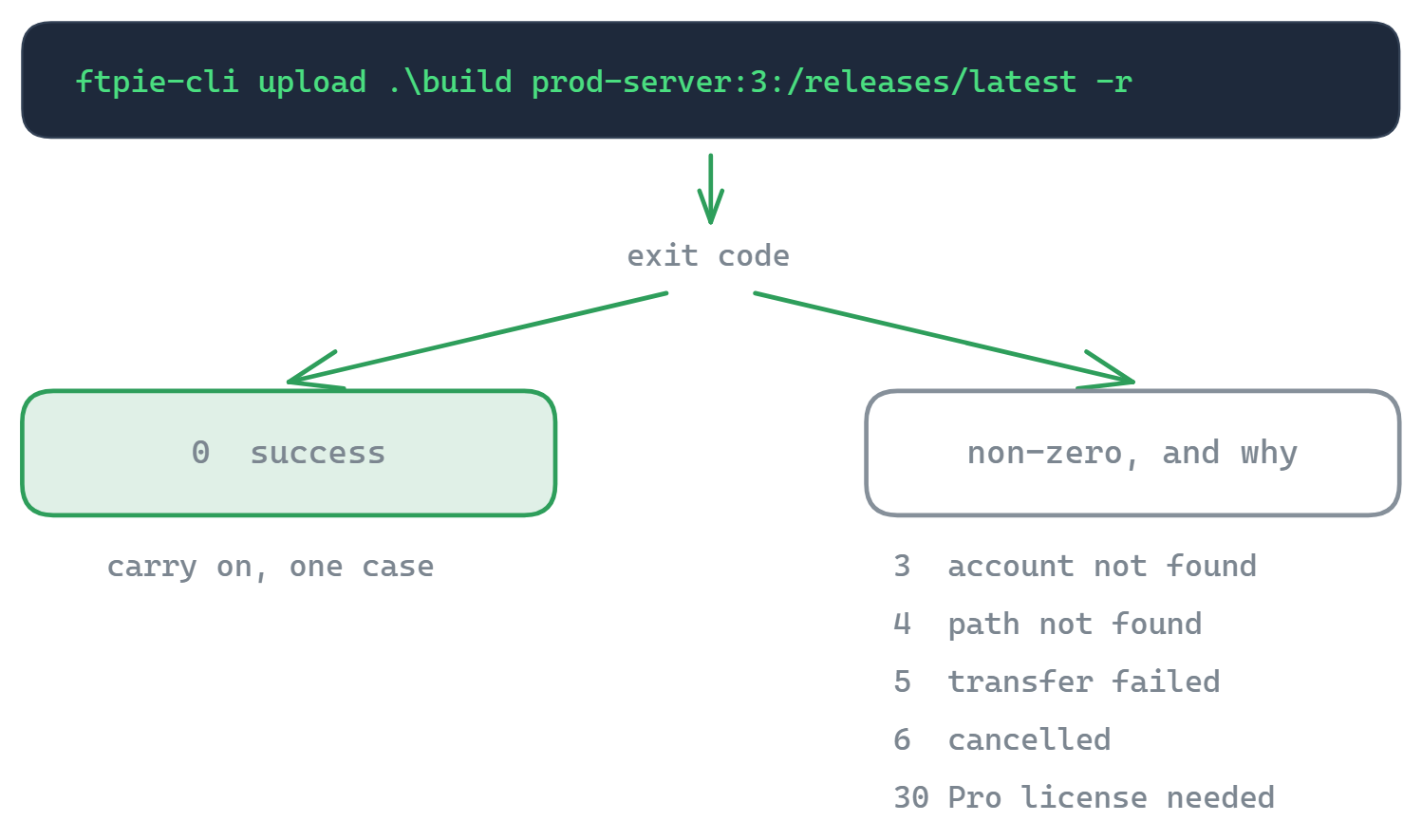
The CLI returns meaningful, documented exit codes - 0 success, 3 account not found, 4 path not found, 5 transfer failed, 6 cancelled, 30 Pro license required - so a script can branch on exactly what happened instead of parsing text. An unknown account name exits non-zero and suggests the closest match rather than failing silently, --json gives you structured output to pipe into other tools, and a first Ctrl+C cancels the current transfer cleanly. That is the kind of behaviour that makes a command safe to drop into a pipeline. The full syntax and flags live in the CLI documentation.
GUI and CLI in one tool
Most tools force the choice: a polished GUI or a scriptable command line. FTPie gives you both over one connection model, one engine, one license. Set a connection up once in the app; use it from the window, from a scheduled transfer, or from a script - whichever fits the task. It is the same reason power users reached for WinSCP and rclone, without the all-command-line tradeoff.
Common questions
The same backends as the app - FTP, FTPS, SFTP, WebDAV, NAS and the supported clouds (Google Drive, Dropbox, OneDrive, Box, pCloud, MEGA, Koofr, OpenDrive).
No - the Command Builder (main menu → CLI → Command Builder) assembles any command for you: pick a command, fill friendly fields, use the item picker for storage paths, and copy the result or run it in a terminal.
Yes - PowerShell, batch files, or any tool that can invoke a command and read an exit code. Add --json for machine-readable output.
Yes. It is designed for non-interactive use with predictable exit codes for branching, and a first Ctrl+C cancels cleanly (exit code 6).
The CLI is part of FTPie Pro and is available now. It runs on Pro or an active trial; the Free plan is asked to upgrade. See the plan comparison.
Related
- CLI documentation - every command, flag and exit code
- Scheduled transfers - the same jobs without scripting
- File encryption - encrypt and decrypt from the command line
Start Your 30-Day Free Trial
Download FTPie and start your free 30-day trial. Enjoy seamless FTP + cloud integration and keep using the free version afterward.
Download Free Trial