Dropbox Client for Windows
Manage Dropbox from a Windows file manager without the heavy sync app - multiple accounts, on-demand access, and transfers to your other clouds and servers.
The official Dropbox desktop app wants to live on your machine: a background service, a sync folder, and a steady appetite for disk space and RAM. If all you want is to browse your Dropbox, grab a file, or move something into it, that is a lot of overhead for the job.
FTPie is a leaner way in. It is a Windows file manager that connects to Dropbox on demand - no sync folder, no always-on agent, and more than one account at a time. A genuine Dropbox alternative for people who want access without the sync.
How FTPie connects to Dropbox
Dropbox is a native, built-in integration:
- Add a new storage in FTPie and choose Dropbox.
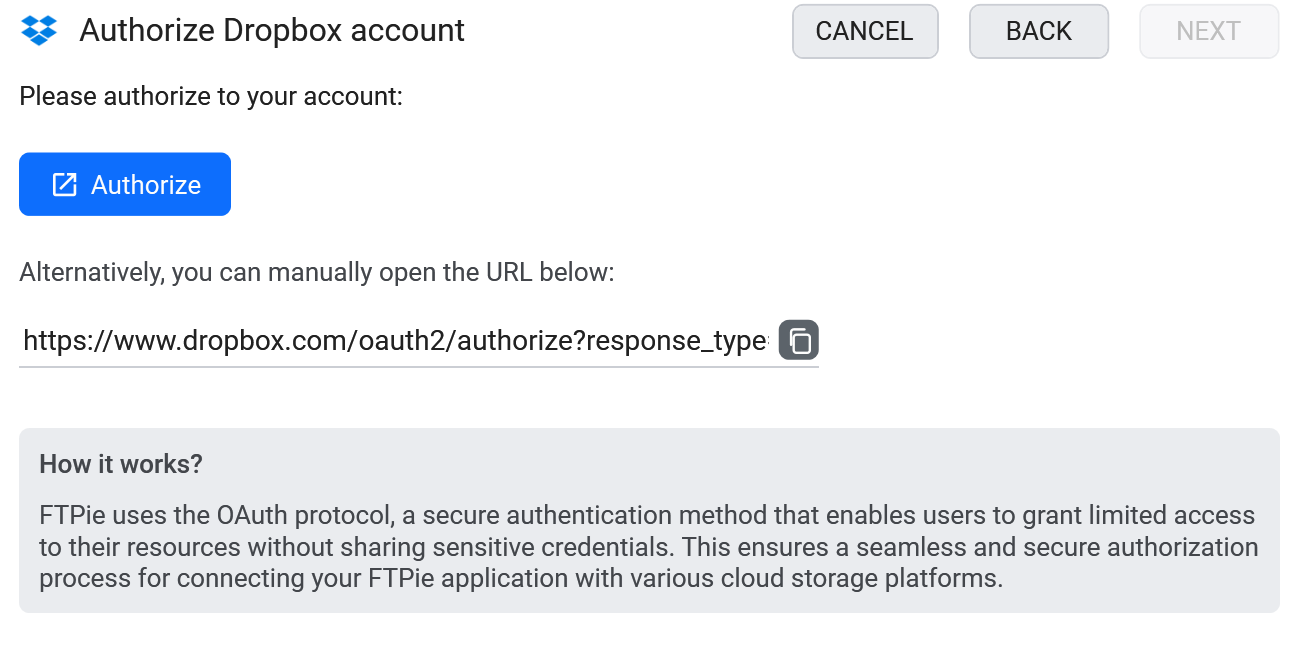
- Authorize FTPie on Dropbox's own consent screen.
- Your Dropbox shows up as a tile - add more accounts as needed.
What you can do
- No sync folder eating your disk - on-demand access only
- Multiple Dropbox accounts open together
- Drag files between Dropbox and other storage in a dual-pane view
- Edit in place with built-in editors or your own apps
- Quick Share and scheduled backups
Dropbox next to everything else
Dropbox in one pane, anything else in the other. Migrate a shared folder from Dropbox into Google Drive, pull files off an SFTP server straight into Dropbox, or move a project out of Dropbox onto your own NAS - without the file ever touching your local sync folder.
Dropbox and AI assistants (MCP)
If you want an AI assistant to read a file out of Dropbox, MCP - the Model Context Protocol - is how that connection is made, and there are community Dropbox MCP servers that do it. They work, and they stop at Dropbox.
The FTPie MCP server - shipped in 2026.9.2 - covers Dropbox as one of the storages you have already set up in the app, next to your other clouds, servers and NAS. That makes the interesting instructions possible: archive a finished Dropbox folder to cheap object storage, pull last month's exports off an SFTP server into Dropbox, or compare what is in Dropbox against a backup without downloading either side by hand.
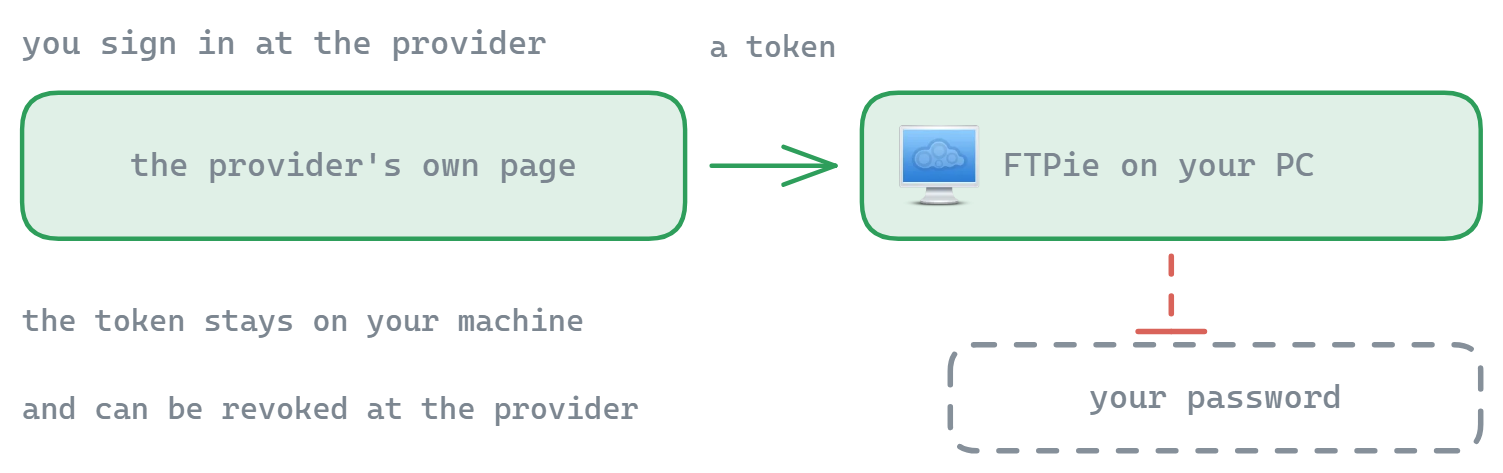
It also inherits how the app already behaves: nothing syncs to your disk, files stream on demand, and your Dropbox authorization stays inside FTPie. The assistant works with references to files, never with your account tokens - and any transfer it starts shows up in FTPie's normal transfer queue where you can watch or cancel it.
Common questions
For browsing, transferring and managing files, yes - without a sync folder. If you specifically need offline-synced local copies, the official app still does that; the two can coexist.
Yes - as many as you like, all open at once.
No. Authorization uses Dropbox's OAuth flow and tokens stay on your device. See the security page.
Cloud connections are part of FTPie Pro. The free plan covers up to 3 FTP/FTPS/SFTP connections; Pro adds the clouds, WebDAV, NAS and self-hosted, with a 30-day free trial. See the plan comparison.
Related
- All integrations
- Google Drive client for Windows and OneDrive client for Windows
- Transfer files between cloud accounts
Start Your 30-Day Free Trial
Download FTPie and start your free 30-day trial. Enjoy seamless FTP + cloud integration and keep using the free version afterward.
Download Free Trial