File Encryption for FTP & Cloud
Encrypt files with AES-256 on your own machine before they upload - so your FTP server, NAS or cloud only ever stores ciphertext, and the key never leaves your device.
File Encryption shipped with the FTPie 2026.6.3 release, alongside the CLI. Encrypting files is part of FTPie Pro - but decryption is not gated and is open to everyone, including the Free plan, so anyone you share a file with can open it with the password.
When you upload a file to an FTP server, a NAS, or a cloud account, you are trusting whoever runs that storage with the readable contents of your data. For most files that is fine. For tax documents, contracts, password vaults, client data or anything covered by a privacy obligation, it is not.
File Encryption closes that gap. FTPie encrypts the file on your machine, with AES-256, before a single byte leaves your computer. Whatever it lands on - a shared FTP host, a Synology NAS, Google Drive, Dropbox - only ever stores ciphertext. The key is derived from your password on your own machine and is never stored or uploaded. Neither the storage provider nor FTPie can read your files.
How it works
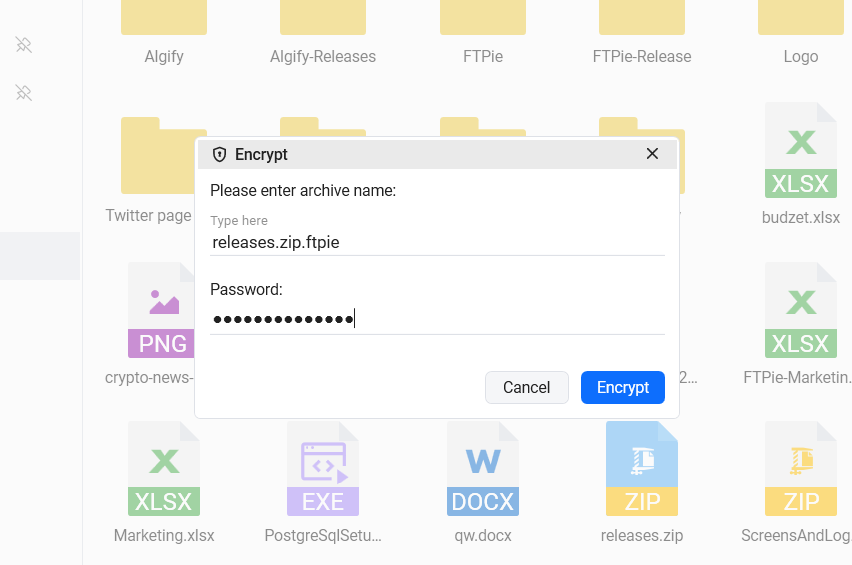
Right-click a file or folder, choose Encryption → Encrypt here (or Encrypt to…), and set a password. FTPie encrypts on your PC with AES-256 and your password-derived key.
The result is saved as [name].ftpie.[ext] and shows a lock overlay in the browser, so encrypted items are obvious at a glance. Only the ciphertext travels to the destination.
Right-click a .ftpie file and choose Decrypt. With the correct password, FTPie verifies and restores the original. Decryption is free for everyone, even on the Free plan.
The key never leaves your device
This is the part that matters. FTPie is a local Windows application, not a cloud service that proxies your transfers. The key you use for encryption is derived from your password on your own machine, only while a file is being processed - it is never written to disk or uploaded. There is no FTPie-operated server in the middle that ever sees your password or your plaintext.
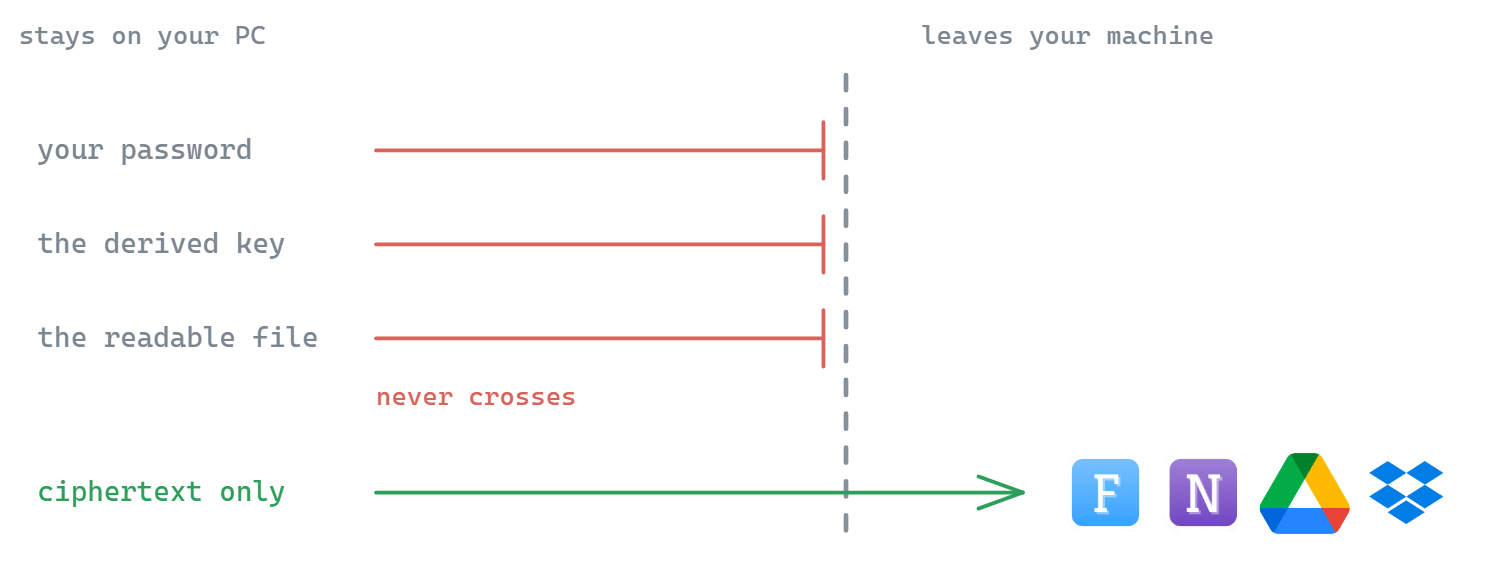
That is the honest trade-off of real client-side encryption: because we genuinely cannot read your files, we also cannot recover them. Keep your password somewhere safe. There is no back door - for you, for us, or for anyone who compromises the storage.
Works with every backend
Most encryption tools are tied to one ecosystem - a single cloud's "vault", or a NAS app that only protects files on that NAS. FTPie's encryption sits in the transfer layer, so it applies the same way no matter where the file is going:
- FTP & FTPS - add real content encryption on top of (or instead of) transport security
- SFTP - encrypt at rest on the server, not just in transit
- Self-hosted - Nextcloud, ownCloud and SeaFile via dedicated connectors
- WebDAV - any standards-compliant WebDAV server
- NAS - Synology, QNAP and other network storage over SMB
- Cloud - Google Drive, Dropbox, OneDrive, Box, pCloud, MEGA, Koofr, OpenDrive
Encrypt on the fly - even between two clouds
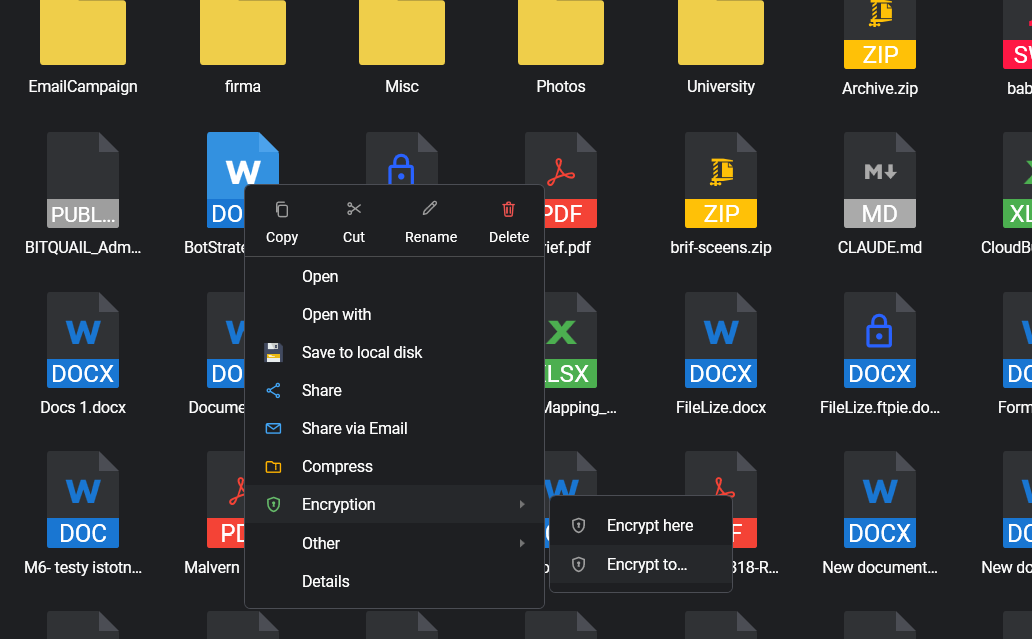
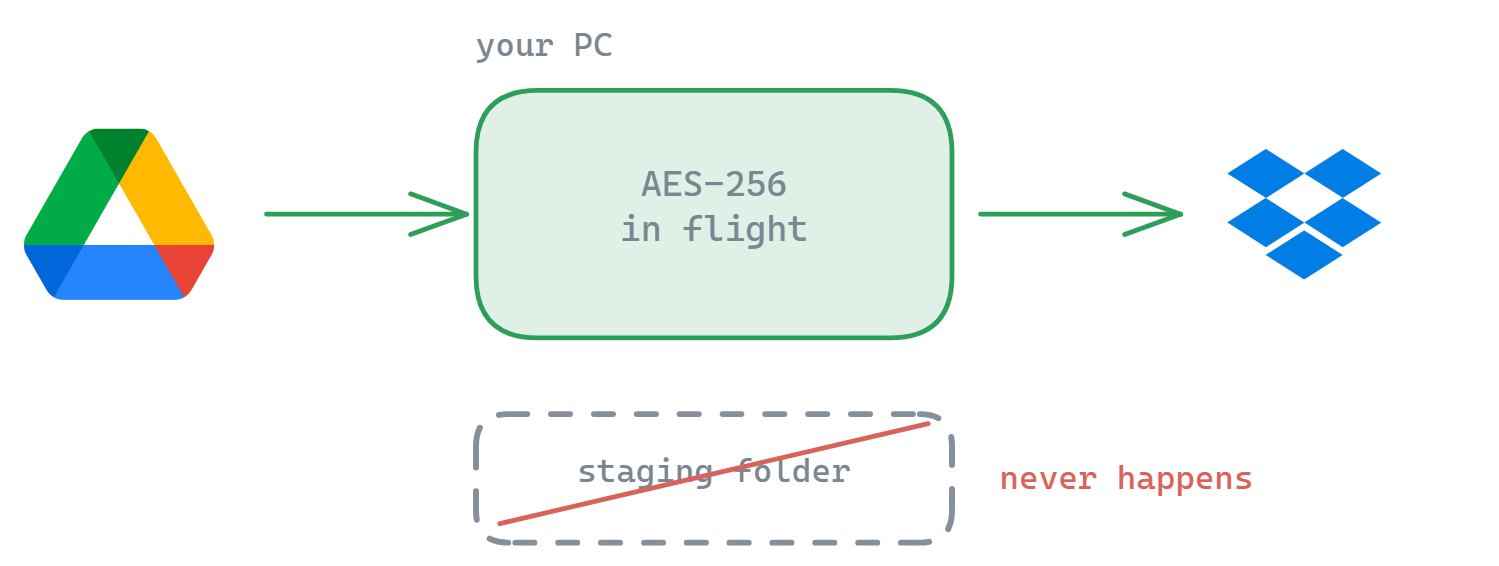
Encrypt to… takes any source and any destination among your connected storages. Pick a file on Google Drive, choose Encrypt to Dropbox, and FTPie streams it through your PC, encrypting on the fly - no temporary download step, no staging folder. Because the encrypted size is known in advance to the byte, the transfer runs as a single clean pass. The same works local → cloud: point Encrypt to at your Google Drive and the file leaves your machine already sealed - which is exactly the workflow behind encrypting files before they reach Google Drive or Dropbox.
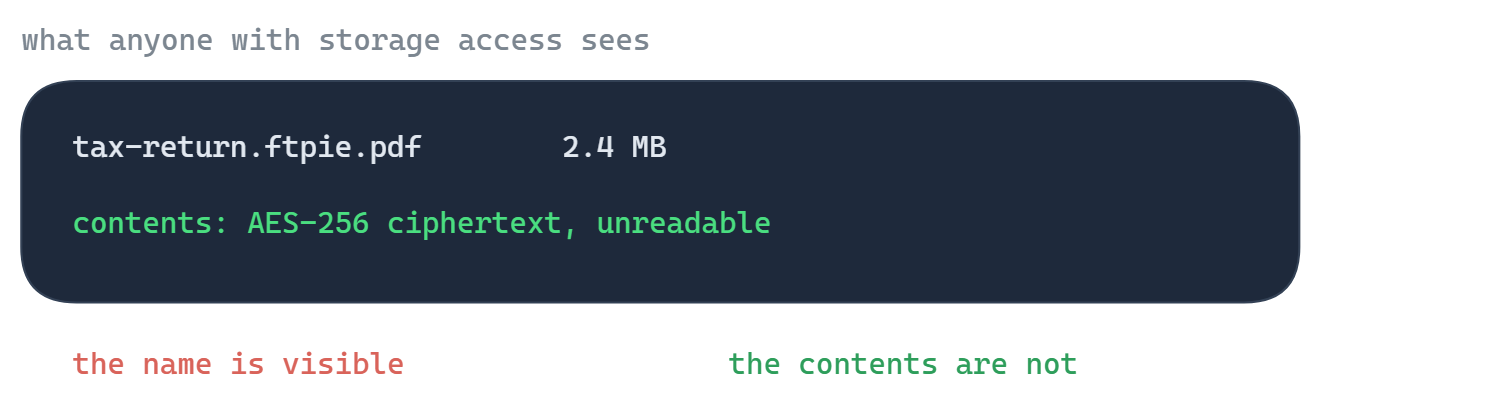
One honest caveat: encryption protects file contents, not file names - the encrypted item is stored as [name].ftpie.[ext] so you (and anyone with storage access) can still see what it's called. Sensitive names? Rename first, or zip the files and encrypt the archive.
Purpose-built file encryption
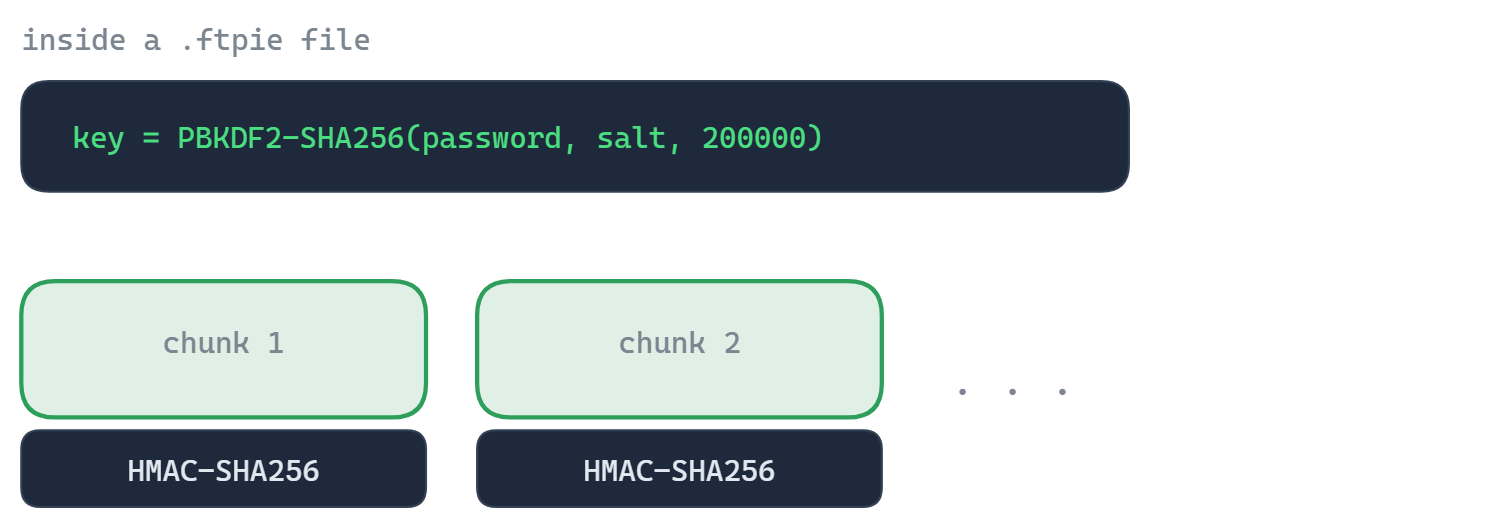
This is real encryption built for confidentiality, not password-protection bolted onto a zip. It works on a single file, a multi-selection, or whole folders (encrypted recursively). Folders are encrypted file by file with their structure preserved - nothing is packed into an archive. Each item is sealed as [name].ftpie.[ext] in FTPie's own format with AES-256, the same symmetric cipher trusted by governments and banks, and every chunk carries an HMAC-SHA256 authentication tag so any tampering or corruption is caught when you decrypt. The security comes from keeping the key off the wire, which is exactly what client-side encryption does.
Common questions
AES-256 in CBC mode, with an HMAC-SHA256 authentication tag on every chunk (encrypt-then-MAC). Your key is derived from your password on your machine with PBKDF2-SHA256 at 200,000 iterations.
Nowhere - the key is never stored. It is derived from your password on your machine each time you encrypt or decrypt (PBKDF2-SHA256). By default you type the password each time; FTPie can optionally remember it, stored encrypted on your PC with Windows DPAPI, but that is off by default and not recommended. Nothing - key or password - is ever uploaded. See the security page for how FTPie handles credentials and data.
No. There is no recovery path by design - that is what makes the encryption trustworthy. Store your password safely.
No. Encrypted files use FTPie's documented .ftpie format, and decryption is never restricted to Pro - any FTPie install, including the free version, can decrypt your files with the password at no cost. So you can always get your files back, and so can anyone you send them to.
Yes. Encryption happens before upload, so the destination protocol does not matter - FTP, SFTP, WebDAV, NAS or any supported cloud.
Encrypting files is part of FTPie Pro and is available now (Pro or an active trial). Decrypting .ftpie files is not gated - it's open to everyone, including the Free plan - so anyone you send a file to can open it with the password. See the plan comparison.
No - and we say so plainly. An encrypted file keeps its name, stored as [name].ftpie.[ext], so anyone with access to the storage can see what files are called (but not what's inside them). If the names themselves are sensitive, rename before encrypting, or zip the files first and encrypt the archive so only the archive name is visible.
Guides & related
- How to encrypt files on Windows - every practical option compared
- Encrypt files before uploading to Google Drive
- Encrypt files before uploading to Dropbox
- Zip and encrypt files - locally or right on the server
- Automated encrypted backups to cloud & FTP
Related
- Auto Backup - encrypted backup jobs on a schedule
- Compression - zip and password-protect archives
- Security - how FTPie handles your credentials and files
Start Your 30-Day Free Trial
Download FTPie and start your free 30-day trial. Enjoy seamless FTP + cloud integration and keep using the free version afterward.
Download Free Trial