Comparison

FTPie vs SmartFTP

Both Windows-only, both handle FTP and cloud — but very different pricing and priorities

FTPie — All-in-one FTP + cloud file manager vs SmartFTP — Professional-grade Windows FTP client

SmartFTP has been around since the early 2000s and has built a solid reputation as a professional-grade FTP client for Windows. It's polished, feature-rich, and targets businesses and IT professionals who need reliable, compliant file transfers. It's also not cheap — plans start at $80/year and go up to $330/year for the full feature set.

FTPie is a newer, free-to-start alternative that takes a different approach. Instead of focusing solely on file transfer, it combines FTP/SFTP with cloud storage, built-in viewers, backup scheduling, and productivity tools — all in one app.

Both are Windows-only. Both support FTP, SFTP, and cloud storage. But the pricing, feature philosophy, and target audience are quite different.
Protocols: both solid, different packaging

SmartFTP supports FTP, FTPS, SFTP, and WebDAV across all its plans. It also includes a built-in SSH terminal emulator (on Ultimate and above), which is useful if you need to run commands on a server alongside your file transfers. For FTP specifically, SmartFTP has some advanced features like FXP (server-to-server FTP transfers), MODE Z on-the-fly compression, and transfer integrity verification using checksums.

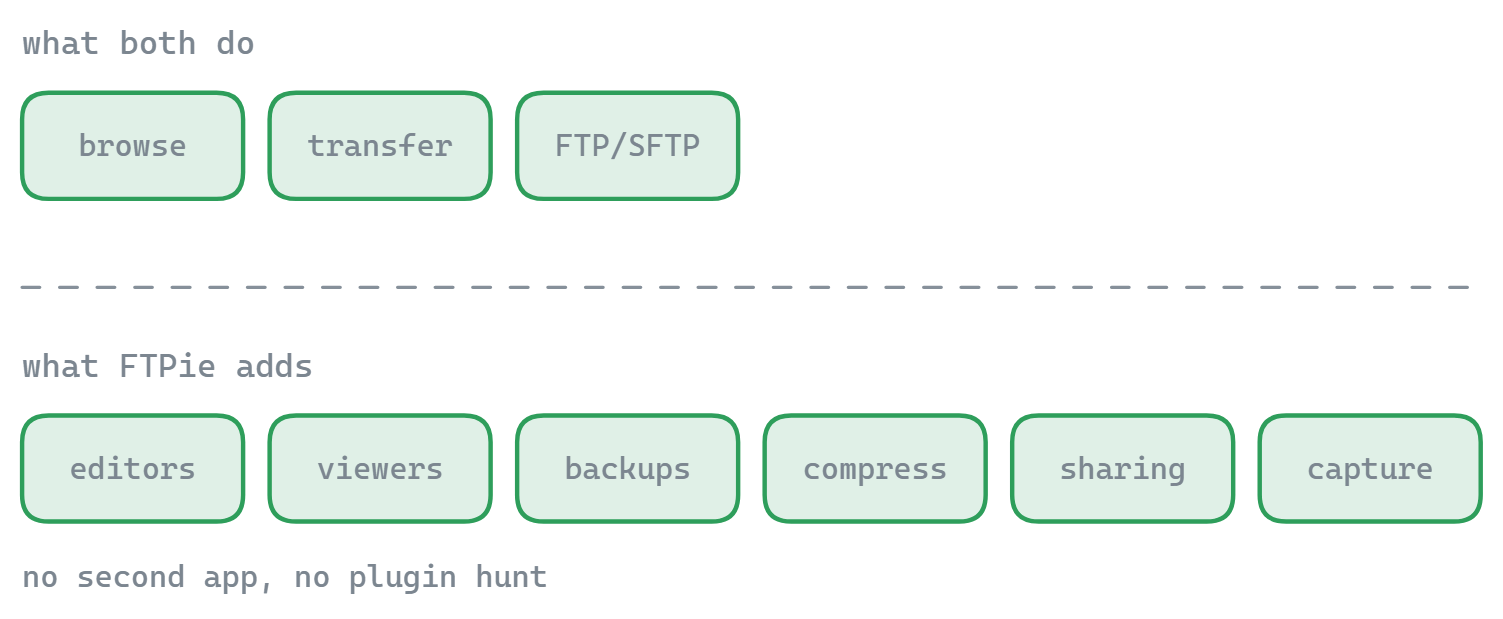
FTPie supports FTP, FTPS, SFTP, and WebDAV as well. It doesn't have FXP or a terminal emulator, but it adds chunk-level pause/resume that survives app restarts, parallel transfers, and configurable retry behavior with exponential backoff.

For core protocol support, they're closely matched. SmartFTP has more advanced FTP-specific features (FXP, checksums, MODE Z). FTPie's transfer engine focuses more on reliability and resilience for large file transfers.

Cloud storage: free vs. pay-per-tier

This is where the pricing difference becomes very visible.

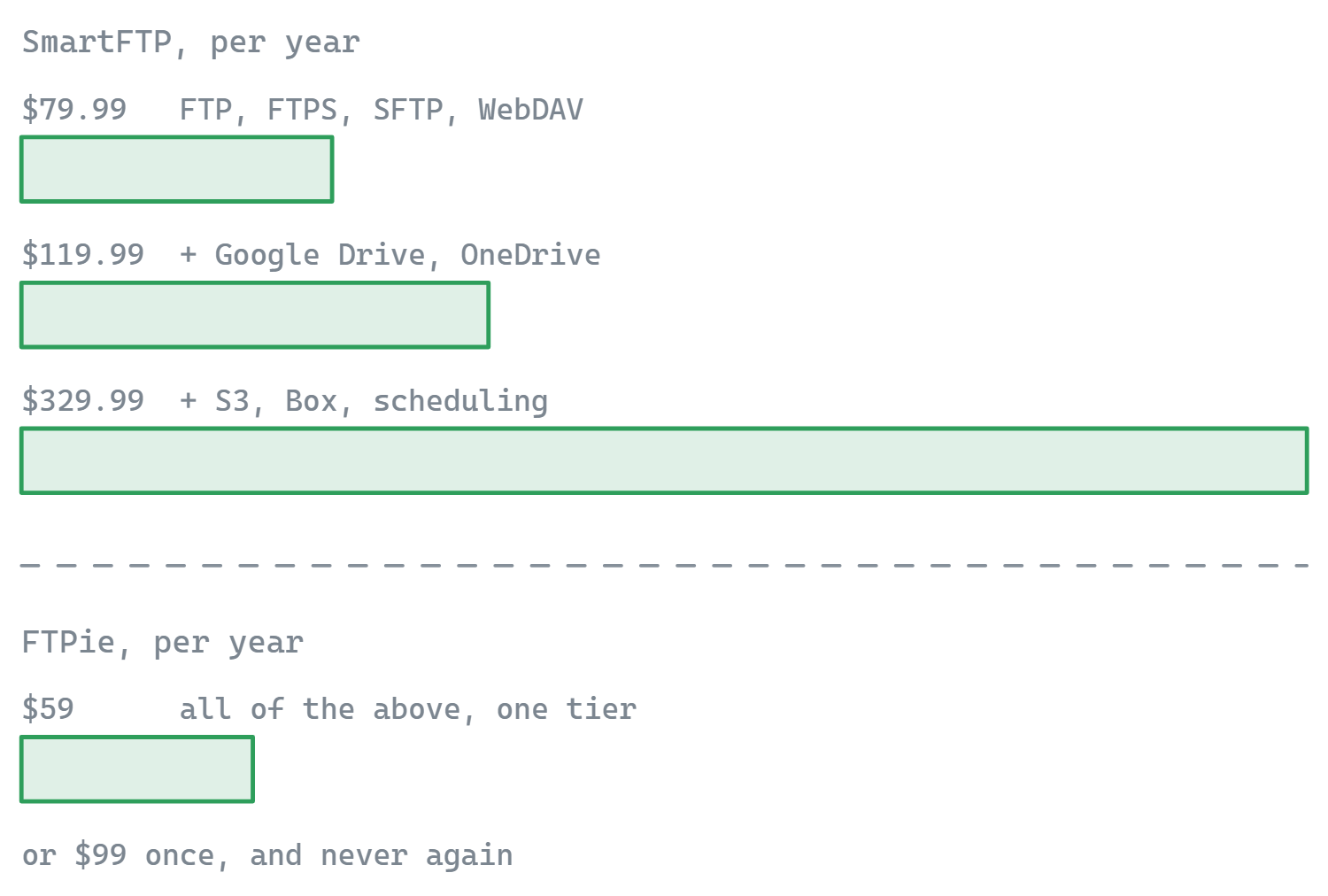
SmartFTP supports cloud storage, but it's gated behind the higher-priced tiers. Google Drive and OneDrive require the Ultimate plan at $119.99/year. Amazon S3, Google Cloud Storage, Backblaze B2, and Box require the Enterprise plan at $329.99/year. The base Professional plan ($79.99/year) has no cloud storage at all.

FTPie includes Google Drive, Dropbox, OneDrive, pCloud, Box, and Mega in its free plan. No paid tier required for cloud access. You can connect all six services and transfer files between them and your FTP servers without paying anything.

To put it plainly: getting Google Drive support in SmartFTP costs $120/year. In FTPie, it's free. That's a big gap for users who work with both FTP and cloud storage.

On the other hand, SmartFTP's Enterprise plan includes S3, Google Cloud Storage, and Backblaze B2 — enterprise object storage that FTPie doesn't support yet (it's on the roadmap). If you need S3 specifically, SmartFTP has it today.

Pricing: the elephant in the room

SmartFTP is subscription-only:

  • Professional: $79.99/year — FTP, FTPS, SFTP, WebDAV only
  • Ultimate: $119.99/year — adds Google Drive, OneDrive, terminal emulator, encryption
  • Enterprise: $329.99/year — adds S3, GCS, B2, Box, scheduling, email notifications

There's no free tier — just a trial. And some features (like OpenPGP encryption and advanced logging) require additional paid add-ons on top of the Enterprise subscription.

FTPie has a free plan that includes all features, unlimited SFTP and cloud connections, but limits FTP/FTPS to one connection. Paid plans unlock additional FTP/FTPS connections.

For individuals, freelancers, and small teams, SmartFTP's pricing is steep. For enterprises that need compliance certifications and advanced scheduling, it may be justified. For everyone else, FTPie offers more functionality for free than SmartFTP's $80/year base plan.

Enterprise features: where SmartFTP justifies the price

SmartFTP isn't expensive for no reason. It targets regulated industries and enterprise IT departments, and it has the credentials to back that up:

  • HIPAA compliant — matters for healthcare organizations handling patient data
  • FIPS 140-2 / 140-3 compliant — required by US federal agencies and contractors
  • Section 508 compliant — accessibility requirements for government software
  • Transfer integrity verification — XCRC, XMD5, XSHA checksums to verify files weren't corrupted
  • OpenPGP encryption — automated encrypt/decrypt workflows
  • Advanced scheduling and email notifications (Enterprise tier)
  • Password manager integration — KeePass, LastPass, Bitwarden, 1Password

FTPie doesn't have compliance certifications, OpenPGP, or password manager integration. If your organization requires HIPAA or FIPS compliance for file transfers, SmartFTP is one of the few consumer-priced tools that meets those requirements.

If you don't work in a regulated industry, none of this matters — and you're paying for features you'll never use.

Built-in tools and file management

SmartFTP has a built-in text editor with syntax highlighting, a thumbnail/preview view for images, visual file compare, bulk rename, and a transfer queue with unlimited threads. It's a capable file transfer tool with some useful extras.

FTPie goes further in a different direction:

  • Code editor (Monaco/VS Code engine) with 50+ language syntax highlighting
  • Image viewer, PDF viewer, video and music player
  • Document editing via Google Docs or Microsoft 365 with automatic sync
  • Backup scheduler with compression and AES encryption
  • File compression on remote storage
  • Notes tool, screenshot tool, and screen recorder
  • Windows shell extension for right-click upload and sharing

SmartFTP has features FTPie doesn't: bulk rename, visual file compare, and an SSH terminal. FTPie has features SmartFTP doesn't: media viewers, backup scheduling, screen capture tools, and a notes app. Different priorities for different users.

Side-by-side comparison

Feature FTPie SmartFTP
FTP / FTPS / SFTP / WebDAV
Cloud storage (free)
Cloud storage (paid)
Amazon S3 / GCS / B2
FXP (server-to-server FTP)
SSH terminal emulator
HIPAA / FIPS compliance
Dual-pane file manager
Built-in file viewers (PDF, video, code) Partial
Backup scheduling Partial
File compression
Windows shell extension
Bulk rename / file compare
Free plan available

Where SmartFTP has the edge

  • Compliance certifications. HIPAA, FIPS 140-2/140-3, and Section 508. If your organization requires compliant file transfers, SmartFTP is one of the few desktop tools that qualifies.
  • SSH terminal emulator. Run commands on your server without leaving the app. Useful when you need to restart a service or check logs alongside file transfers.
  • FXP transfers. Direct server-to-server FTP transfers without routing through your machine. A niche feature, but valuable for managing multiple FTP servers.
  • Transfer integrity. Checksum verification (CRC, MD5, SHA) to confirm files arrived intact. Important for mission-critical transfers.
  • Enterprise object storage. S3, Google Cloud Storage, and Backblaze B2 support (Enterprise tier). FTPie doesn't have these yet.
  • Bulk rename and file compare. Useful file management features that FTPie doesn't include.
  • Password manager integration. KeePass, LastPass, Bitwarden, 1Password, Proton Pass support built in.

Where FTPie has the edge

  • Free cloud storage. Six cloud services included at no cost. SmartFTP charges $120/year just to get Google Drive, or $330/year for S3 and Box. That's a massive pricing gap for the same basic capability.
  • Free plan. FTPie is free with one FTP/FTPS connection and unlimited SFTP/cloud. SmartFTP has no free tier — only a trial, then $80+/year.
  • Built-in viewers and editors. Code editor (Monaco), image viewer, PDF viewer, video/music player — all in tabs. SmartFTP has a basic text editor and image thumbnails, but nothing comparable.
  • Dual-pane file manager. Side-by-side browsing and transfers between any two storages. SmartFTP uses a more traditional single-pane layout with a transfer queue.
  • Backup scheduler. Automated backups with compression and AES encryption, built into the free plan. SmartFTP has scheduling only on the Enterprise tier ($330/year).
  • File compression. Create and preview zip archives directly on remote storage.
  • Productivity tools. Screenshot capture, screen recording, notes app, Quick Share for instant links.
  • Modern interface. Tabbed browsing, full dark/light theme, clean design. SmartFTP looks more modern than FileZilla or WinSCP, but FTPie's interface is more polished.

So which one should you pick?

SmartFTP is built for a specific customer: enterprise IT departments and regulated industries that need compliant, auditable file transfers and are willing to pay for it. If your organization requires HIPAA or FIPS compliance, needs an SSH terminal alongside file transfers, or works with S3 in a business context, SmartFTP's pricing makes sense in that world.

For everyone else — freelancers, web developers, small businesses, individuals — SmartFTP's pricing is hard to justify when FTPie gives you cloud storage, file viewers, backup scheduling, and a modern interface for free. FTPie's free plan limits you to one FTP/FTPS connection, but that may be all many users need. And even FTPie's paid plans are more affordable than SmartFTP's entry tier.

The simplest way to think about it: SmartFTP is an enterprise tool sold at enterprise prices. FTPie is a consumer/prosumer tool that happens to be very capable. Choose based on which world you're in.

Start Your 14-Day Free Trial

Download FTPie and start your free 14-day trial. Enjoy seamless FTP + cloud integration and keep using the free version afterward.

Download Free Trial
CASA Verified & VirusTotal Scanned
14-day trial · Free version included
Windows 10 & 11