Cloudflare R2 Client for Windows
Browse, upload and download Cloudflare R2 buckets from a real Windows file manager - in the same window as your clouds, FTP servers and NAS.
Cloudflare R2 is S3-compatible object storage with no egress fees - great for backups and asset hosting, but Cloudflare gives you a dashboard and an API, not a desktop file manager. FTPie fills that gap: connect R2 with an API token and browse your buckets like folders, next to your clouds, FTP servers and NAS.
Drag files in and out, move data straight between R2 and another storage without a local round-trip, and generate a presigned link to share a file - all from one window.
What you'll need
- Account ID - your Cloudflare account id (the 32-character value in your R2 S3 endpoint)
- Access Key ID and Secret Access Key - from an R2 API token
- A bucket that already exists
- Optional: a Bucket name, if your token is scoped to a single bucket
Where to get your R2 keys
- In the Cloudflare dashboard, open R2 and create a bucket if you don't have one.
- Go to Manage R2 API Tokens -> Create API Token (choose Admin Read & Write, or scope it to one bucket).
- Copy the Access Key ID and Secret Access Key - the secret is shown only once.
- Note your account ID: it's the first part of the S3 endpoint on the same page,
https://<account-id>.r2.cloudflarestorage.com.
How to connect in FTPie
- Add a new storage and choose Cloudflare R2 (under Enterprise Storage).
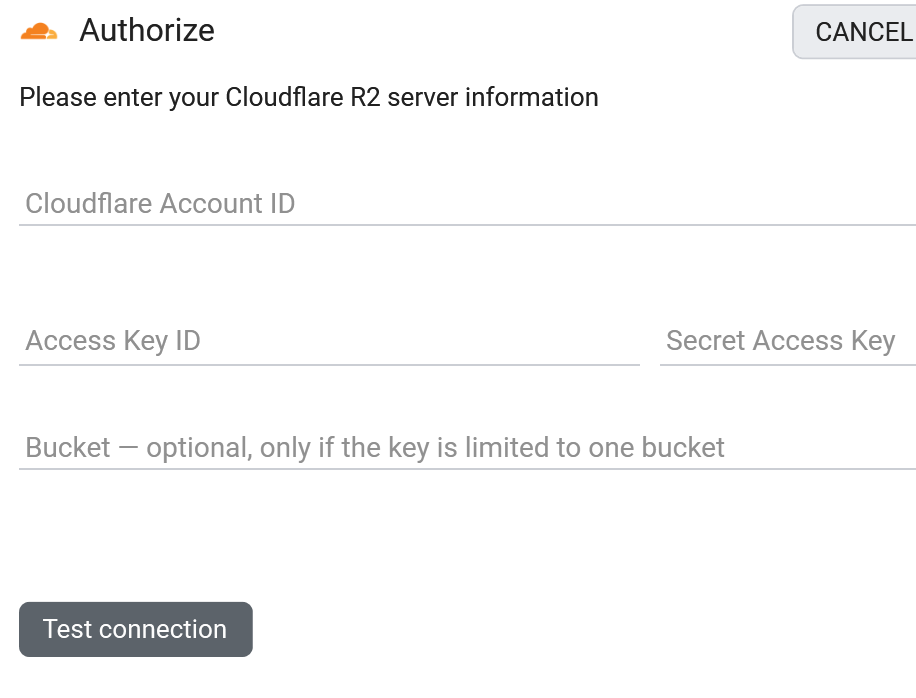
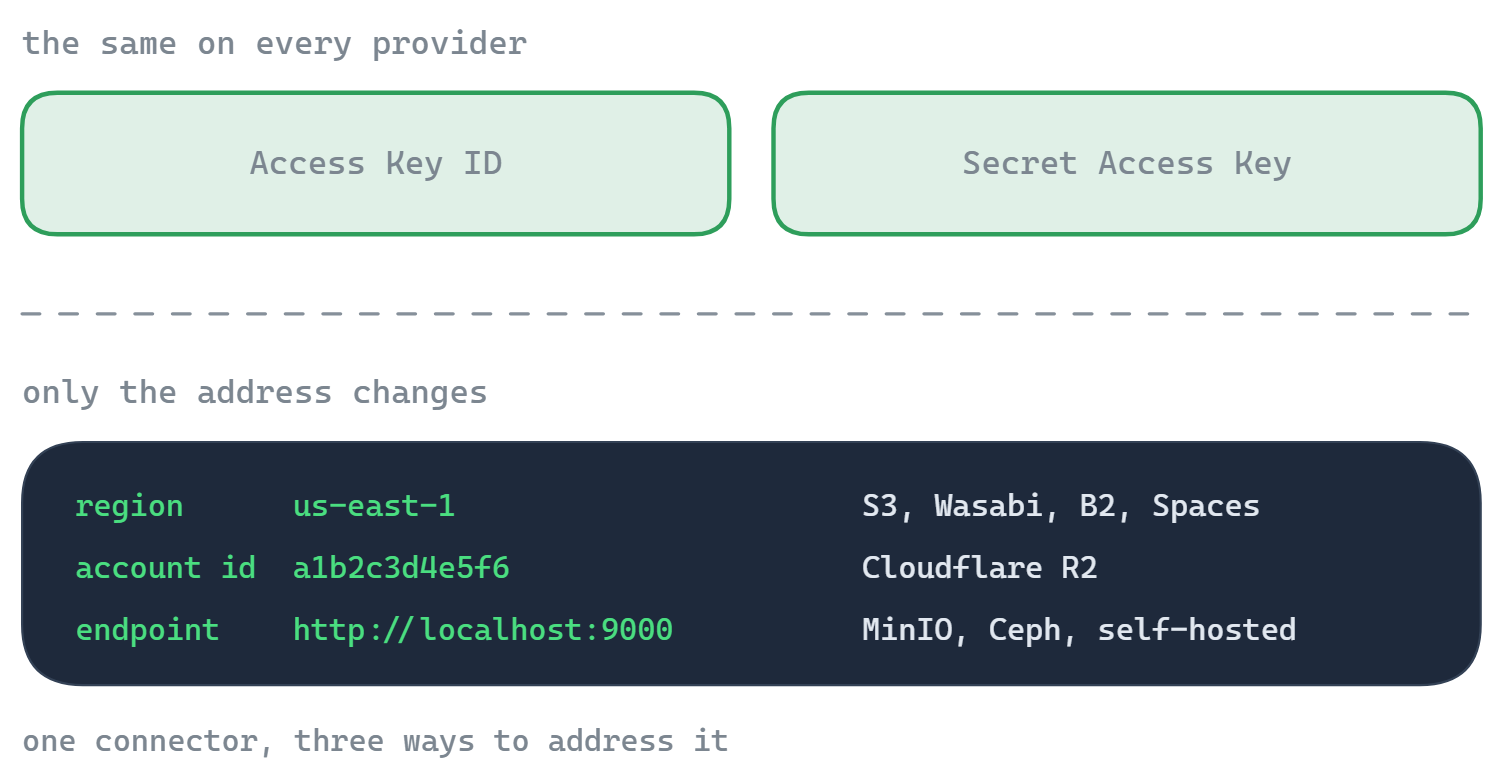
- Enter your Account ID, Access Key ID and Secret Access Key.
- If your token covers a single bucket, put its name in the Bucket field.
- Click Test connection, and save.
What you can do
- Browse buckets and objects in a familiar dual-pane view
- Upload, download and drag-and-drop with a resumable transfer queue
- Move data between R2 and another storage with no local copy in between
- Edit an object in place with the built-in editors
- Share a file by presigned link without making the bucket public
Good to know about object storage
- "Folders" are name prefixes, not real directories. FTPie shows them as folders; under the hood a folder is a shared prefix on object names.
- Share links are for files and are time-limited (presigned URLs, up to 7 days). There's no link for a whole folder.
- Bucket-scoped tokens are common on R2 - if yours is, use the Bucket field so FTPie opens the bucket directly instead of listing the account.
- Previews download the object - object storage has no server-side thumbnails.
Common questions
Cloudflare dashboard -> R2 -> Manage R2 API Tokens -> Create API Token. Your account ID is in the S3 endpoint on the same screen.
Yes - enter that bucket's name in the Bucket field and FTPie opens it directly.
R2 provisions your account's endpoint shortly after the first token or bucket. On a brand-new account, wait a little and retry - the credentials are fine.
Cloudflare R2 is part of FTPie Pro (with a 30-day trial). See the plan comparison.
Related
- All integrations
- Connect Amazon S3
- Connect Backblaze B2
- Connect S3-compatible storage
- All supported storage
- Compare object-storage prices
Start Your 30-Day Free Trial
Download FTPie and start your free 30-day trial. Enjoy seamless FTP + cloud integration and keep using the free version afterward.
Download Free Trial