Box Client for Windows
Browse and manage your Box storage from a proper Windows file manager - transfer to and from other clouds and servers, edit in place, and back up on a schedule.
Box is built for business content, and most people end up living in its web interface - which is fine for a quick upload and tedious for anything bulk. Box Drive helps, but it is another sync agent, and it does nothing to help you move files between Box and the rest of your storage.
FTPie gives Box a real Windows file manager: a dual-pane window where Box is just another storage you can browse, transfer, and organize - right next to your other clouds, FTP servers and NAS.
How FTPie connects to Box
Box is a native, built-in integration:
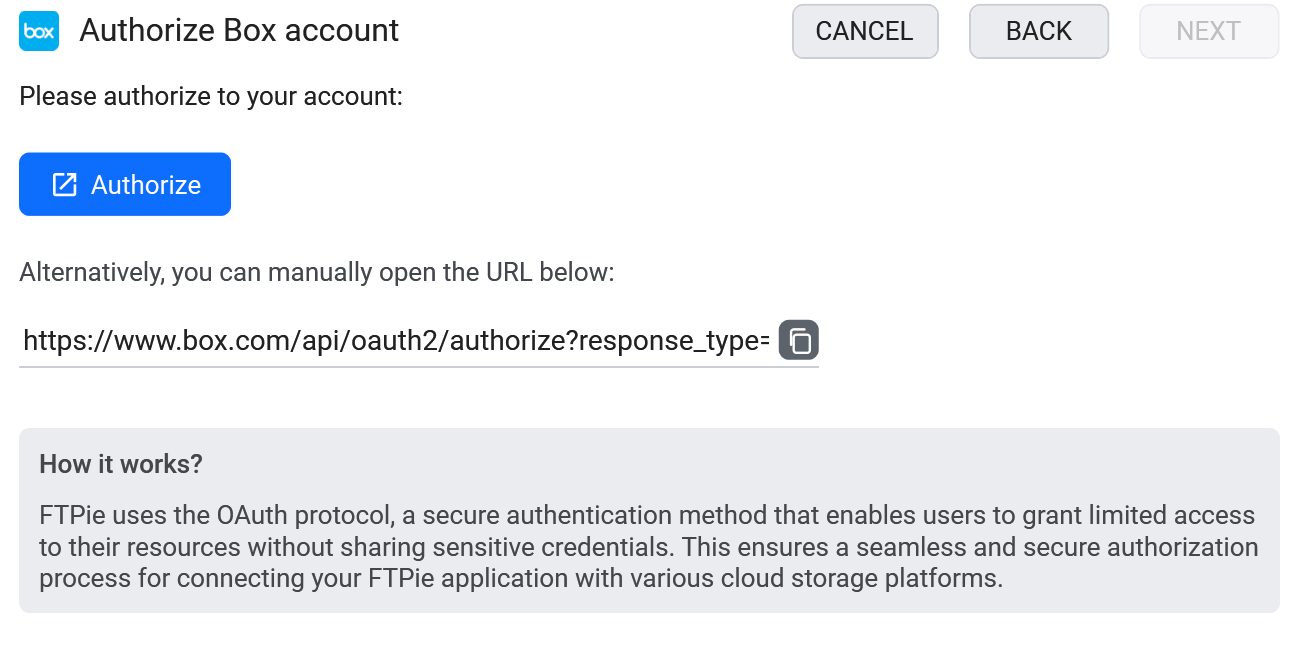
- Add a new storage in FTPie and choose Box.
- Sign in and authorize FTPie on Box's consent screen.
- Box appears as a tile, ready to browse alongside your other storage.
What you can do
- A proper file manager for Box - dual-pane browsing, bulk moves, tabs
- Transfer between Box and other storage by dragging across panes
- Edit in place with built-in editors or external apps
- On-demand access - no full sync to your disk
- Scheduled backups to or from Box
Box next to everything else
With Box in the same window as your other storage, moving content in or out is a drag-and-drop, not an export-then-import. Copy a deliverable from Box to a client's FTP server, archive a closed project from Box to your NAS, or pull files in from another cloud - all in one place.
Box and AI assistants (MCP)
MCP - the Model Context Protocol - is the open standard for letting an AI assistant use external tools, including reading and organizing files. Box tends to be the account people have for a reason: contracts, client deliverables, anything with a retention policy attached. That is also exactly the material worth having an assistant summarize, compare or file correctly.
The FTPie MCP server - shipped in 2026.9.2 - exposes Box through the same connection you already use in the app, alongside every other storage you have added. Because Box is usually the formal copy rather than the working copy, the cross-storage part matters: moving a signed document from a working Dropbox folder into the right Box directory is a single instruction instead of a download-then-upload round trip.
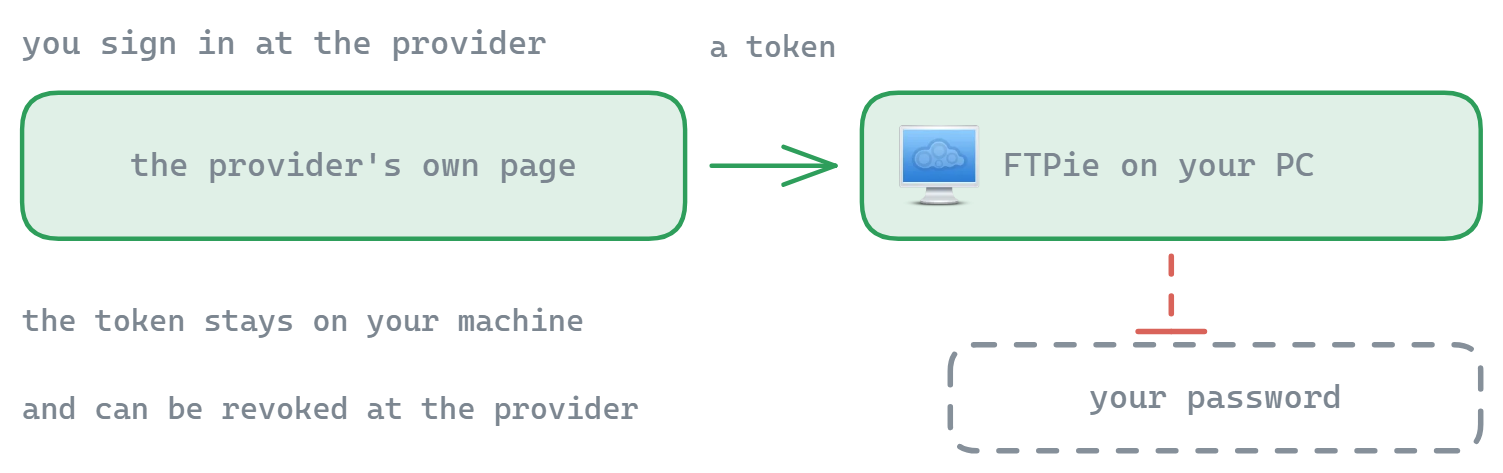
Given what tends to live in Box, the safeguards are not optional extras. Your Box OAuth tokens never leave FTPie and are never passed to the model; deletions and overwrites require explicit confirmation; and everything it does happens in the app in front of you rather than silently in the background.
Common questions
No - FTPie streams on demand. Files come down only when you open or transfer them.
Yes - put Box in one pane and the other storage in the other, then drag.
No. Authorization uses Box's OAuth flow and tokens stay on your device. See the security page.
Cloud connections are part of FTPie Pro. The free plan covers up to 3 FTP/FTPS/SFTP connections; Pro adds the clouds, WebDAV, NAS and self-hosted, with a 30-day free trial. See the plan comparison.
Related
- All integrations
- Dropbox client for Windows and Google Drive client for Windows
- Transfer files between cloud accounts
Start Your 30-Day Free Trial
Download FTPie and start your free 30-day trial. Enjoy seamless FTP + cloud integration and keep using the free version afterward.
Download Free Trial