Backblaze B2 Client for Windows
Browse, upload and download Backblaze B2 buckets from a real Windows file manager - in the same window as your clouds, FTP servers and NAS.
Backblaze B2 is popular for cheap backups and archives, and it speaks the S3 API - but the B2 web UI isn't a file manager you'd want to live in. FTPie connects B2 as an ordinary storage account so your buckets show up as folders, next to your clouds, FTP servers and NAS.
Drag files in and out, move data straight between B2 and another storage with no local round-trip, and share a file by link - all from one window.
What you'll need
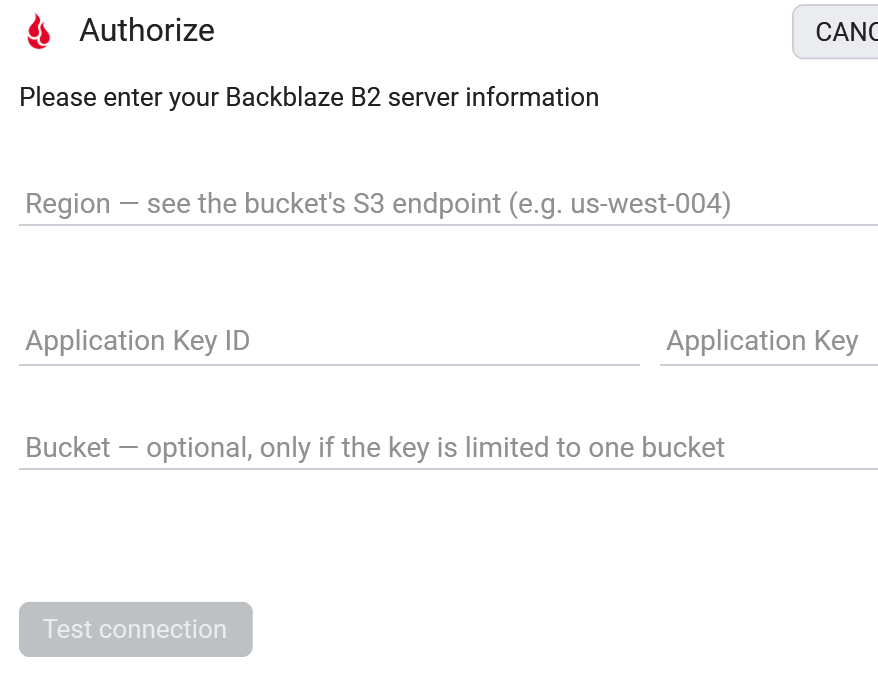
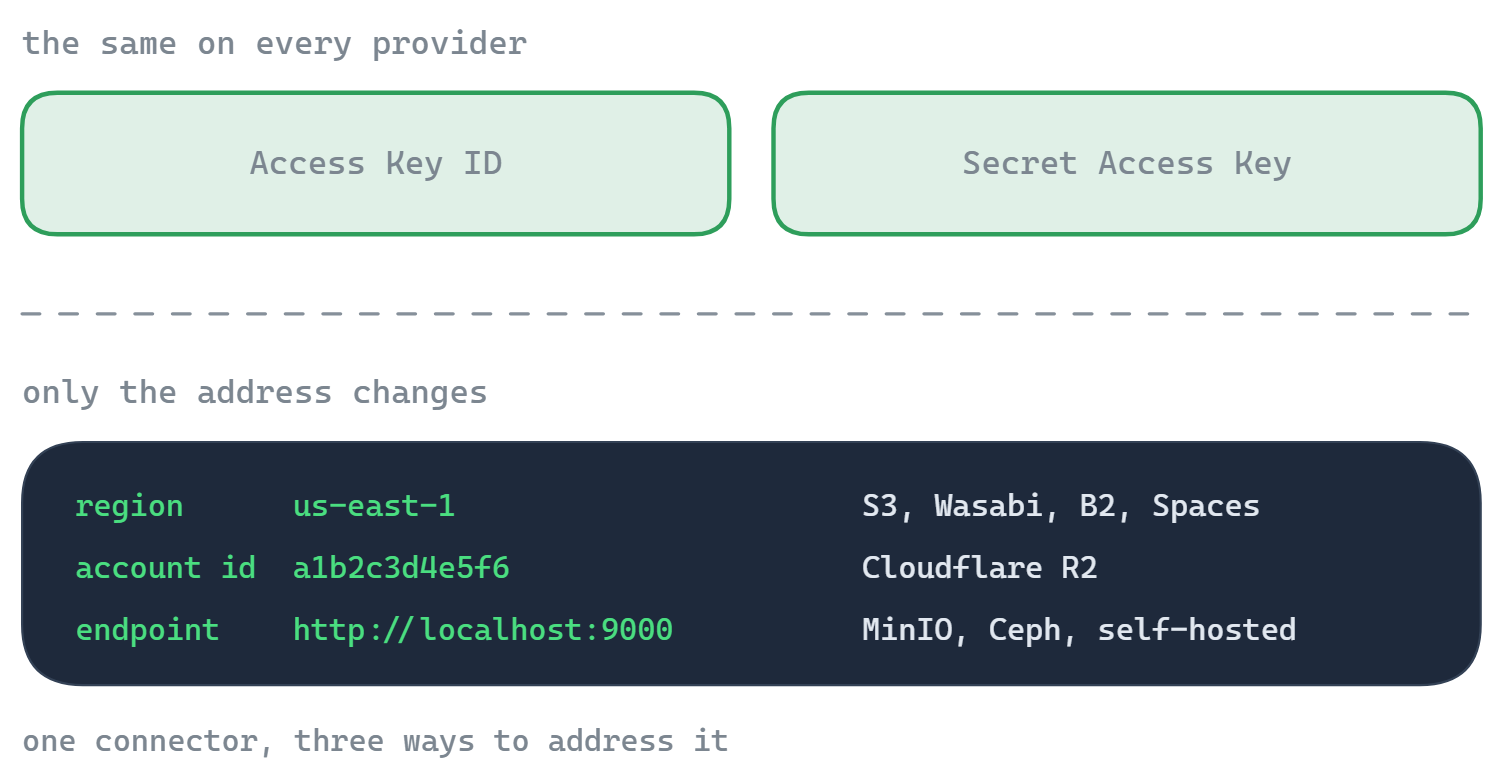
- Region - from the bucket's S3 endpoint, e.g.
us-west-004 - Application Key ID (the keyID) and Application Key
- A bucket that already exists
- Optional: a Bucket name, if your key is scoped to a single bucket
Where to get your B2 keys
- Sign in to Backblaze and open B2 Cloud Storage.
- Go to Application Keys -> Add a New Application Key. Give it access to your bucket (or all buckets).
- Copy the keyID and applicationKey - the key is shown only once.
- Open your bucket and read its S3 Endpoint (
s3.<region>.backblazeb2.com) - the region is the middle part.
Backblaze's master application key does not work with the S3-compatible API. Create a normal application key with the "Add a New Application Key" button.
How to connect in FTPie
- Add a new storage and choose Backblaze B2 (under Enterprise Storage).
- Enter the Region, Application Key ID and Application Key.
- If your key covers a single bucket, put its name in the Bucket field.
- Click Test connection, and save.
What you can do
- Browse buckets and objects in a familiar dual-pane view
- Upload, download and drag-and-drop with a resumable transfer queue
- Move data between B2 and another storage with no local copy in between
- Edit an object in place with the built-in editors
- Share a file by presigned link without making the bucket public
Good to know about object storage
- "Folders" are name prefixes, not real directories. FTPie shows them as folders; under the hood a folder is a shared prefix on object names.
- Share links are for files and are time-limited (presigned URLs, up to 7 days). There's no link for a whole folder.
- The region must match the bucket's endpoint - copy it from the S3 Endpoint rather than guessing.
- Previews download the object - object storage has no server-side thumbnails.
Common questions
Backblaze -> B2 Cloud Storage -> Application Keys -> Add a New Application Key. Use a regular key, not the master key.
Read it from the bucket's S3 Endpoint, s3.<region>.backblazeb2.com - e.g. us-west-004.
Yes - enter that bucket's name in the Bucket field and FTPie opens it directly.
Backblaze B2 is part of FTPie Pro (with a 30-day trial). See the plan comparison.
Related
- All integrations
- Connect Cloudflare R2
- Connect Wasabi
- Connect Amazon S3
- All supported storage
- Compare object-storage prices
Start Your 30-Day Free Trial
Download FTPie and start your free 30-day trial. Enjoy seamless FTP + cloud integration and keep using the free version afterward.
Download Free Trial