S3-Compatible Storage Client for Windows
Connect any S3-compatible storage from a real Windows file manager - MinIO, Ceph, Storj, Garage and more - by pointing FTPie at a custom endpoint.
The S3 API has become the common language of object storage, and dozens of servers speak it - MinIO, Ceph, Storj, SeaweedFS, Garage, and every managed gateway. FTPie's S3-Compatible connector lets you point at any of them: give it an endpoint and a key, and your buckets show up in a dual-pane file manager, next to your clouds, FTP servers and NAS.
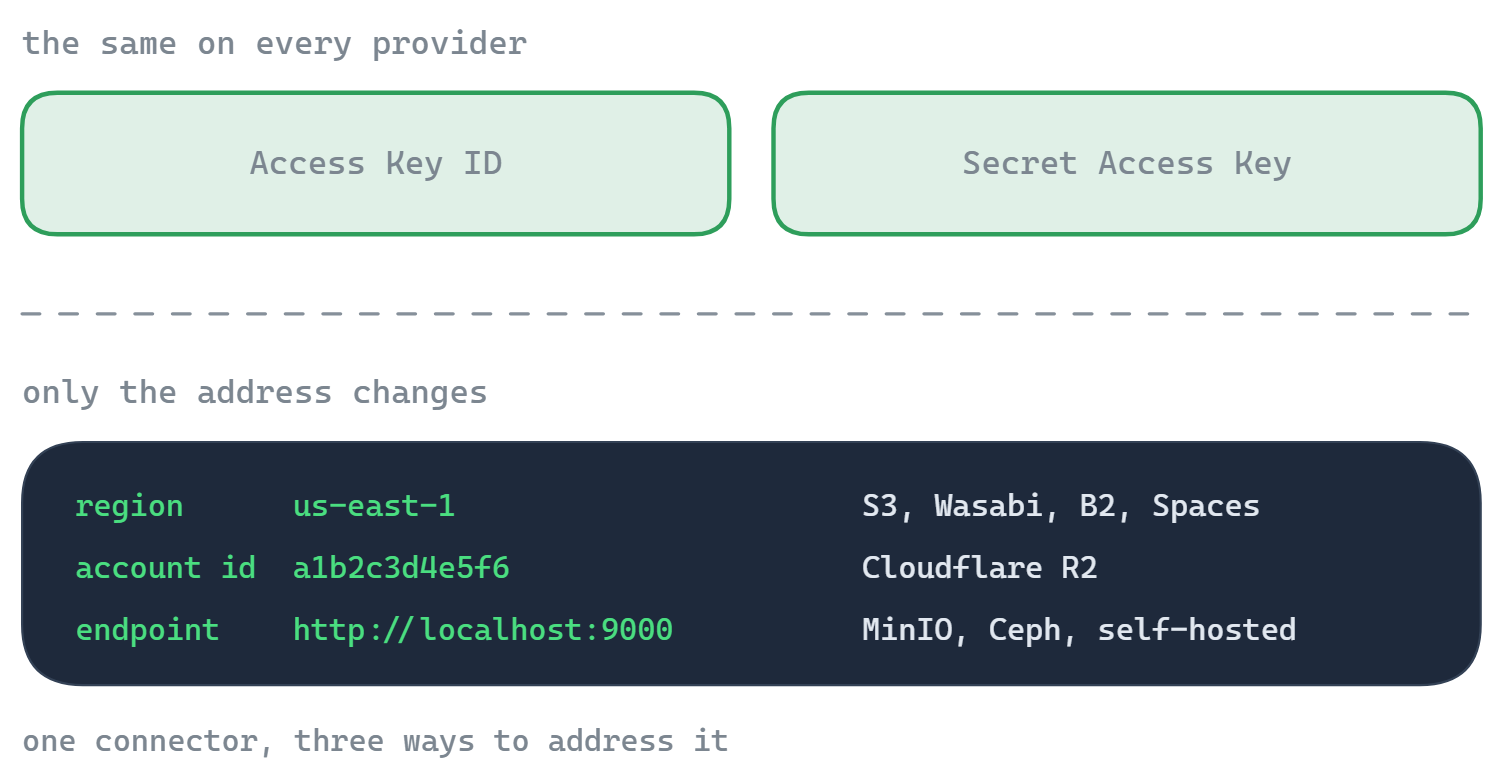
It's the same engine behind FTPie's Amazon S3, Cloudflare R2, Backblaze B2, Wasabi and DigitalOcean Spaces connectors - so if your provider isn't in that list but speaks S3, this is how you connect it.
What you'll need
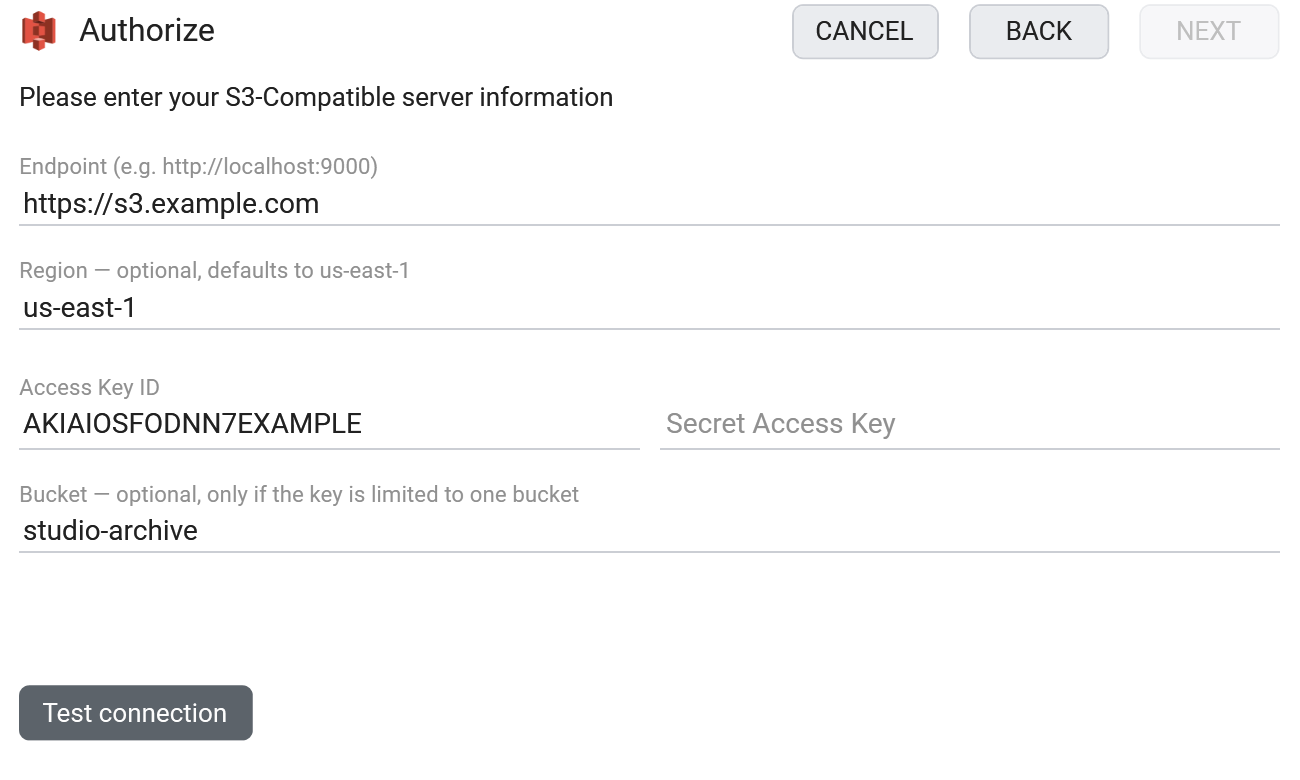
- Endpoint - the base URL of your S3 server, e.g.
http://localhost:9000orhttps://s3.example.com - Access Key ID and Secret Access Key
- A bucket that already exists on the server
- Optional: a Region (defaults to
us-east-1; most self-hosted servers ignore it) and a Bucket name if your key is scoped to one bucket
Where to get your endpoint and keys
- From your server's admin - for MinIO, the endpoint is the address it serves on (e.g.
http://localhost:9000), and the keys are the access/secret you configured. - For a hosted gateway (Ceph RGW, Storj, etc.), take the S3 endpoint URL and an access key / secret from its console.
- Make sure a bucket exists - create one in the server's UI or CLI if needed.
How to connect in FTPie
- Add a new storage and choose S3-Compatible (under Enterprise Storage).
- Enter the Endpoint, then the Access Key ID and Secret Access Key. Leave Region empty unless your server needs a specific one.
- If your key covers a single bucket, put its name in the Bucket field.
- Click Test connection, and save.
Works with
- MinIO - self-hosted, local or on a server
- Ceph (RADOS Gateway)
- Storj, SeaweedFS, Garage and other S3 gateways
- Any provider or appliance that exposes an S3-compatible endpoint
Good to know about object storage
- "Folders" are name prefixes, not real directories. FTPie shows them as folders; under the hood a folder is a shared prefix on object names. Juggling raw endpoint URLs or
s3://paths? The S3 URI parser converts between path-style URLs, s3:// URIs and ARNs. - A plain http:// endpoint is fine for local or LAN servers; use https:// over the internet.
- Region is usually irrelevant for self-hosted S3 - leave it on the default unless your server rejects it.
- Share links are per-file and time-limited, and only resolve where the endpoint is reachable.
Common questions
The base URL of your S3 server - e.g. http://localhost:9000 for MinIO, or https://s3.example.com for a gateway. Include the port if it isn't standard.
No - plain http:// works for local or LAN servers. Use https:// for anything over the internet.
No - it's optional and defaults to us-east-1. Most self-hosted servers ignore it; set it only if your server is configured for a specific region.
S3-compatible storage is part of FTPie Pro (with a 30-day trial). See the plan comparison.
Related
- All integrations
- Connect Amazon S3
- Connect Cloudflare R2
- Connect Backblaze B2
- All supported storage
- Compare object-storage prices
Start Your 30-Day Free Trial
Download FTPie and start your free 30-day trial. Enjoy seamless FTP + cloud integration and keep using the free version afterward.
Download Free Trial