Someone has sent you SFTP access. A vendor wants your files on their server, a bank needs a daily upload, or a web host is giving you access to your site. The message has a host name, a username, and either a password or an attached key file - and nothing about what to do with them on Windows.
This guide covers what each detail means, two ways to connect - an app, or the sftp command Windows
already has - and what the usual error messages are telling you.
What the details mean
| You were given | What it is |
|---|---|
Host, such as sftp.example.com | The server's address. Sometimes an IP address instead of a name. |
| Port | 22 unless they say otherwise. Some hosts use another, such as 2222 - use exactly what they sent. |
| Username | Your account on that server. Not your email address, unless they say so. |
| Password | For password login. Some servers want a key instead, or a key and a password. |
A key file: .ppk, .pem, id_rsa or id_ed25519 | Your private key, for key login. It may have a passphrase of its own. |
A fingerprint such as SHA256:... | The server's host key fingerprint, so you can check on the first connection that you reached the right server. |
A folder such as /incoming | Where you may upload. On many vendor servers it is the only place you can write. |
A link such as sftp://user@host:2222/incoming | Most of the above in one line. Many apps take it as it is. |
One thing the email often leaves out: many vendors accept connections only from addresses they know. If they asked for your IP address, send them your office's public IP before you try.
Connect with an app
A graphical client is the quickest way to see the server and drag files in and out. In FTPie:
- Choose Add storage and pick SFTP.
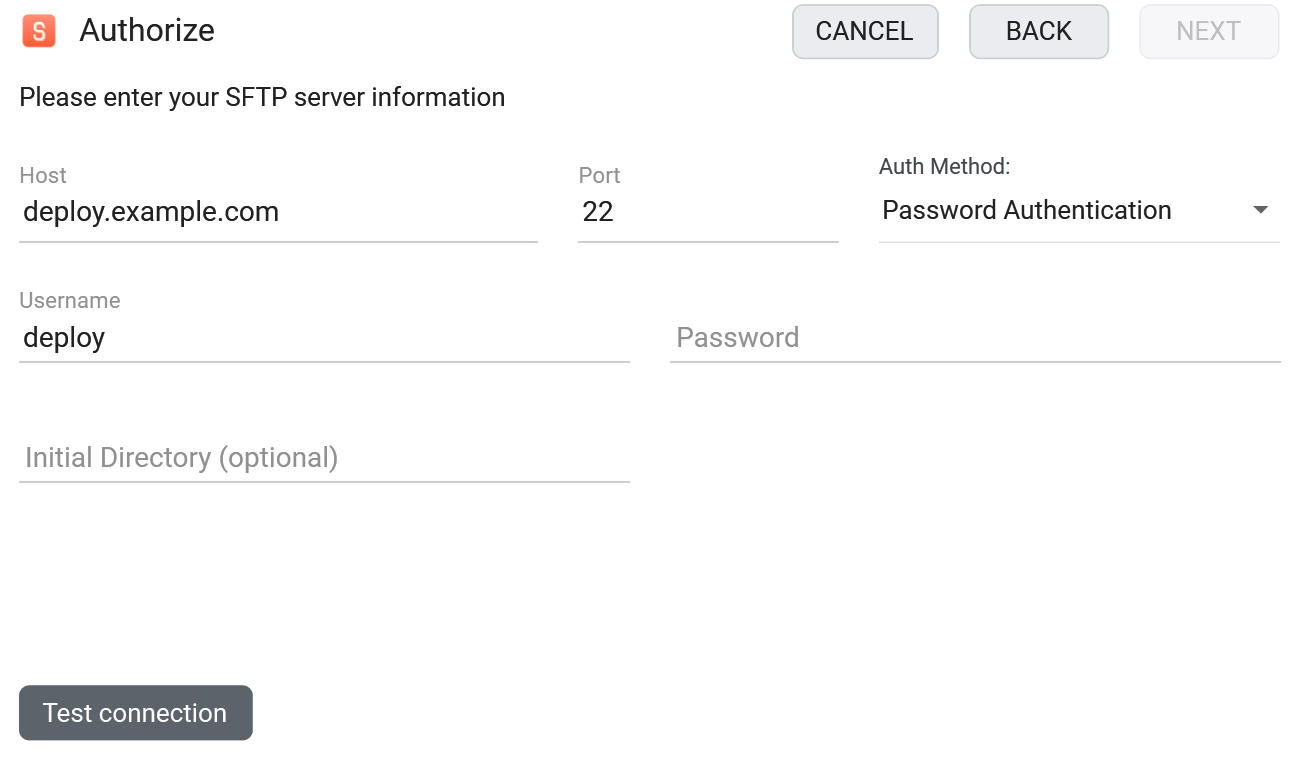
- Enter the Host, Port and Username. If you were sent an
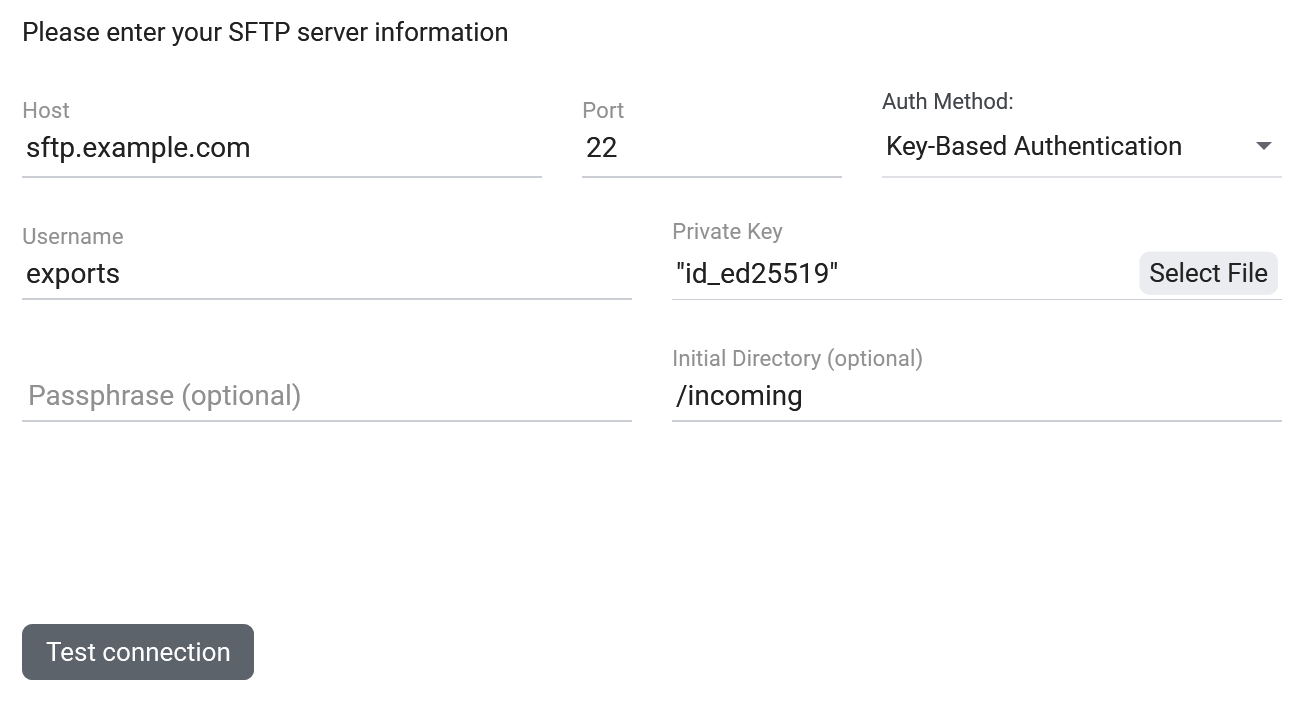
sftp://link, paste the whole link into Host and FTPie fills in the port, username, password and folder from it. With Settings > Windows integration > Open ftp:// and sftp:// links in FTPie turned on, clicking the link opens this form already filled in, with the connection tested. - Under Auth Method, choose Password Authentication, Key-Based Authentication, or Dual Authentication if the server wants a key and a password.
- For a key, click Select File next to Private Key and pick your key file. Enter its passphrase if it has one.
- Optionally set an Initial Directory such as
/incoming, then click Test connection. - On the first connection FTPie shows the server's Host Key Information. Compare the fingerprint with the one you were sent, then click Accept.
SFTP is on FTPie's free plan for personal use, for up to three FTP, FTPS or SFTP servers. For work, FTPie Pro has a free trial.
Comparing apps before you install one? Our honest roundup of the best SFTP client for Windows covers WinSCP, FileZilla, Cyberduck, FTPie and three more, with who each one suits.
Key files: .ppk, .pem or OpenSSH?
.ppkis PuTTY's format, made by PuTTYgen. There are two versions, 2 and 3..pemis a PEM key - what AWS gives you for an EC2 server, for example.id_rsaorid_ed25519, with no extension, is an OpenSSH key made byssh-keygen.- Anything ending in
.pubis the public half. It belongs on the server; you never load it into a client.
Most tutorials begin by converting one format into another with PuTTYgen. FTPie reads all three as they are, with
or without a passphrase, so you can skip that step. When it can't read a file it says why: the passphrase is
missing or wrong, the file isn't a private key, or you picked the .pub file.
You still need to convert in one case: Windows' own sftp command can't read .ppk files.
Open the key in PuTTYgen and use Conversions > Export OpenSSH key. Going the other way, PuTTYgen's
Load followed by Save private key turns a .pem into a .ppk for tools that want one.
Connect with Windows' built-in sftp command
Windows 10 and 11 include the OpenSSH client. In PowerShell or Command Prompt:
sftp -P 22 exports@sftp.example.com
The port takes a capital -P; a lowercase -p means something else in sftp. The first time,
sftp shows the server's fingerprint and asks Are you sure you want to continue connecting (yes/no/[fingerprint])?
Compare it with the one you were sent, type yes, then enter your password. With a key file instead:
sftp -i C:\Users\you\.ssh\id_ed25519 exports@sftp.example.com
Once you're in, ls lists files, cd changes folder, put uploads, get
downloads and bye quits. The SFTP command reference has the
rest, and automating FTP and SFTP transfers shows how to turn a
daily upload into a scheduled job.
When it won't connect
- "Permission denied (publickey)" - the server accepts only keys, and the key you offered isn't on it. Check that you loaded the private key, not the
.pub, and that whoever runs the server has added your public key. - "Permission denied (password)", or an authentication error in an app - the username or password is wrong. Usernames are case-sensitive on most servers.
- "Connection timed out" - nothing answered. Usually a firewall, a wrong port, or a server that only lets in allow-listed IP addresses.
- "Connection refused" - the machine answered, but nothing is listening on that port. Check the port number.
- "Host key verification failed", or a warning that the host key has changed - the server's key no longer matches the one saved on your PC. That can be a rebuilt server or something worse, so check with the server's owner before you accept the new key. For Windows'
sftp,ssh-keygen -R sftp.example.comremoves the old entry. - "Permission denied" when uploading - you are connected but can't write there. Vendor servers often allow uploads into one folder only, such as
/incoming. - FileZilla's "Could not connect to server" covers most of the above; its message log says which one it is.
Before you email the vendor, three free checks narrow it down: the SFTP connection tester (does the server answer from the internet at all?), the SFTP auth method checker (does it want a password, a key, or both?) and the host key fingerprint viewer (which keys does it present?). A server that only accepts allow-listed addresses will refuse these checks too.
Start Your 30-Day Free Trial
Download FTPie and start your free 30-day trial. Enjoy seamless FTP + cloud integration and keep using the free version afterward.
Download Free Trial