Search for secure file transfer software and you get two kinds of product. One is a platform: a managed file transfer (MFT) server with user accounts, audit trails and compliance paperwork, bought by an IT department. The other is the app on your own Windows PC that connects to servers and clouds and moves files without exposing them.
This page is about the second kind - what it has to do, how FTPie handles each part, and where other tools fit. If you need the first kind, skip to what a desktop client is not.
What "secure" means for a file transfer app
- Encrypted protocols. SFTP (over SSH) or FTPS (FTP over TLS). Plain FTP sends passwords and files in clear text and has no place in anything sensitive.
- It checks who it is talking to. On the first connection it shows the server's identity - an SFTP host key fingerprint, an FTPS certificate - and it stops you if that identity later changes.
- Key-based login. SSH keys instead of, or as well as, passwords, in the formats people actually receive: OpenSSH, PEM and PuTTY's .ppk.
- Saved passwords nobody else can read. Every client remembers logins. What matters is whether they are encrypted on disk, and whether you can put a password in front of them.
- Encryption before upload, for files that end up somewhere you don't control: a cloud drive, a partner's server.
- A record of what was transferred, where to, and what failed.
How FTPie handles each one
| Requirement | FTPie |
|---|---|
| Encrypted protocols | SFTP, and FTPS with explicit or implicit TLS. Plain FTP is there for servers that offer nothing else. |
| Server identity | Shows the SFTP host key fingerprint to accept on the first connection. Shows an FTPS certificate the first time it sees it, and again whenever it changes. |
| Key login | OpenSSH, PEM and PuTTY (.ppk) private keys, with or without a passphrase, loaded as they are - plus key and password together for servers that ask for both. |
| Saved passwords | Stored encrypted. Without App Lock they open only for your Windows account on that PC; with App Lock, only with your password. |
| Encryption before upload | AES-256 file encryption (Pro) to any storage. File names stay visible, so zip first when names matter too. |
| A record | An activity log of transfers, backups and failures that survives restarts. |
SFTP and FTPS are on the free plan for personal use, for up to three servers, and App Lock is free on every plan. File encryption and the cloud connections are part of FTPie Pro, which has a free trial. The SFTP and file encryption pages go into detail.
App Lock: one password in front of everything
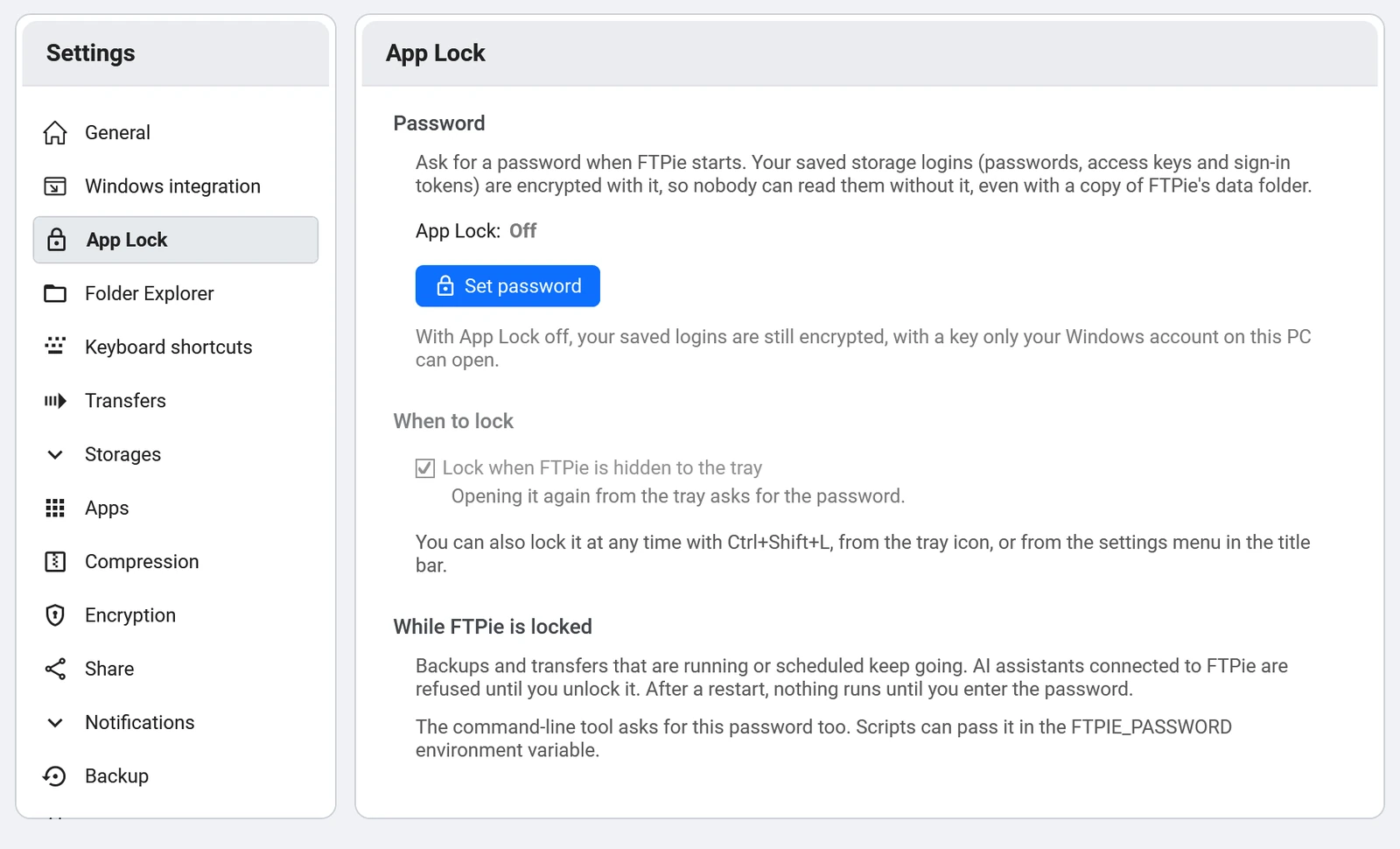
Set a password in Settings > App Lock and FTPie asks for it every time it starts. You can lock it from the tray or the title bar, or have it lock itself whenever it goes to the tray. While it is locked:
- saved logins can't be opened without the password - not even from your own Windows account;
- connected AI assistants are refused, and the command line asks for the password;
- scheduled backups and transfers keep running.
If you forget the password, FTPie can be reset, which signs you out of every storage. There is no other copy of the key, which is the point.
What a desktop client is not
- Not a server. FTPie connects to SFTP and FTPS servers; it doesn't run one. If partners must send files to you, you need a server or a hosted SFTP service.
- Not a team platform. There is no admin console, no per-user permissions and no central audit trail across a company.
- Not certified for compliance. It holds no HIPAA, SOC 2 or similar attestation. If an auditor asks for one, you are shopping for a managed file transfer platform, not a client.
The alternatives
- WinSCP - free; SFTP, FTPS and SCP; the strongest scripting of any Windows client, and an optional master password for saved sessions.
- FileZilla - free; SFTP and FTPS; can protect saved passwords with a master password. Get it from filezilla-project.org: unofficial download sites have spread tampered copies.
- SecureFX - VanDyke's commercial client, common in companies that already use SecureCRT.
- Bitvise SSH Client - free; SFTP and a terminal in one, with its own key manager.
Where FTPie differs is reach. The same app opens Google Drive, Dropbox, OneDrive, Amazon S3, Azure Blob and your NAS, so a file can go from a vendor's SFTP server to company cloud storage without being saved to the desktop on the way. The best SFTP clients for Windows compares seven of them, including where each one beats ours.
Start Your 30-Day Free Trial
Download FTPie and start your free 30-day trial. Enjoy seamless FTP + cloud integration and keep using the free version afterward.
Download Free Trial