Which archive format makes the smallest file, and which is fastest? We took five kinds of real files (source code, the standard Silesia compression set, JSON data, photos and a video) and packed each one with ten formats and settings, three times each, then unpacked every archive and checked every file, byte for byte.
- For text and code, 7z makes the smallest archives. 7-Zip's ultra setting shrank our source-code set to 22.6% of its size; zip to 31.5%. The 7z archive was 28% smaller than the zip.
- zstd beats zip on speed everywhere, and on code and JSON on size too. At its default level it packed the code set smaller than zip (29.2% vs 31.5%) in half the time (2.7 s vs 5.7 s), and unpacked it faster (5.5 s vs 8.8 s).
- Photos and videos barely shrink. Our JPEGs got at most 5.4% smaller, the MP4 at most 0.6%, whatever we used.
- Windows' built-in zip commands are about 20 times slower on many small files: PowerShell's
Compress-Archivetook 124 seconds to zip the code set, where 7-Zip's zip took 5.7 seconds. Unzipping: 158 s against 8.8 s. - RAR lands between zip and 7z on size on most sets, and was among the fastest to unpack.
Not one of the 150 archives lost or changed a byte.
What surprised me most was Windows' own zip. On our source code it took about 20 times longer than 7-Zip, both to pack and to unpack, and I suspect most people never notice. I didn't. There's no clear winner here, but there is a clear loser. And for photos and video, as you'd expect, an archive is good for packing files together, not for making them smaller.
Archive size as a share of the original (smaller is better; median of 3 runs):
| Format and setting | Source code | Silesia set | JSON | Photos (JPEG) | Video (MP4) |
|---|---|---|---|---|---|
| 7z, ultra | 22.6% | 23.0% | 8.2% | 94.7% | 99.6% |
| 7z, normal | 23.3% | 23.5% | 8.8% | 94.7% | 99.6% |
| xz (tar.xz) | 23.3% | 23.2% | 8.2% | 94.8% | 99.7% |
| zstd, level 19 | 23.7% | 24.9% | 7.7% | 94.6% | 99.4% |
| RAR, best | 29.9% | 25.1% | 8.3% | 95.4% | 99.5% |
| RAR, normal | 30.0% | 25.6% | 8.5% | 95.4% | 99.5% |
| zstd, default | 29.2% | 31.4% | 10.9% | 95.9% | 99.7% |
| Zip, maximum | 31.1% | 30.5% | 10.9% | 95.3% | 99.4% |
| Zip, normal (7-Zip) | 31.5% | 31.0% | 11.9% | 95.5% | 99.4% |
| Zip, Windows' built-in | 32.0% | 32.2% | 11.5% | 95.7% | 99.4% |
Time on the source-code set (216 MB in 8,598 files; median of 3 runs, the fastest and slowest run in brackets):
| Format and setting | Archive | Pack | Unpack |
|---|---|---|---|
| zstd, default | 63.1 MB | 2.7 s (2.6-2.9) | 5.5 s (4.8-5.6) |
| Zip, normal (7-Zip) | 68.1 MB | 5.7 s (5.6-5.8) | 8.8 s (8.6-9.1) |
| RAR, normal | 64.9 MB | 9.6 s (8.9-9.7) | 7.4 s (7.4-8.6) |
| RAR, best | 64.7 MB | 10.8 s (10.3-12.2) | 7.5 s (6.7-7.8) |
| 7z, normal | 50.5 MB | 21.1 s (21.0-21.6) | 7.8 s* (6.8-10.0) |
| Zip, maximum | 67.3 MB | 39.4 s (39.0-39.8) | 8.8 s (8.7-8.9) |
| 7z, ultra | 48.8 MB | 62.0 s (59.8-62.1) | 8.7 s (8.6-15.6) |
| xz (tar.xz) | 50.4 MB | 81.1 s (81.0-81.5) | 7.4 s (6.9-7.7) |
| zstd, level 19 | 51.3 MB | 117.0 s (115.5-117.6) | 4.9 s (4.8-5.1) |
| Zip, Windows' built-in | 69.2 MB | 123.9 s (113.9-149.7) | 157.8 s (145.7-206.4) |
* Re-measured on the night of 22-23 October: the median of five runs. On 8 October these three runs took 26 to 33 seconds, most likely because other programs were using the same hard disk: in the re-check, a sixth run made while another program was reading the disk took 52 seconds (see How we tested).
Text and code: 7z is the smallest, zstd the quickest
On anything made of text (source code, documents, logs, data), the format matters. 7z at its ultra setting made the smallest archive of the code set and of the Silesia set, the standard mix of text, databases and images that compression researchers use. xz, which uses the same LZMA method as 7z, came within a point of it but was slower to pack.
7z's normal setting is the better deal: on the code set it was under a point behind ultra (23.3% vs 22.6%), packed it in a third of the time (21 s vs 62 s) and unpacked it just as fast.
zstd, the format Linux distributions and many backup tools have moved to, works the other way round. At its default level it packed every set faster than anything else we tested and was among the fastest to unpack; on code and JSON it is still smaller than zip (on the Silesia set, the photos and the video, a little bigger). Turn it up to level 19 and it gets close to 7z on size (23.7% on code) and is the fastest of all to unpack (4.9 s), but packing takes two minutes. On our JSON file, zstd 19 made the smallest archive of any format: 7.7%.
Zip at "maximum" isn't worth the wait
Zip's maximum setting saved almost nothing over normal: 31.1% against 31.5% on the code set, 30.5% against 31.0% on the Silesia set. It took 7 times as long on the code (39 s vs 5.7 s) and 8 times as long on the Silesia set (58 s vs 7 s). If zip is too big for you, switch format, not setting.
Photos and videos: don't bother
JPEG photos and MP4 video are already compressed. Our 40 NASA photos shrank by 4.1% to 5.4% depending on the format; the NASA video by 0.3% to 0.6%. Stronger settings bought nothing: zip at maximum spent 78 seconds on the video to save 0.6%, barely more than plain zip saved in 5 seconds, and 7z ultra spent 30 seconds to save 0.4%.
If you're packing a photo or video folder to send it as one file, plain zip is fine: on our photos it took under a second and came within a point of the smallest archive, and every computer opens it.
Windows' built-in zip is slow with many files
Windows has its own zip tools, and PowerShell's Compress-Archive and Expand-Archive are what scripts and many
how-to guides use. On the code set's 8,598 files they took 124 seconds to pack and 158 seconds to unpack. 7-Zip's
zip did the same in 5.7 and 8.8 seconds, with a slightly smaller file. On a single large file the gap shrinks to seconds
(packing the video: 6.9 s vs 5.3 s).
We timed the PowerShell commands, not File Explorer's "Compressed (zipped) folder", which uses a different code path.
7-Zip vs WinRAR
RAR made archives between zip and 7z on the code, Silesia and photo sets: on the code set 29.9% against 7z's 22.6% and zip's 31.5%. WinRAR was quick, though: at their normal settings it packed the code set in 9.6 seconds against 7-Zip's 21.1 (7z), and unpacked it in 7.4 seconds.
So, on our files: 7-Zip's 7z makes smaller archives, WinRAR makes them faster, and 7-Zip is free while WinRAR is a paid program with a trial. The exceptions: on the video, where nothing compresses, RAR came out smaller (99.5% vs 99.6%) and 7z normal packed it slightly faster (8.8 s vs 9.0 s); on the JSON file RAR normal beat 7z normal on size (8.5% vs 8.8%), though 7z ultra beat RAR best (8.2% vs 8.3%). RAR has features we didn't test, such as recovery records that can repair a damaged archive.
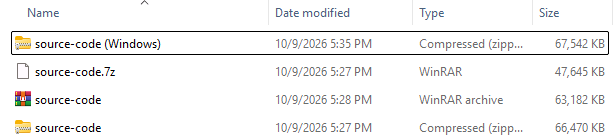


Which format should you use?
| You want | Use | Why (on our files) |
|---|---|---|
| To send files to anyone | Zip | Every operating system and archive tool opens it. Make it with 7-Zip: PowerShell's commands, the other zip maker we tested, were about 20 times slower on many files |
| The smallest archive of documents or code | 7z, normal | Within a point of ultra, in a third of the time |
| Speed, for backups or big folders | zstd, default | Fastest to pack, among the fastest to unpack; smaller than zip on code and JSON |
| To pack photos or video | Plain zip | Nothing shrank them by more than 5.4%; don't spend the time |
| The smallest archive whatever the time | 7z ultra; zstd 19 for JSON-like data | Smallest on our code and Silesia sets; zstd 19 on the JSON |
Zip in FTPie and BackupKit
FTPie zips files on an FTP server or in cloud storage in one step: right-click them, choose Compress, and it downloads them in the background, builds a standard zip archive (with a compression level you pick and an optional AES-256 password) and uploads it back to the same folder. Its archive viewer shows what's inside a zip on a server without downloading all of it. BackupKit, FTPie's sister app for scheduled backups, writes its backups as standard zip files with the same engine, so any zip tool can open them, and any tool that handles AES, such as 7-Zip, opens the encrypted ones. Measured on 23 October with BackupKit's default level, their zip comes out within -0.1 to +1.6 points of 7-Zip's zip on every set (32.2% of the original on the code set, against 31.5%). Neither app makes 7z, RAR or zstd archives: we chose zip because every computer can open it.
How we tested
| When | 8 October 2026; 7z normal's unpack time re-measured on the night of 22-23 October |
| Machine | A laptop: Intel Core i7-9750H (6 cores, 12 threads), 32 GB RAM, Windows 11 Pro (build 26300). Files on a 1 TB 2.5" hard disk (WD Blue, 5,400 rpm); Microsoft Defender's real-time protection on, as on most PCs. A faster disk would likely cut the many-small-files times, Windows' zip most |
| Tools | 7-Zip 24.08 (zip and 7z), WinRAR 7.10 (its rar command line), Windows' own tar (bsdtar 3.8.8 with libzstd 1.5.7 and liblzma 5.8.3) for zstd and xz, PowerShell Compress-Archive / Expand-Archive (Optimal) for Windows' zip. Each tool used its default number of threads |
| Settings | Zip normal / maximum = 7-Zip -mx=5 / -mx=9 (Deflate); 7z normal / ultra = -mx=5 / -mx=9 (LZMA2); RAR normal / best = -m3 / -m5; zstd default = level 3, zstd 19 = level 19; xz = level 6 |
| Files | Source code: WordPress 7.1.3 and CPython 3.13.7, 216 MB in 8,598 files. Silesia: the standard compression benchmark set, 212 MB in 12 files. JSON: one 9 MB file of real crawl data. Photos: 40 public-domain NASA JPEGs, 89 MB. Video: one public-domain NASA MP4, 168 MB. All public and re-downloadable; every file's SHA-256 in the manifest |
| Runs | 3 per format and set, median reported (run-to-run spread of packing times: 4.6% at the median). Every unpacked file's SHA-256 checked against the original: 0 mismatches in 150 runs. On a hard disk, unpacking thousands of small files is sensitive to anything else using the disk: a re-check on the night of 22-23 October saw single runs 3 to 7 times slower while another program read the disk. Our own network crawls ran on the same PC during most of the 8 October runs, and a re-run of 7-Zip's zip on 23 October was 10-20% faster on every set, so read the times relative to each other, not as absolutes. One median (7z normal unpacking the code set) was clearly disturbed and was re-measured |
| Licences | Checked for clauses against publishing benchmarks: none (7-Zip LGPL, libarchive and zstd BSD, .NET MIT; WinRAR's licence only limits the trial period) |
Download the data: results/runs-2026-10-08.csv (all 150 runs: set, format, run, sizes, times, hash check) · manifest.csv (every file in the test sets: path, size, SHA-256, source) · the CSVs behind the charts : b6-extract-code.csv, b6-shrink-by-type.csv, b6-size-vs-time-code.csv.
FAQ
Is 7z better than zip? For size, yes: on text and code, 7z ultra archives were 26% to 31% smaller than zip in our tests. For compatibility, zip wins: every computer opens a zip without extra software. On photos and video neither saves space.
Which is better, zip or RAR? RAR made smaller archives than zip on text (on code 29.9% of the original vs 31.5%; on the Silesia set 25.1% vs 31.0%) and unpacked the code set faster. Zip opens everywhere; creating RAR needs WinRAR (paid), and 7-Zip can open it.
7-Zip or WinRAR? At their strongest settings, 7-Zip's 7z format made smaller archives than RAR on every set but the video (where nothing shrinks), and 7-Zip is free. WinRAR packed faster (9.6 s vs 21.1 s on our code set at their normal settings) and has repair features we didn't test.
What is the best compression format? For the smallest files of text and code: 7z. For speed: zstd. To send to someone: zip. For photos and video: none, they are already compressed.
Is zstd better than zip? At its default level zstd packed and unpacked faster than zip on every set, and made smaller
archives on code and JSON (not on the Silesia set: 31.4% vs 31.0%). Windows opens zip by itself; zstd needs a tool that
supports it (the tar command in current Windows 11 does: we used it).
Does zipping photos or videos save space? Hardly: 4% to 5% on our JPEGs, under 1% on the MP4.
Why is Windows' zip so slow? On one big file it isn't. With thousands of small files, PowerShell's
Compress-Archive and Expand-Archive were about 20 times slower than 7-Zip in our test.