Sharing a file from Google Drive or Dropbox is straightforward - right-click, generate a link, done. But try sharing a file from an FTP server, a WebDAV share, or a self-hosted cloud, and you will quickly discover there is no built-in way to create a shareable link.
FTPie solves this with Quick Share - a feature that lets you generate a short, shareable link for any file, regardless of where it is stored. It works from inside FTPie or directly from Windows Explorer.
The problem with sharing files from FTP and other storages
Most storage protocols were never designed for sharing files via links. FTP, SFTP, FTPS, and WebDAV give you direct access to files, but there is no concept of a public shareable URL.
Without a tool like FTPie, sharing a file from these storages typically means:
- Downloading the file to your computer
- Uploading it to a cloud service that supports sharing
- Generating a link from that service
- Sending the link to your recipient
That is four steps for something that should take one click. FTPie reduces it to exactly that - one click.
How Quick Share works
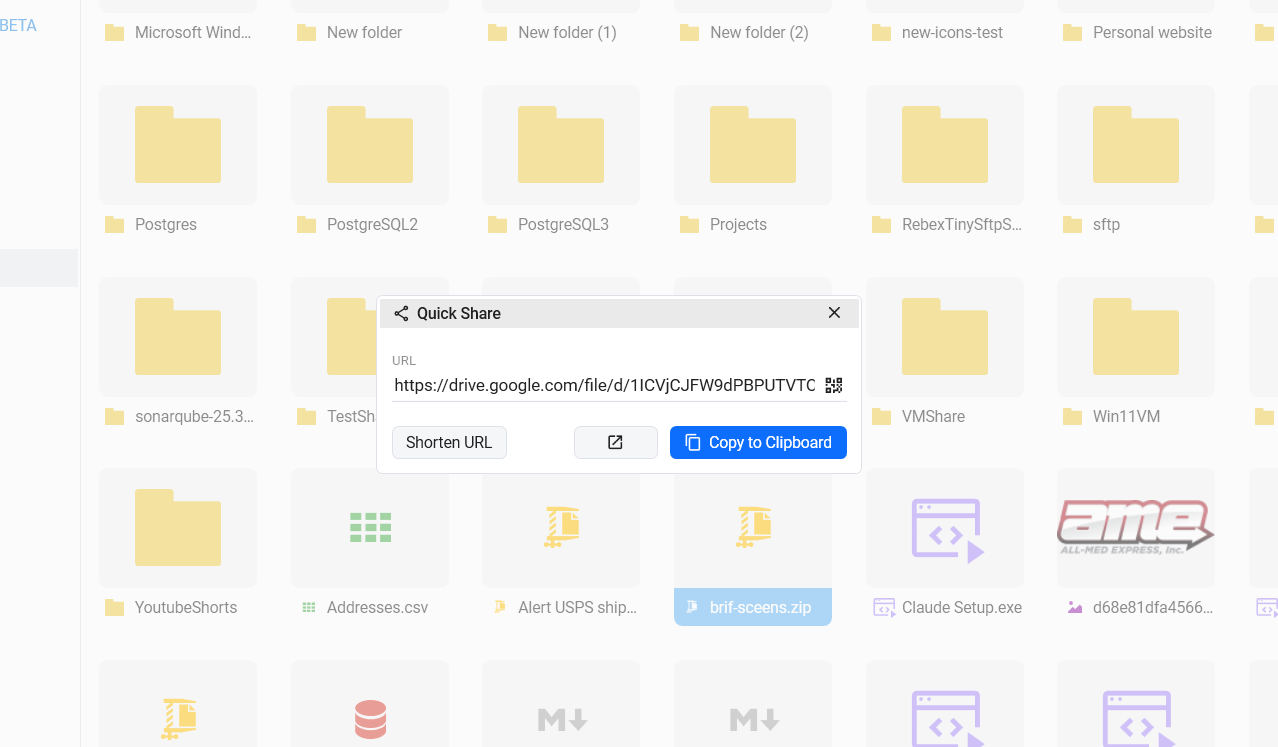
Quick Share takes any file from any connected storage and makes it shareable in seconds. Behind the scenes, FTPie uploads the file to your default shareable storage - a cloud account you choose that supports link sharing (such as Google Drive, Dropbox, or OneDrive) - and generates a short link automatically.
The process is simple:
- Right-click any file in FTPie
- Select Quick Share
- FTPie uploads the file to your shareable storage using its transfer engine
- A shareable link is generated and copied to your clipboard
You can paste the link anywhere - email, chat, documentation, or a support ticket. The recipient opens it in their browser without needing FTPie or any special software.
Sharing files directly from Windows Explorer
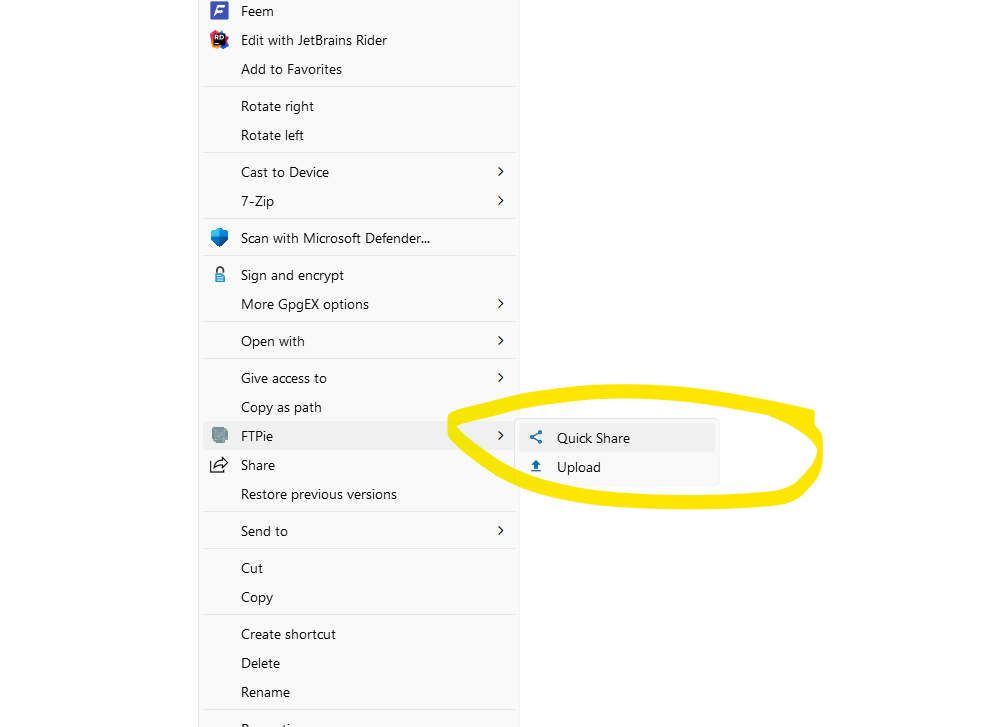
You do not need to have FTPie open to share files. With FTPie's shell extension installed, you can right-click any file in Windows Explorer and select Quick Share from the FTPie submenu.
The file is uploaded to your default shareable storage, a link is generated, and it is copied to your clipboard - all without opening the main app. This is especially useful for quickly sharing:
- Screenshots and screen recordings
- Documents and spreadsheets
- Log files or configuration files for troubleshooting
- Design assets or media files
Pairing Quick Share with Screenshot and Screen Recording
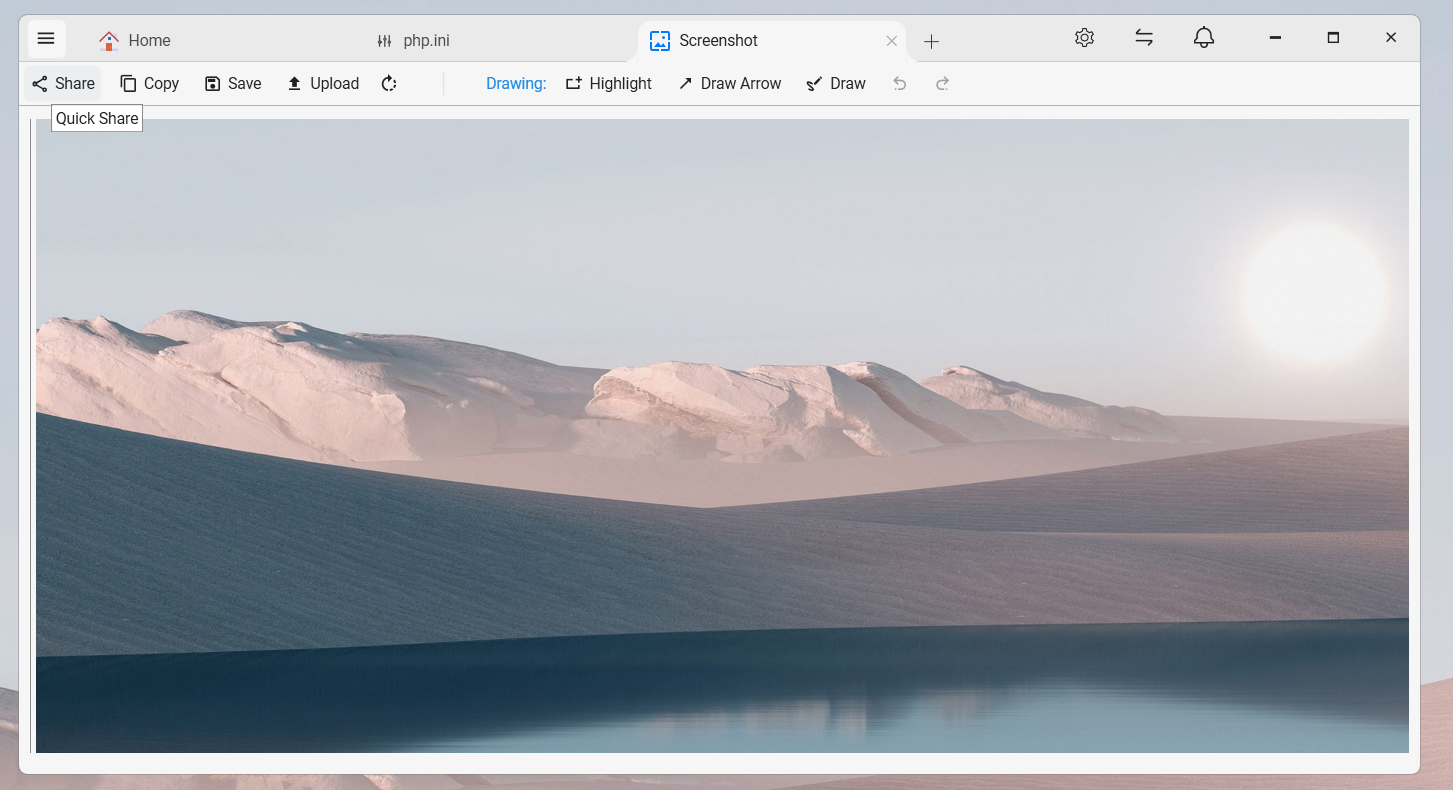
FTPie's built-in Screenshot and Screen Recording tools work seamlessly with Quick Share. Capture your screen, and share the result instantly with a link - no need to save, upload, and generate a link separately.
This makes it a fast workflow for bug reports, tutorials, design feedback, or quick visual explanations.
Choosing your default shareable storage
Quick Share requires at least one connected cloud storage that supports shareable links. FTPie lets you choose which account to use as the default destination. Supported options include:
- Google Drive
- Dropbox
- OneDrive
- pCloud
- Box
If you have not set a default, FTPie will use the first compatible cloud account. You can change this at any time in FTPie's settings.
When Quick Share is useful
Quick Share shines whenever you need to get a file to someone without giving them direct access to your storage:
- Sharing FTP files with clients - send a link instead of setting up FTP credentials
- Sending files from self-hosted clouds - ownCloud, NextCloud, and SeaFile files become instantly shareable
- Quick collaboration - share a document, image, or video for feedback without adding people to your cloud storage
- Support and troubleshooting - share logs, configs, or screenshots with one click
Security considerations
Quick Share links use the sharing permissions of your cloud storage provider. For sensitive files, consider compressing and encrypting them before sharing - FTPie can create password-protected zip archives directly from any storage.
You can also manage and revoke shared links from within your cloud provider at any time.
Final thoughts
Sharing files should not depend on where they are stored. With Quick Share, FTPie lets you generate shareable links for files on FTP, SFTP, WebDAV, self-hosted clouds, or any connected storage - even when the storage itself has no sharing capability.
Want to move files between storages before sharing? See how to transfer files between FTP and Google Drive. Or explore how to upload files from a URL directly to cloud storage without downloading.