It's been about five months since the last big FTPie release - longer than I usually like to go between updates. But this one is worth the wait. 2026.5.1 is the first major release of the year, and it touches almost every part of the app: a fully translated interface in 21 languages, two new built-in apps, a redesigned Notes view, a more generous free plan, and a long list of refinements and fixes underneath.
Here's what's new.
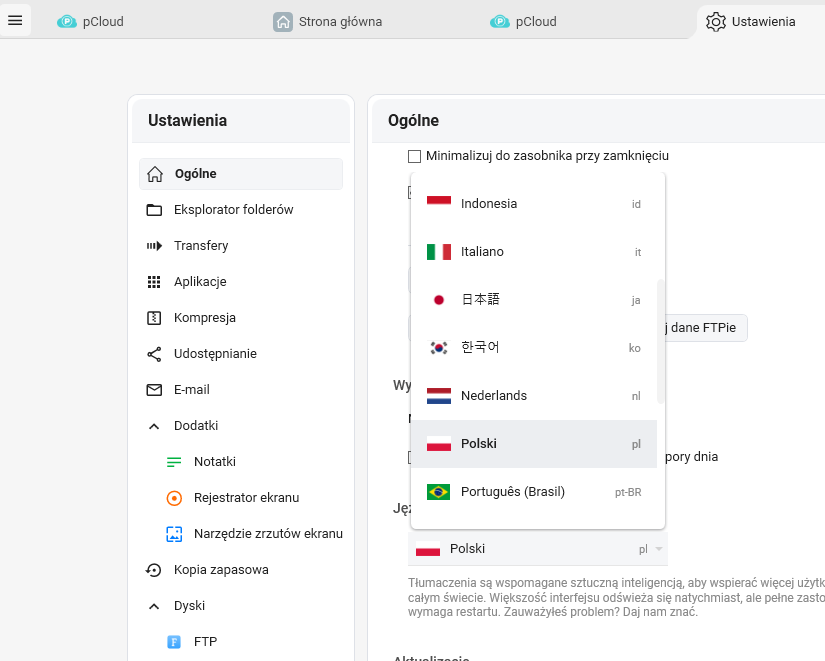
FTPie now speaks 21 languages
Until now, FTPie has been English-only. That stopped feeling right a while ago - a lot of people use FTP clients in workflows where their first language isn't English, and asking them to learn a second vocabulary just to manage files is a friction I wanted to remove.
Starting with this release, the entire FTPie interface is available in 21 languages, English included. You can see all of the flags at the bottom of the home page. The translations are AI-assisted, but every language went through a quality pass to make sure the phrasing feels natural rather than mechanical - especially for technical terms like "transfer", "storage", "shell extension", and the rest of FTPie's vocabulary.
On first launch, FTPie now picks up your system language automatically. You can switch manually from settings at any time.
Two new built-in apps: Image Editor and Markdown Editor
FTPie's philosophy has always been to do more without leaving the app. Every time you have to download a file, open another program, edit it, and re-upload, that's friction worth eliminating. Two new tools join the lineup with this release.
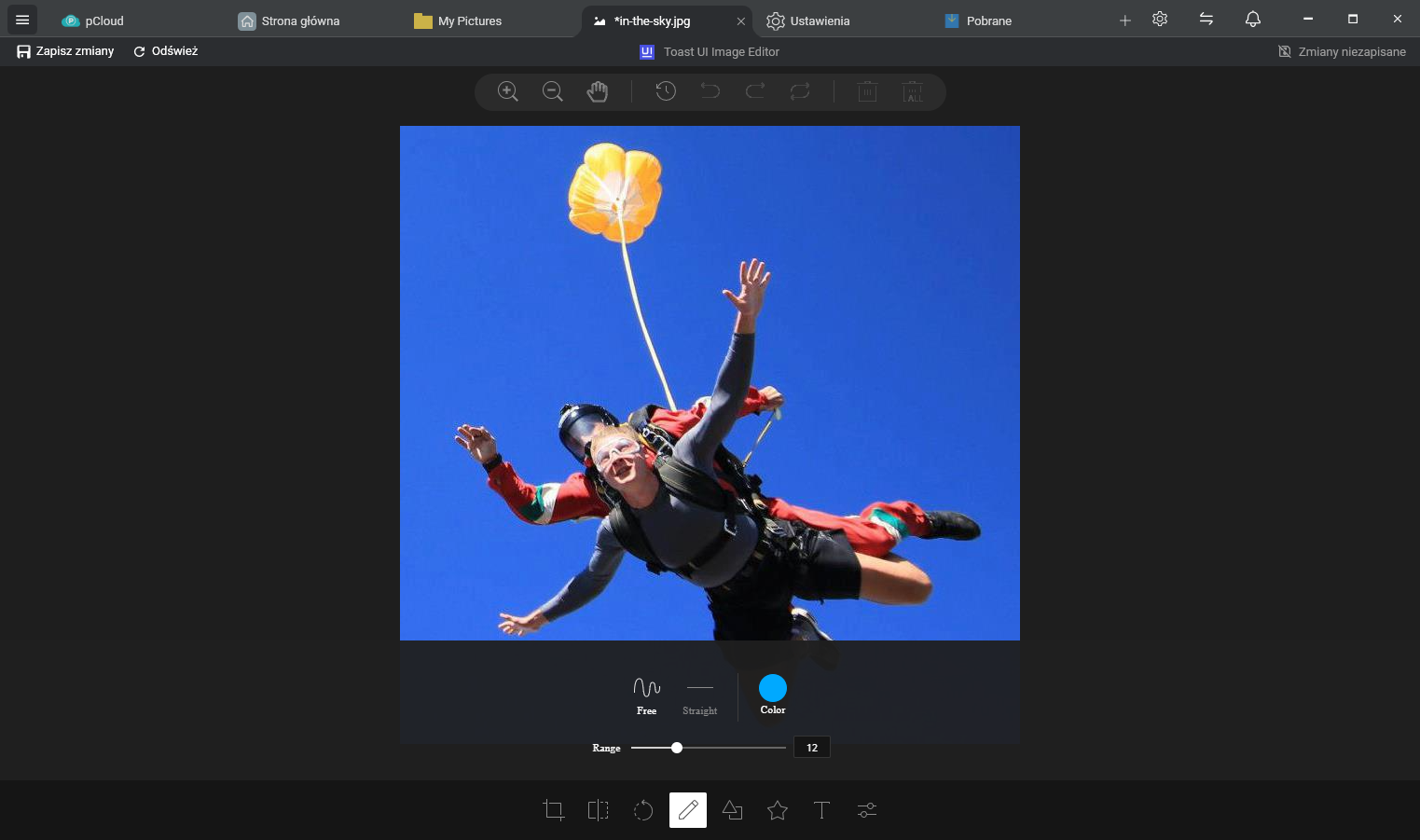
Image Editor
Crop, resize, rotate, and annotate images directly from any storage - FTP, SFTP, cloud, or local. No round-trip through Paint or a separate editor. Open an image, make your changes, save, and FTPie syncs it back to wherever it came from.
Markdown Editor
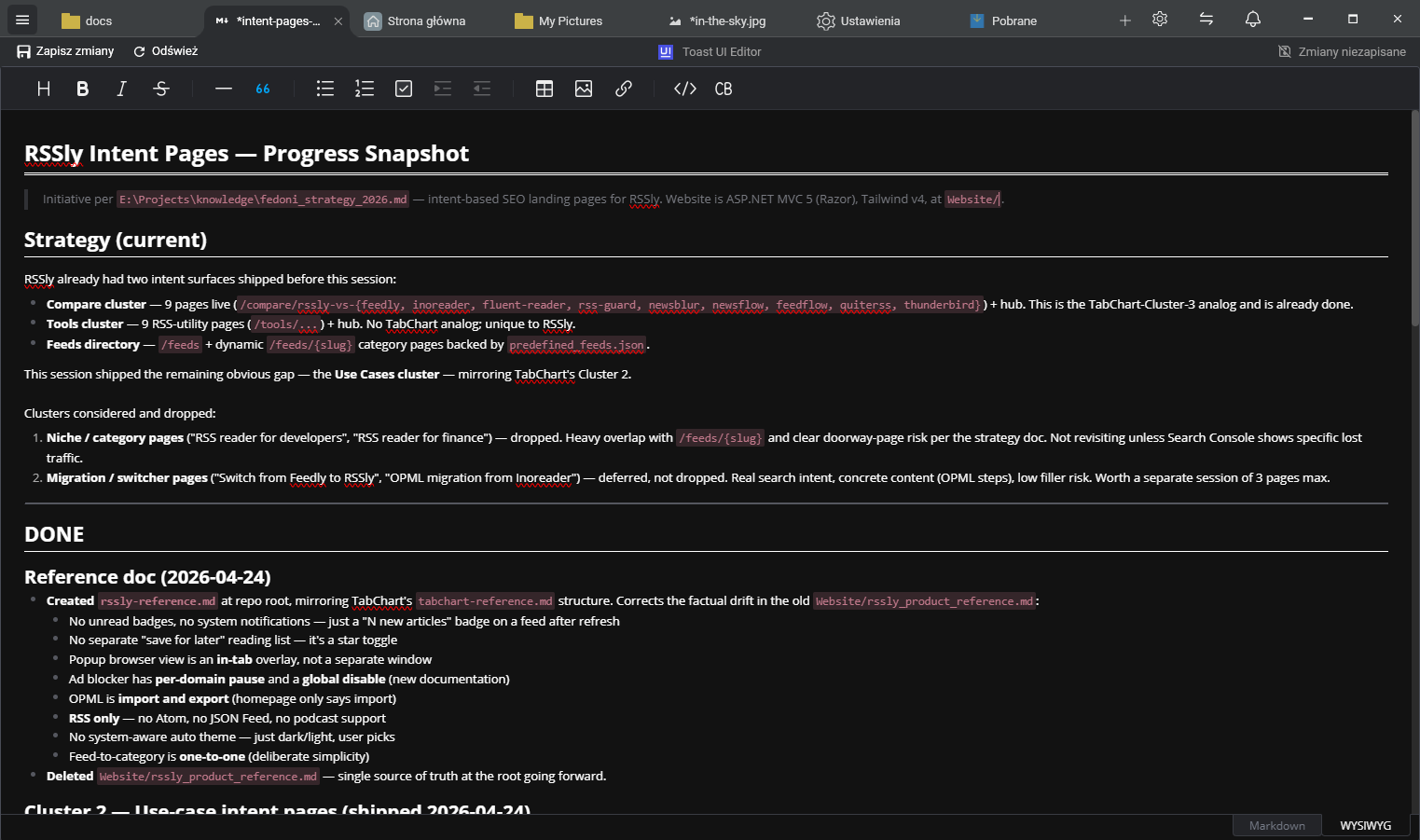
Markdown files are everywhere now - READMEs, project notes, documentation, blog drafts.
The new built-in Markdown editor previews and edits .md files in place, with
live rendering side-by-side. Perfect for tweaking a README on a remote server or jotting
project notes straight into a cloud folder.
A more polished Notes view
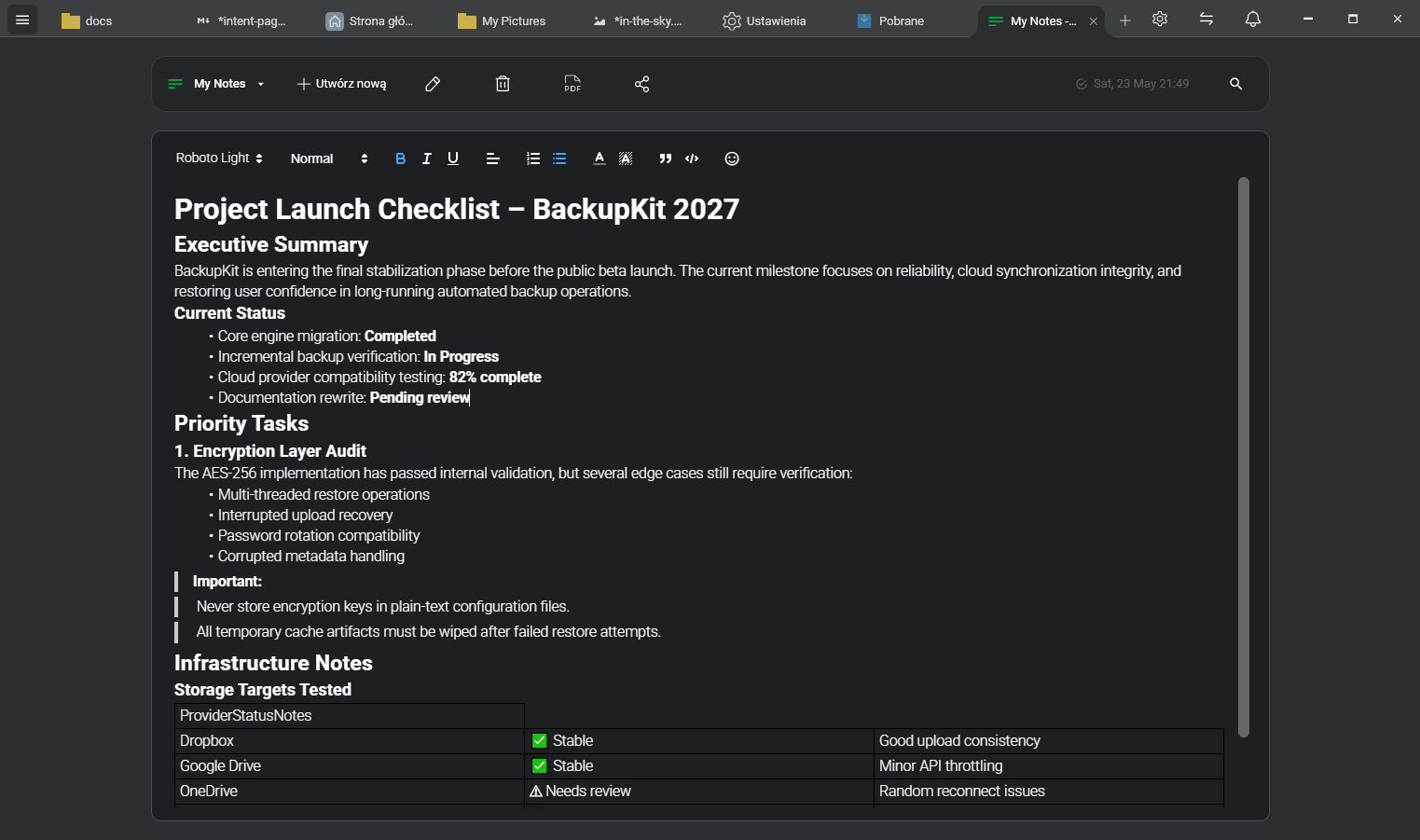
The Notes view got a visual overhaul - cleaner typography, better spacing, and a layout that finally feels at home next to the rest of the app. The feature set is the same, but the experience of actually writing in it is much nicer.
Workflow improvements
A handful of small but high-impact changes that came from real usage and feedback:
- Middle-click to open in background tab - click any folder with the mouse wheel and it opens in a new tab without stealing focus, just like in a browser. Once you get used to it, navigating without it feels slow.
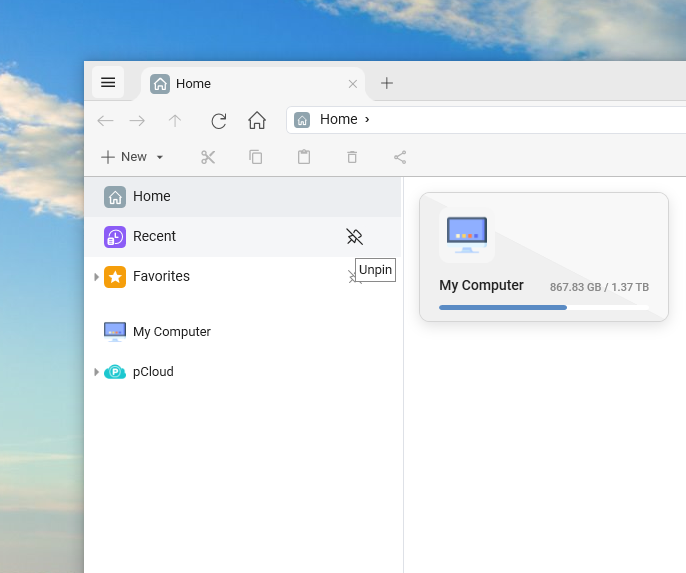
- Pin / unpin tree view sections - you can now hide or show Recent Items, Favorites, and Backups in the left tree. If you don't use a section, hide it. If you live in it, pin it.
- More file type icons - expanded icon coverage so more file types are visually recognizable at a glance.
- Improved Video Recording view - cleaner controls and a smoother capture experience overall.
- Code editor font size in settings - the Monaco-based text editor now respects a configurable font size, which has been one of the most requested small tweaks.
- More FTP, NAS, and WebDAV options exposed in settings - advanced connection properties that previously required workarounds are now first-class settings.
Stability and bug fixes
Roughly two dozen fixes in this release. The highlights:
- ~10 fixes across storage providers (auth, listing, edge cases).
- Fixed an Unzip dialog freeze when removing items from the queue.
- Music player stability fixes when switching tracks quickly.
- Fixed a video player crash triggered by certain AVI files.
- Various smaller performance and stability refinements throughout.
A more generous free plan
Alongside this release, pricing got simpler. There are now three plans: Free, Pro, and an upcoming Max plan.
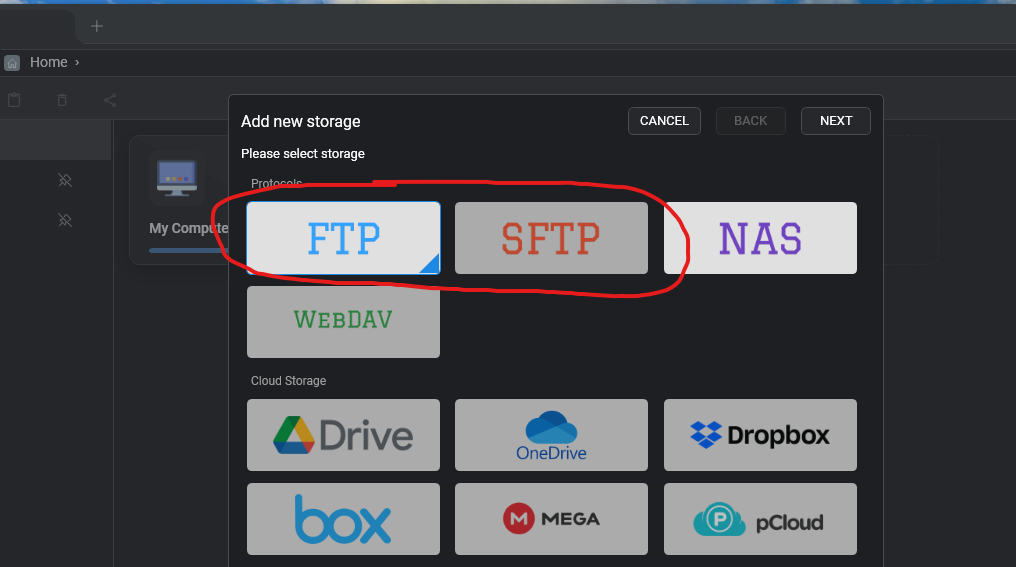
The biggest change: the Free plan now supports up to 3 FTP, FTPS, or SFTP storages - up from just one. If you've been using FTPie for light FTP work, you now have plenty of room without needing a license. Some apps and advanced features have moved into Pro to keep the lineup clear, but the core FTP experience is more accessible than it's ever been.
Full breakdown on the pricing page.
Coming next - in the next 2 to 3 weeks
A lot is queued up right behind this release. Most of it is already in beta and being tested by real users:
- Easy Encryption - encrypt files end-to-end on any storage, so sensitive data stays unreadable even if a server is compromised. Currently in beta.
- Scheduled Transfers - set transfers to run at specific times or intervals. Pairs well with Auto Backups for anyone moving files on a regular cadence. Currently in beta.
- Paste as Image - paste images from your clipboard directly into any folder, on any storage. Great for screenshots straight into a remote server or cloud share.
- Share as Email - share files by email straight from FTPie without bouncing through a separate mail client.
A bit further out: CLI support, so FTPie operations can be driven from the command line and scripts - useful for automation, CI pipelines, and anyone who wants to write their own transfer workflows on top of FTPie.
Thanks
A lot of the improvements in this release came directly from emails, reviews, and the occasional very specific bug report. If you've sent feedback over the last few months, there's a good chance you're looking at it somewhere in this update.
Thanks for using FTPie - and if you have something on your wishlist, keep it coming.