Is FTP still used in 2026? Yes - FTP, along with its secure variants FTPS and SFTP, is still widely used in 2026 for website deployments, server-to-server transfers, moving large datasets, and connecting to legacy systems. The protocol isn't outdated; many of the old desktop clients are. Here's where FTP still shines - and how a modern client keeps it relevant.
Every few years, someone declares that FTP is dead. The cloud took over, browsers became powerful, and APIs replaced old-school file transfers - at least that’s the popular narrative. And yet, in 2026, FTP is still everywhere. Quietly. Reliably. Doing the heavy lifting for developers, agencies, sysadmins, and businesses of all sizes.
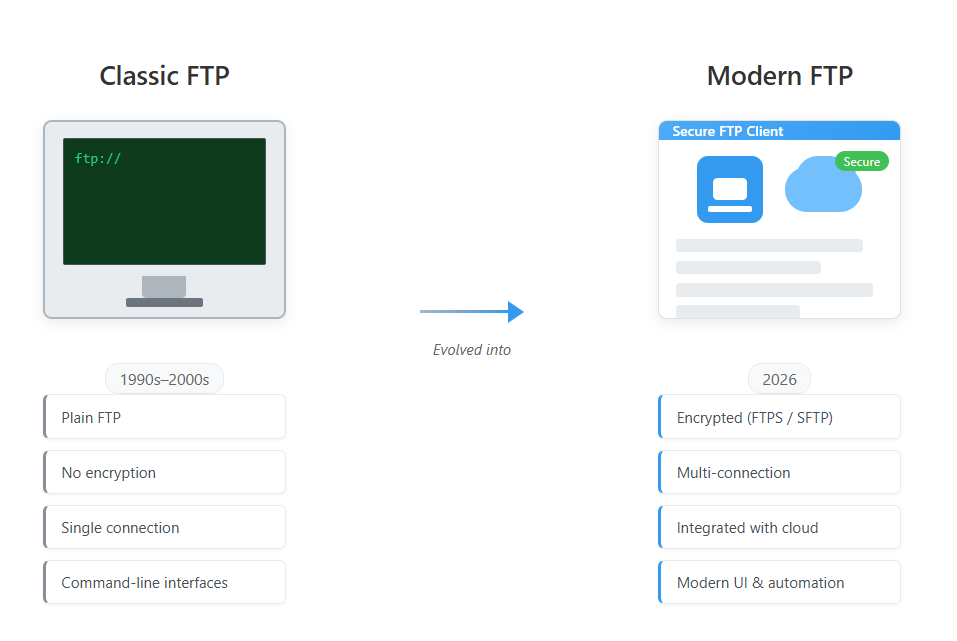
The Myth: “FTP Is Outdated”
FTP has been around for decades, and yes - many traditional FTP tools haven’t aged well. Clunky interfaces, dated UX, and workflows that feel frozen in time gave FTP a bad reputation. But confusing outdated software with an outdated protocol is a mistake.
Protocols don’t need shiny interfaces to be effective. They need to be stable, predictable, and widely supported. FTP (and its secure variants like FTPS and SFTP) checks all those boxes - which is exactly why it’s still deeply embedded in modern infrastructure.
Where FTP Still Shines in 2026
Despite the rise of cloud storage, FTP remains the backbone for many real-world workflows:
- Hosting providers still rely on FTP and SFTP for deployments
- Agencies manage client websites via FTP access
- Enterprises move large datasets between servers
- Legacy systems expose FTP endpoints that won’t disappear overnight
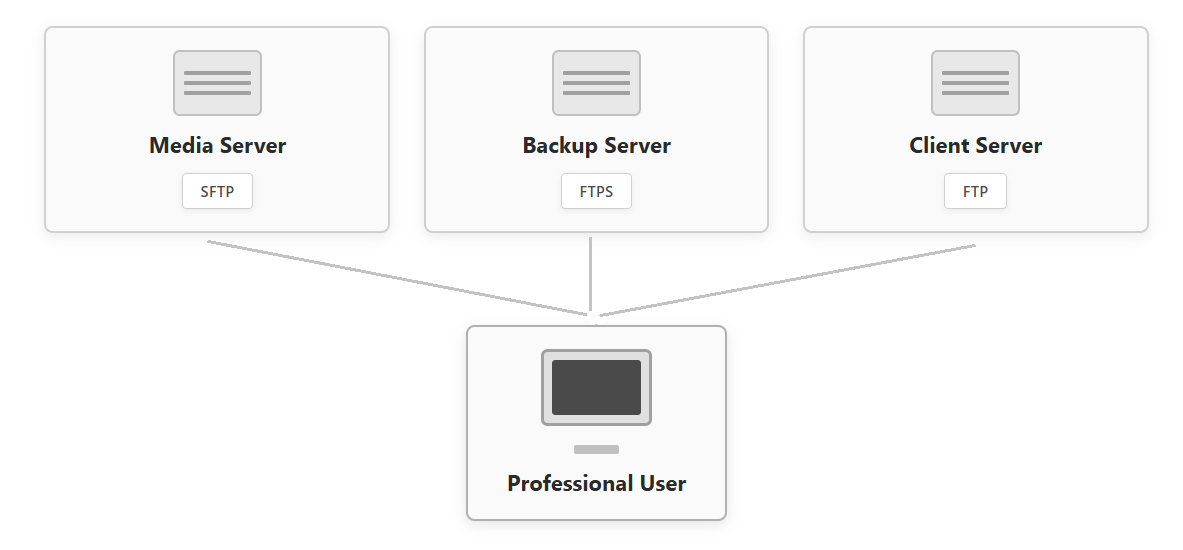
The reality is simple: FTP is universal. Almost every server supports it. Almost every environment understands it. And when you need direct access to files - without abstractions - FTP is hard to beat.
Why FTP Alone Isn’t Enough Anymore
What has changed is how people work with files. Today’s workflows are hybrid: local files, FTP servers, cloud storage, self-hosted solutions like Nextcloud or Seafile - often all at once.
This is where traditional FTP clients fail. They treat FTP as a silo instead of part of a wider ecosystem. Switching between apps, browser tabs, sync tools, and manual downloads breaks flow and wastes time.
FTP in a Modern Context
FTP still makes sense - it just needs to live alongside modern tools. A good file manager in 2026 shouldn’t force you to choose between FTP and the cloud. It should bring everything together.
This is exactly the philosophy behind FTPie.
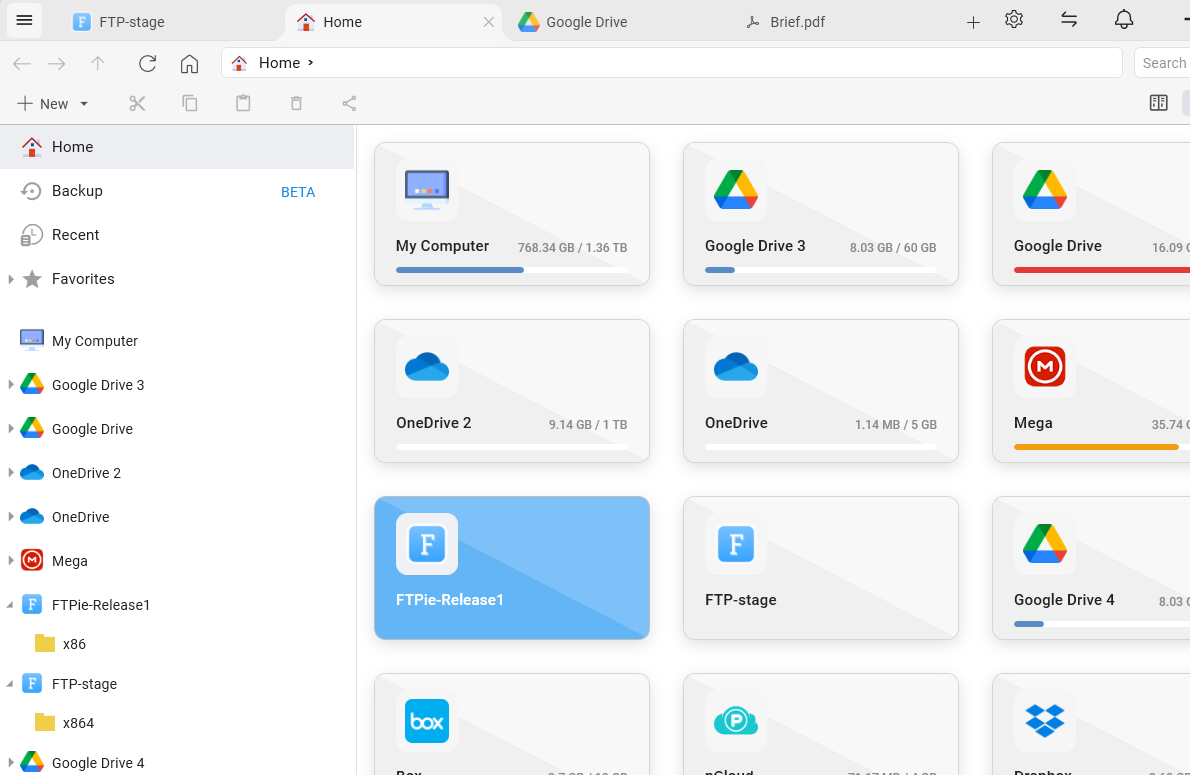
Instead of replacing FTP, FTPie modernizes how you interact with it. You get a clean, native Windows experience with tabs (like a browser), split views, drag & drop, and deep system integration - while still working with the same reliable protocols underneath.
FTP + Cloud = The Real Future
One of the reasons FTP remains so relevant is that it complements cloud storage rather than competing with it. Many professionals move files between FTP servers and cloud accounts daily.
With FTPie, FTP lives side by side with Google Drive, Dropbox, WebDAV, S3-compatible storage, and self-hosted clouds like Nextcloud and ownCloud. No exporting. No temporary downloads. Just direct transfers.
Learn more about Transferring files between FTP and cloud →Security, Control, and Ownership
Another reason FTP refuses to die is control. With FTP (especially SFTP), you know exactly where your data lives. No opaque sync engines. No background processes guessing what you want.
FTPie builds on that by adding features like file previews, remote editing, built-in viewers, and automatic backups - without hiding the filesystem behind abstractions.
FTP Doesn’t Need to Disappear - It Needs to Evolve
FTP isn’t obsolete. The tools around it are. When paired with modern UI, smart workflows, and cloud integration, FTP becomes more useful than ever.
In 2026, FTP is no longer just about transferring files. It’s about managing them efficiently, securely, and comfortably across multiple environments - something modern users actually care about.
Final Thoughts
I don’t believe in killing proven technologies. I believe in upgrading them. FTPie exists because FTP still matters - and because working with files shouldn’t feel like a time capsule from the early 2000s.
If you’re still using FTP daily, the protocol isn’t the problem. The tools are.
See how FTP and cloud storage work better together, or explore why FTP clients stopped evolving - and how FTPie changed that.
FTP in 2026: Frequently Asked Questions
Is FTP still used in 2026?
Yes. FTP and its secure variants (FTPS and SFTP) remain in everyday use for deploying websites, transferring files between servers, moving large datasets, and integrating with legacy systems. Nearly every server and hosting provider still supports it.
Is FTP outdated or obsolete?
No. The protocol is stable, predictable, and universally supported. What feels dated is much of the old FTP software, not the protocol itself. Paired with a modern client, FTP is as practical as ever.
Is FTP secure?
Plain FTP sends data unencrypted, so on its own it isn't secure for sensitive transfers. Its encrypted variants - FTPS (FTP over TLS) and SFTP (file transfer over SSH) - are secure, and they are what most professionals use today. FTPie supports all three.
Should I use FTP or cloud storage?
It's not either/or. Many workflows use both - FTP and SFTP for servers and deployments, cloud for collaboration and sync. A modern file manager like FTPie lets you work with both side by side and move files directly between them.